It allows you to reward users with points on form submission
It allows you to reward users with points for specific form submissions
It allows you to reward users with points when the user submits a specific field value on a form
It allows you to reward users with points when the user submits a specific field value on a specific form
It allows you to reward users with points when the user submits a quiz
It allows you to reward users with points when the user submits a specific quiz
It allows you to reward users with points when the user passes a quiz
It allows you to reward users with points when the user passes a specific quiz
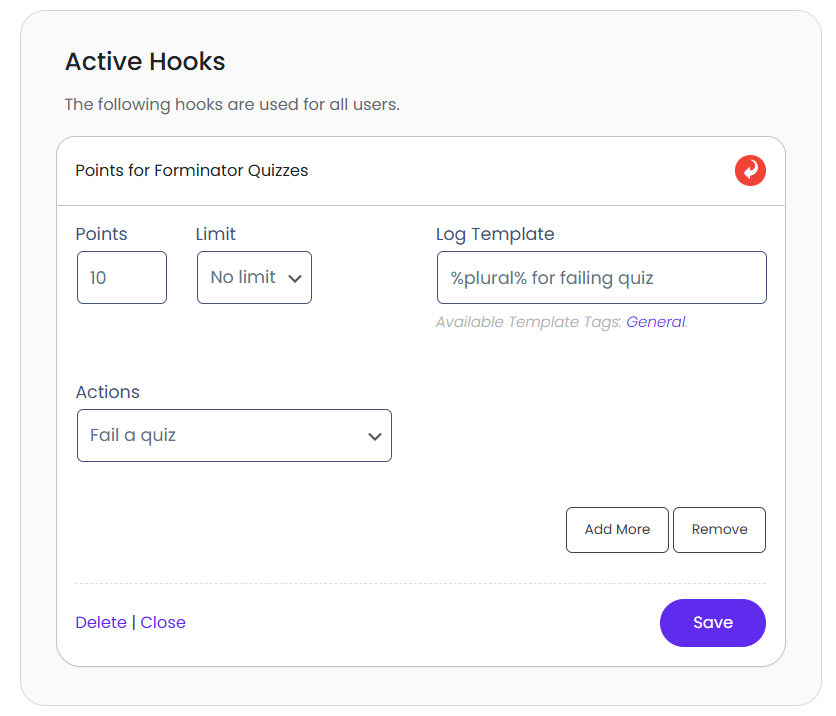
It allows you to reward users with points when the user fails a quiz
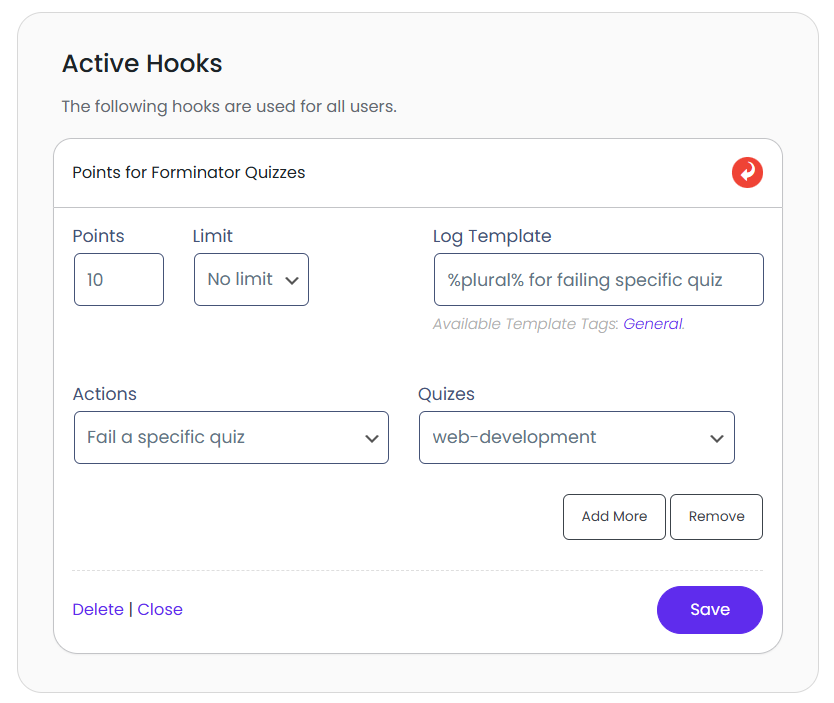
It allows you to reward users with points when the user fails a specific quiz
It allows you to reward users with points when the user submits a specific field value on a quiz
It allows you to reward users with points when the user submits a specific field value on a specific quiz
It allows you to reward users with points when the user votes on a poll
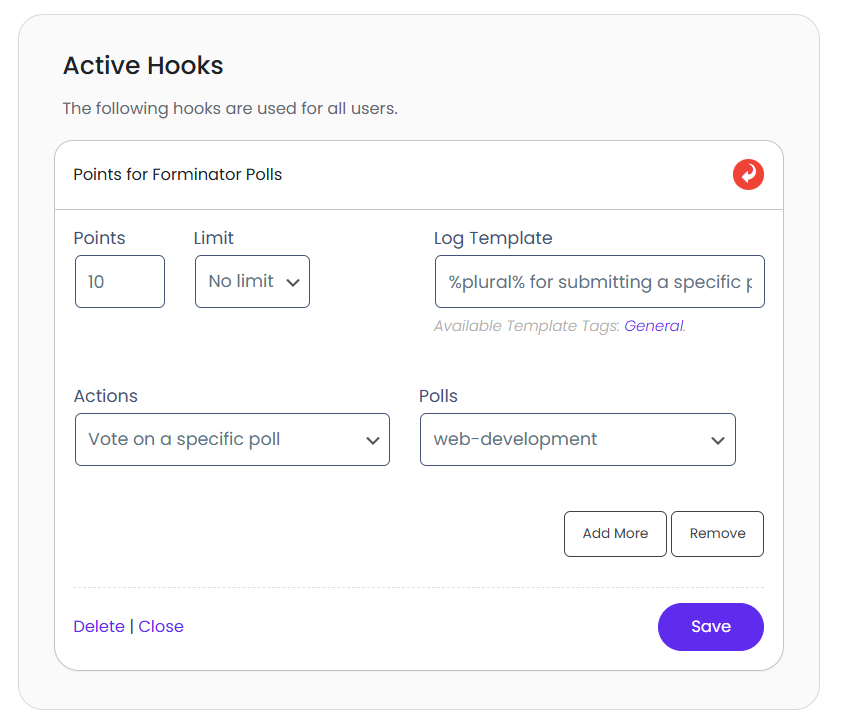
It allows you to reward users with points when the user votes on a specific poll
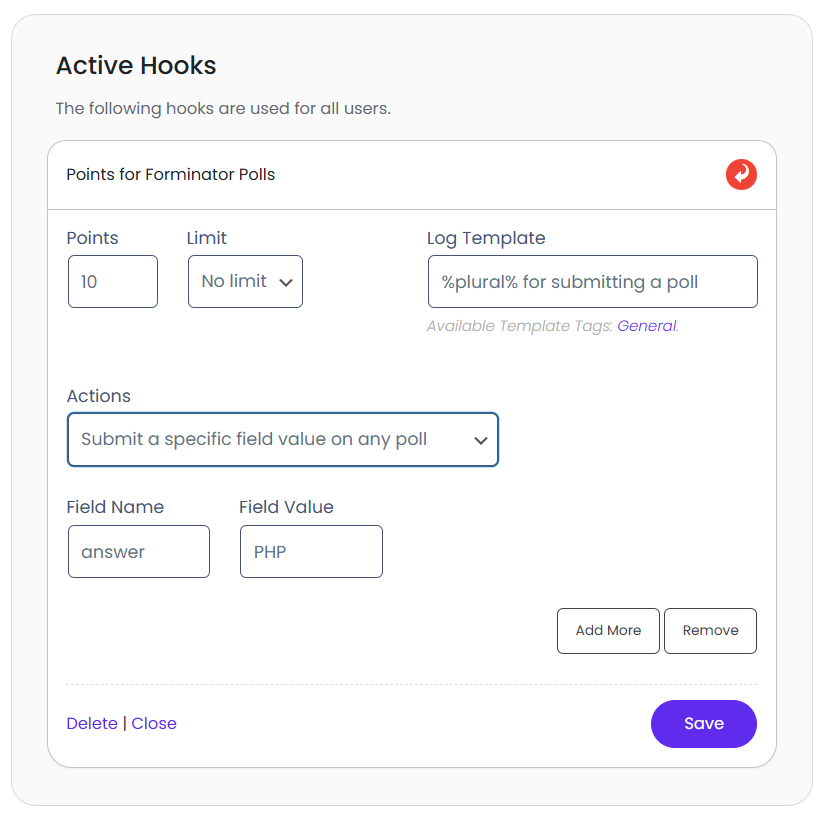
It allows you to reward users with points when user submits a specific field value on a poll
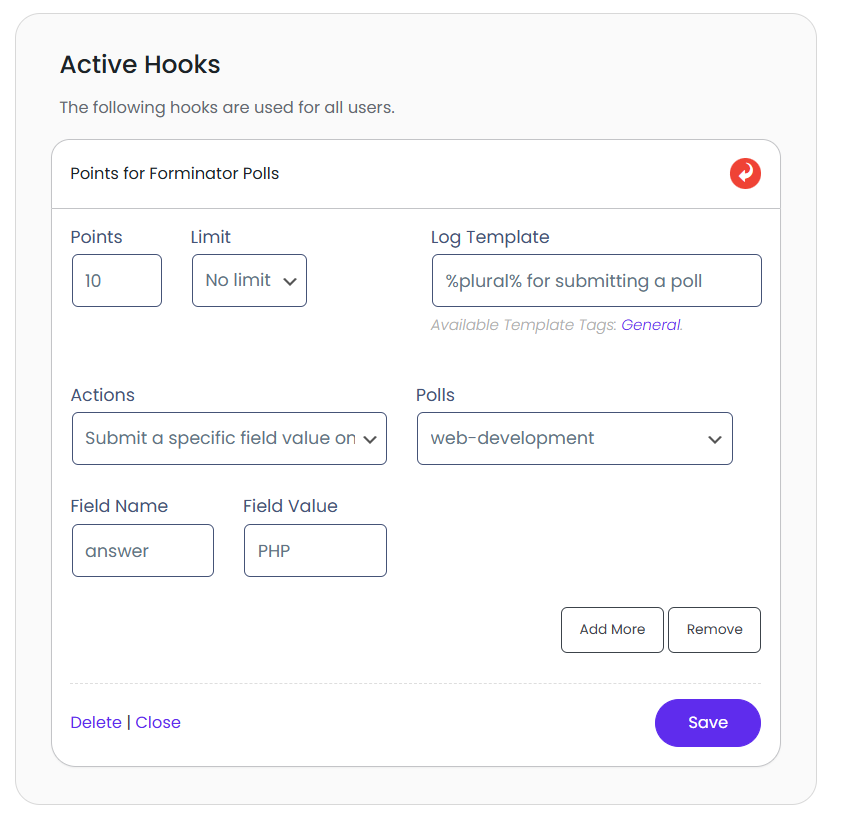
It allows you to reward users with points when user submits a specific field value on a specific poll
Submit a Form:
Points: Make sure you set a point value other than zero to enable the hook, and make sure you have provided a log entry template for all forms you want to reward/deduct points for.
Log: Each time a hook awards or deducts points from your users, a log entry of this event is saved to your log. What is saved to the log is determined by the log template.
This log template is the textual representation of the hook.
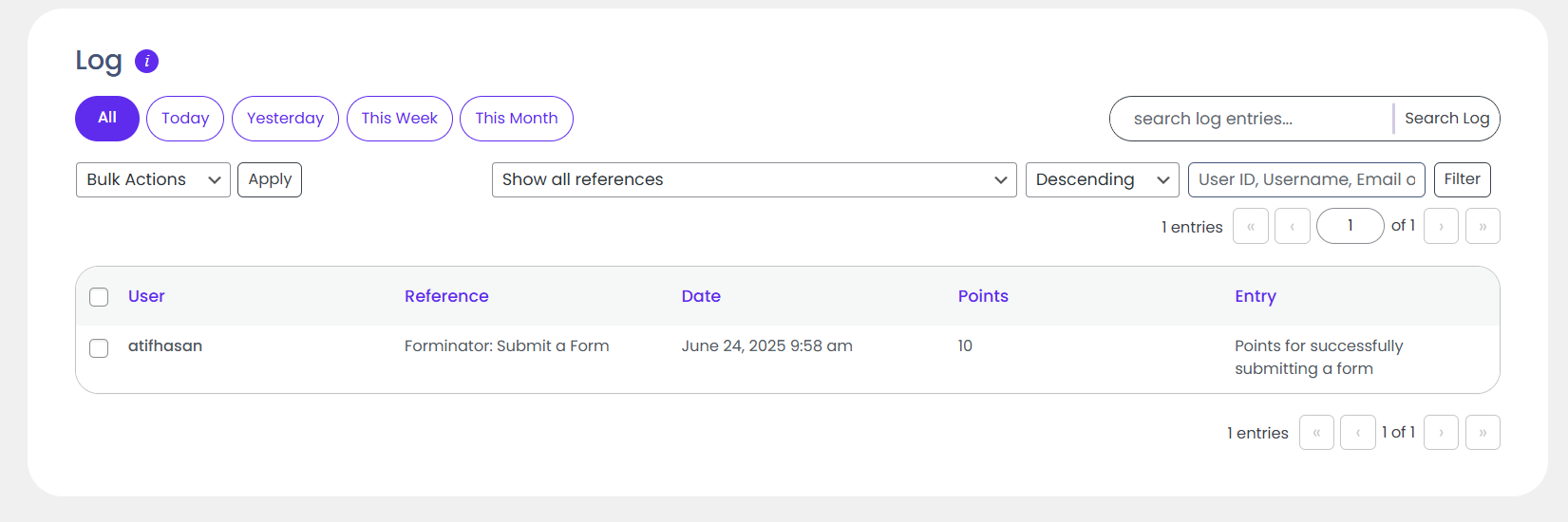
Admin can check Customers who earned points on submitting the Forminator Form.
Navigate to Dashboard > Points > Logs.
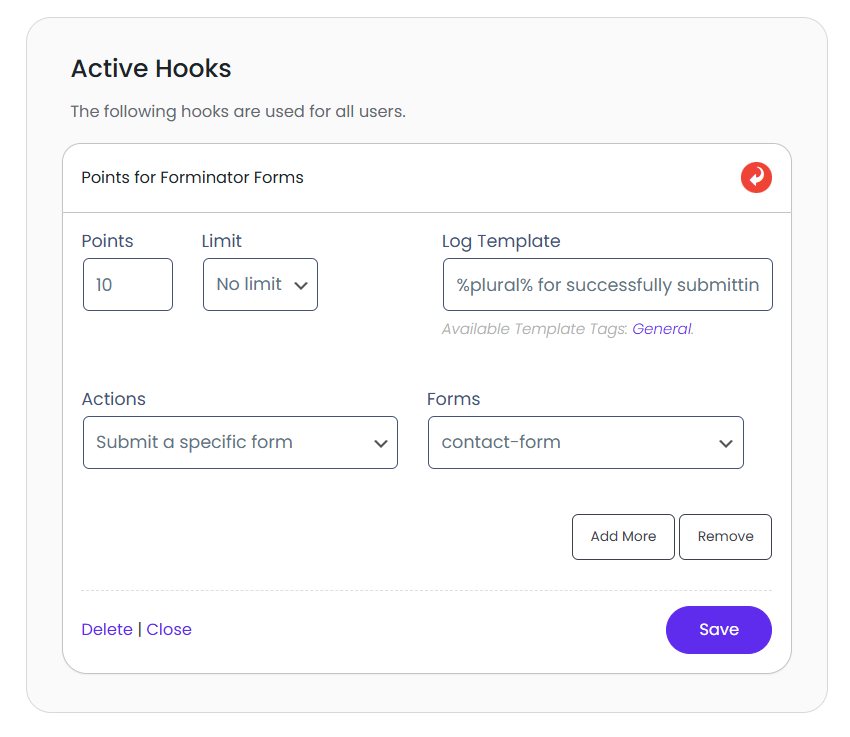
Submit a Specific Form:
Points: Make sure you set a point value other than zero to enable the hook, and make sure you have provided a log entry template for all forms you want to reward/deduct points for.
Log: Each time a hook awards or deducts points from your users, a log entry of this event is saved to your log. What is saved to the log is determined by the log template.
This log template is the textual representation of the hook.
Admin can check Customers who earned points on submitting the Forminator Form.
Navigate to Dashboard > Points > Logs.
Submit A Specific Field Value On Any Form:
Points: Make sure you set a point value other than zero to enable the hook, and make sure you have provided a log entry template for all forms you want to reward/deduct points for.
Log: Each time a hook awards or deducts points from your users, a log entry of this event is saved to your log. What is saved to the log is determined by the log template.
This log template is the textual representation of the hook.
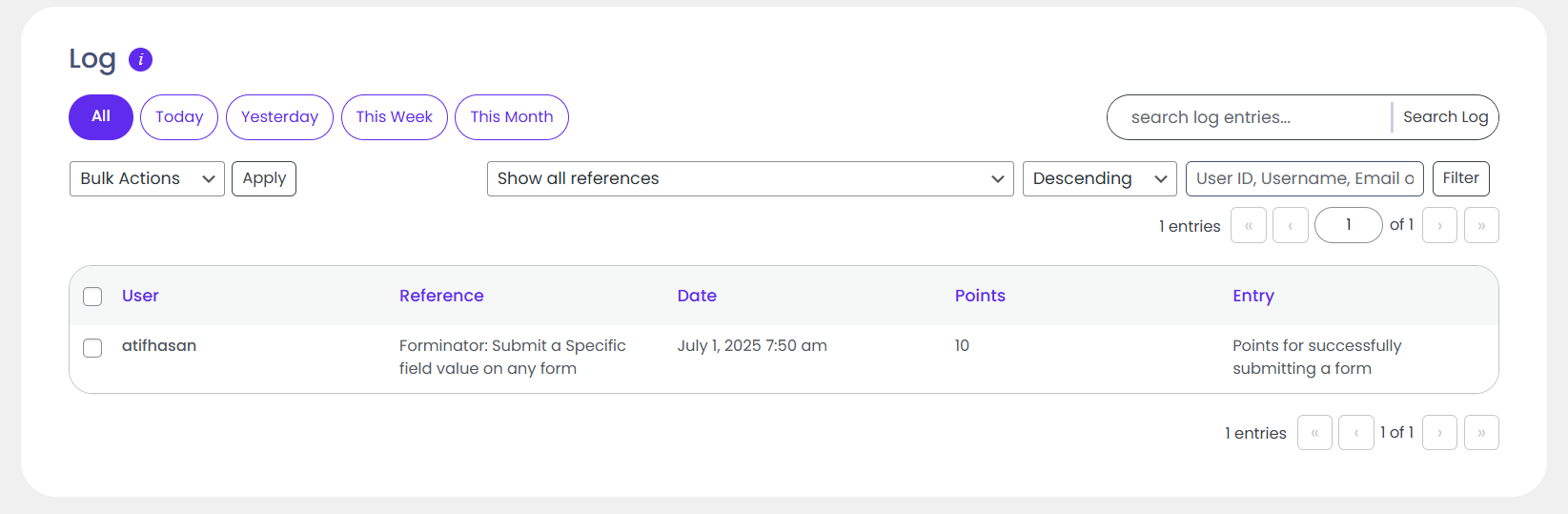
Admin can check Customers who earned points on submitting the Forminator Form.
Navigate to Dashboard > Points > Logs.
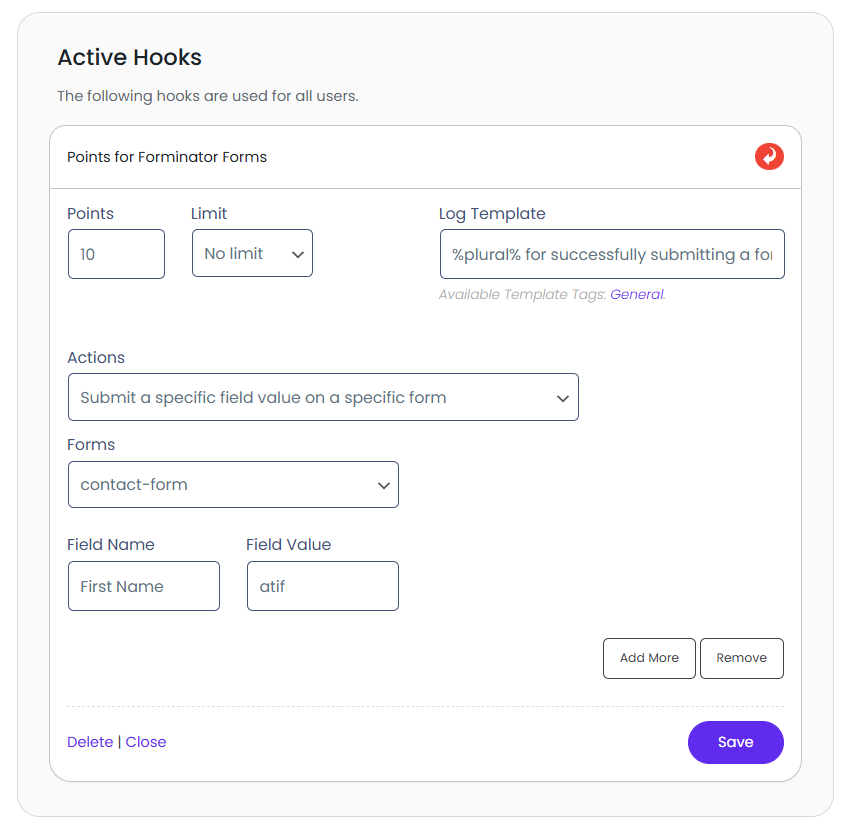
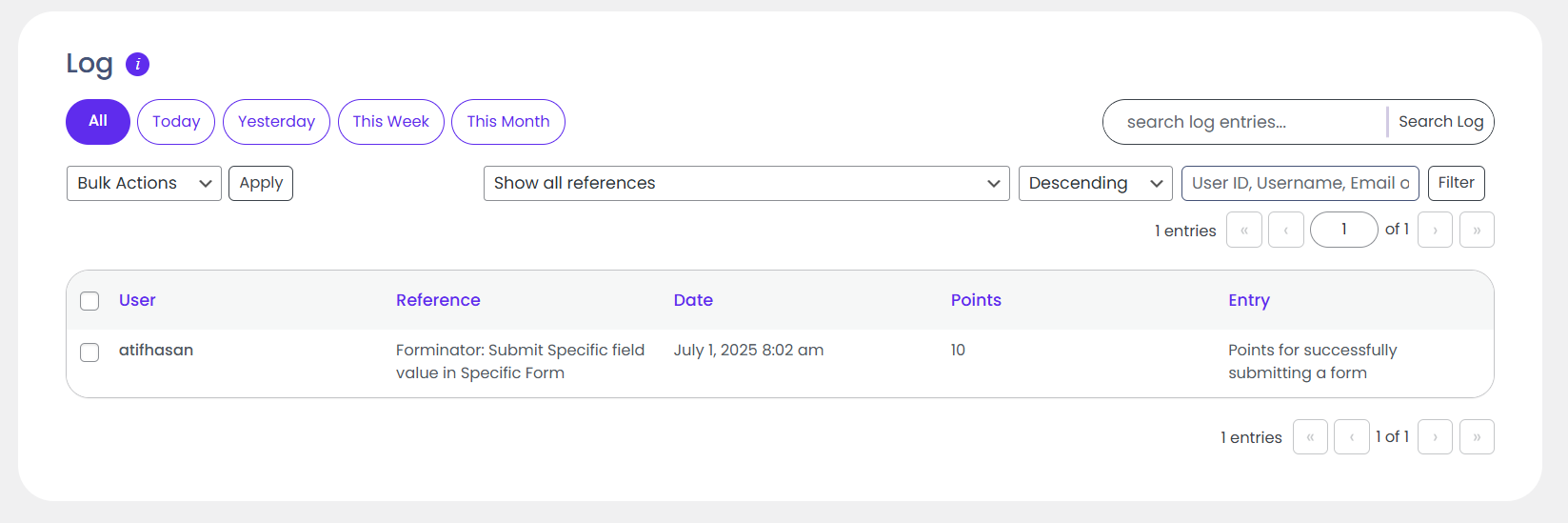
Submit a Specific Field Value on a Specific Form:
Points: Make sure you set a point value other than zero to enable the hook and make sure you have provided a log entry template for all forms you want to reward/deduct points for.
Log: Each time a hook awards or deducts points from your users, a log entry of this event is saved to your log. What is saved to the log is determined by the log template.
This log template is the textual representation of the hook.
Admin can check Customers who earned points on submitting the Forminator Form.
Navigate to Dashboard > Points > Logs.
Submit a Quiz:
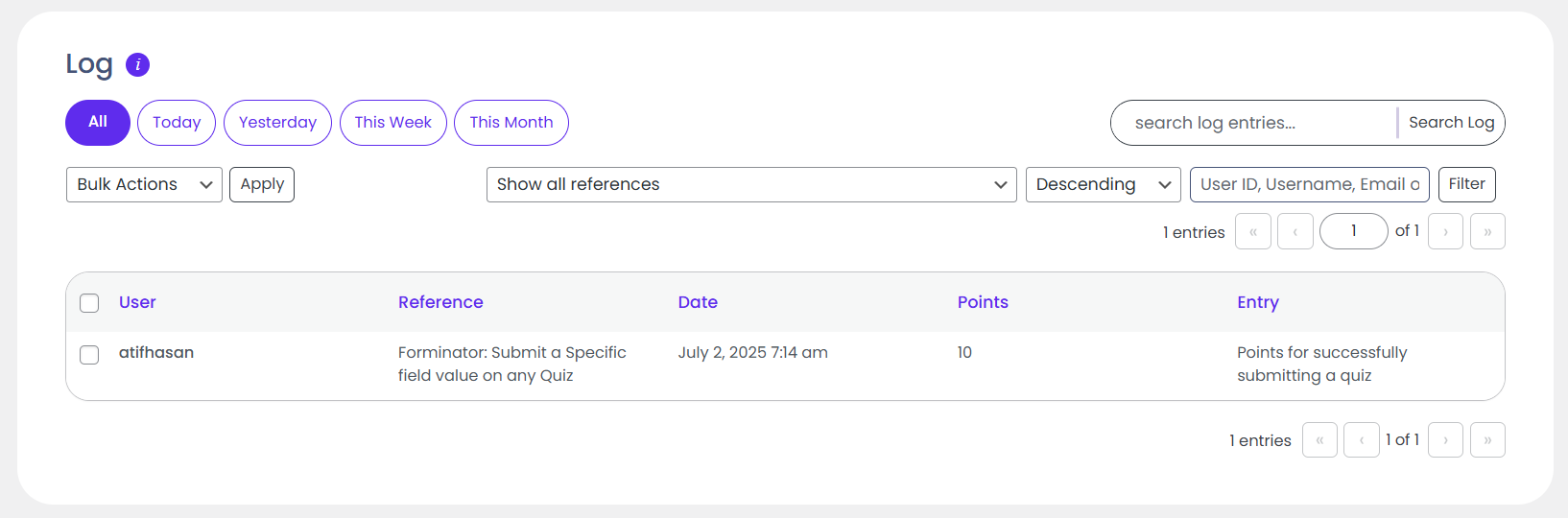
Points: Make sure you set a point value other than zero to enable the hook and make sure you have provided a log entry template for all quizzes you want to reward/deduct points for.
Log: Each time a hook awards or deducts points from your users, a log entry of this event is saved to your log. What is saved to the log is determined by the log template.
This log template is the textual representation of the hook.
Admin can check Customers who earned points on submitting the forminator quiz.
Navigate to Dashboard > Points > Logs.
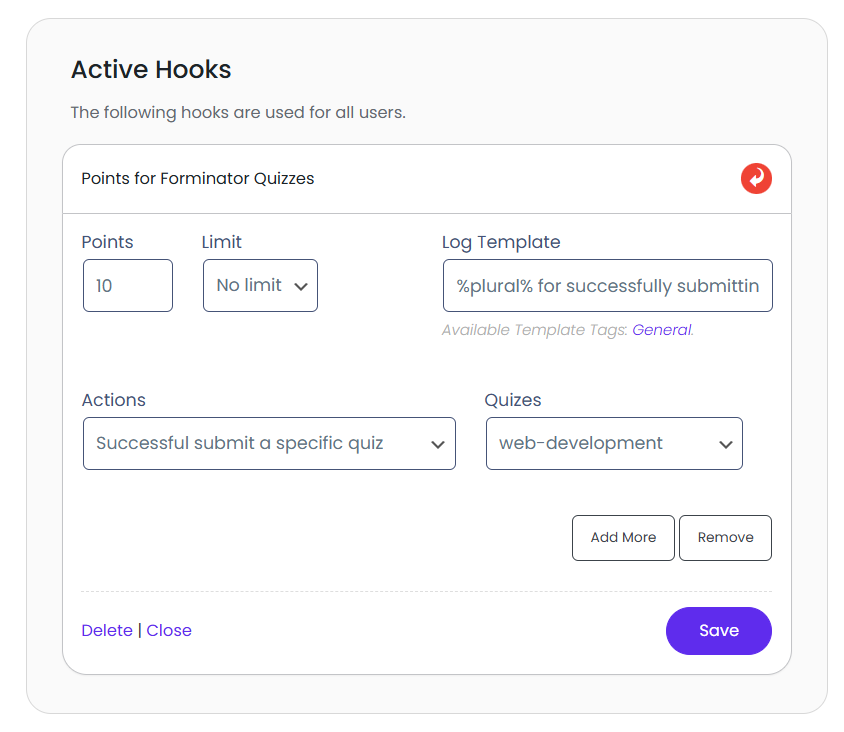
Submit a Specific Quiz:
Points: Make sure you set a point value other than zero to enable the hook and make sure you have provided a log entry template for all quizzes you want to reward/deduct points for.
Log: Each time a hook awards or deducts points from your users, a log entry of this event is saved to your log. What is saved to the log is determined by the log template.
This log template is the textual representation of the hook.
Admin can check Customers who earned points on submitting the forminator quiz.
Navigate to Dashboard > Points > Logs.
Pass a Quiz:
Points: Make sure you set a point value other than zero to enable the hook, and make sure you have provided a log entry template for all quizzes you want to reward/deduct points for.
Log: Each time a hook awards or deducts points from your users, a log entry of this event is saved to your log. What is saved to the log is determined by the log template.
This log template is the textual representation of the hook.
Admin can check Customers who earned points on submitting the forminator quiz.
Navigate to Dashboard > Points > Logs.
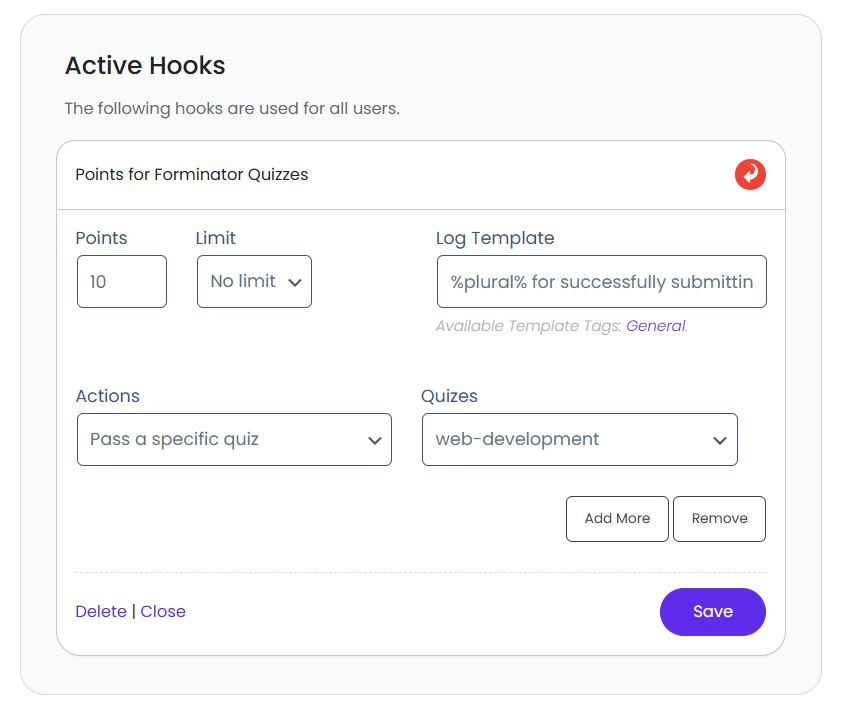
Pass a Specific Quiz:
Points: Make sure you set a point value other than zero to enable the hook, and make sure you have provided a log entry template for all quizzes you want to reward/deduct points for.
Log: Each time a hook awards or deducts points from your users, a log entry of this event is saved to your log. What is saved to the log is determined by the log template.
This log template is the textual representation of the hook.
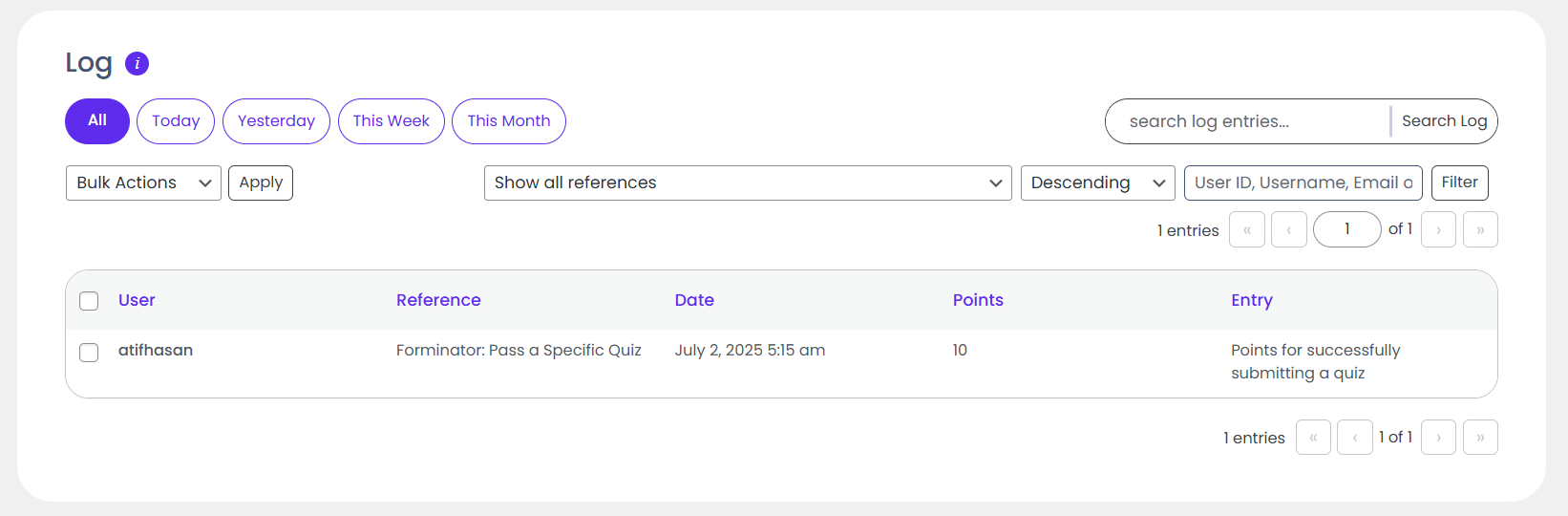
Admin can check Customers who earned points on submitting the forminator quiz.
Navigate to Dashboard > Points > Logs.
Failing a Quiz:
Points: Make sure you set a point value other than zero to enable the hook and make sure you have provided a log entry template for all quizzes you want to reward/deduct points for.
Log: Each time a hook awards or deducts points from your users, a log entry of this event is saved to your log. What is saved to the log is determined by the log template.
This log template is the textual representation of the hook.
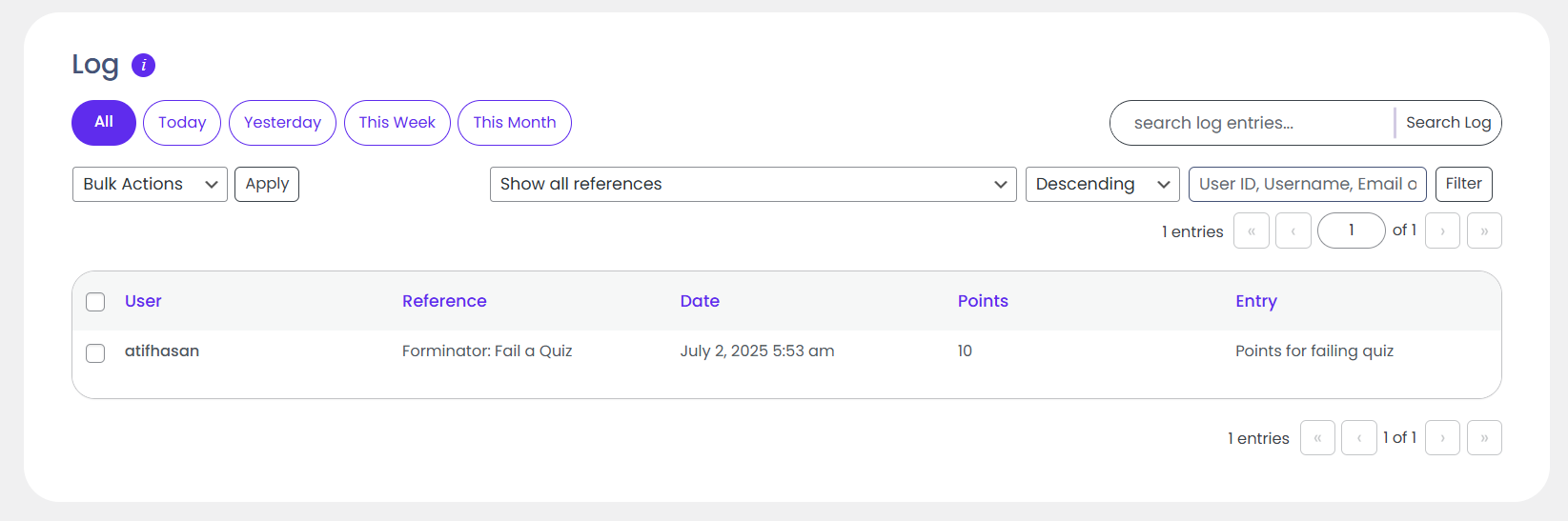
Admins can see which customers earned points by failing the Forminator quiz.
Navigate to Dashboard > Points > Logs.
Failing a Specific Quiz:
Points: Make sure you set a point value other than zero to enable the hook, and make sure you have provided a log entry template for all quizzes you want to reward/deduct points for.
Log: Each time a hook awards or deducts points from your users, a log entry of this event is saved to your log. What is saved to the log is determined by the log template.
This log template is the textual representation of the hook.
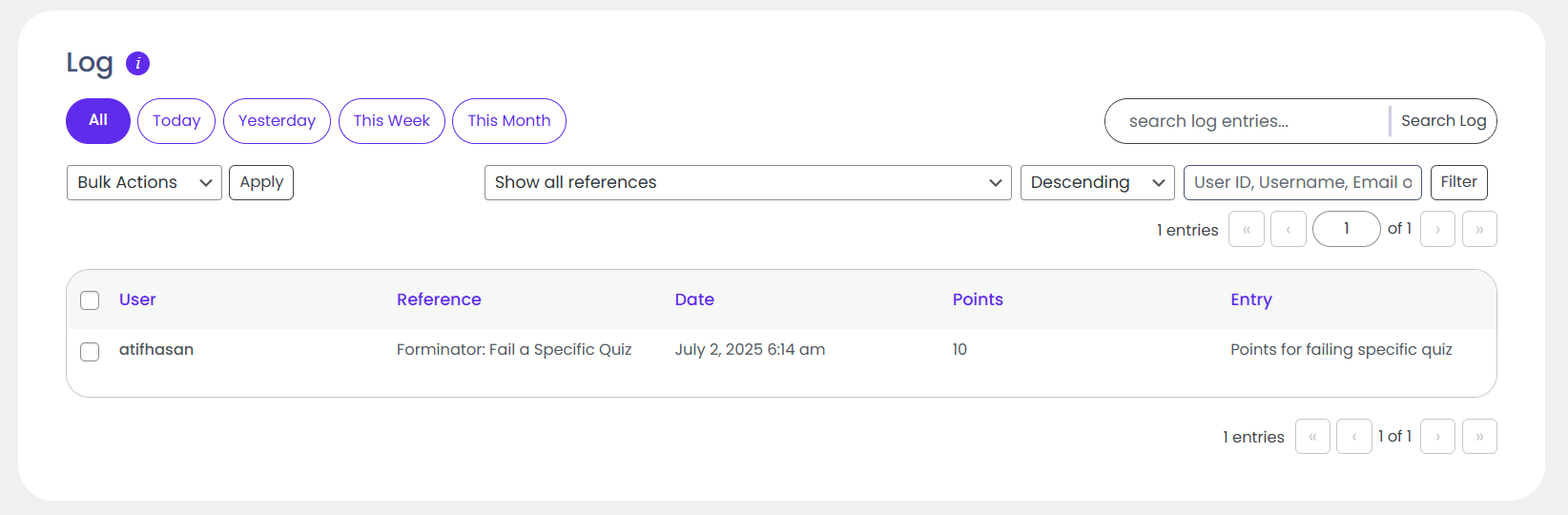
Admins can see which customers earned points by failing a specific Forminator quiz.
Navigate to Dashboard > Points > Logs.
Submit a Specific Field Value on Any Quiz:
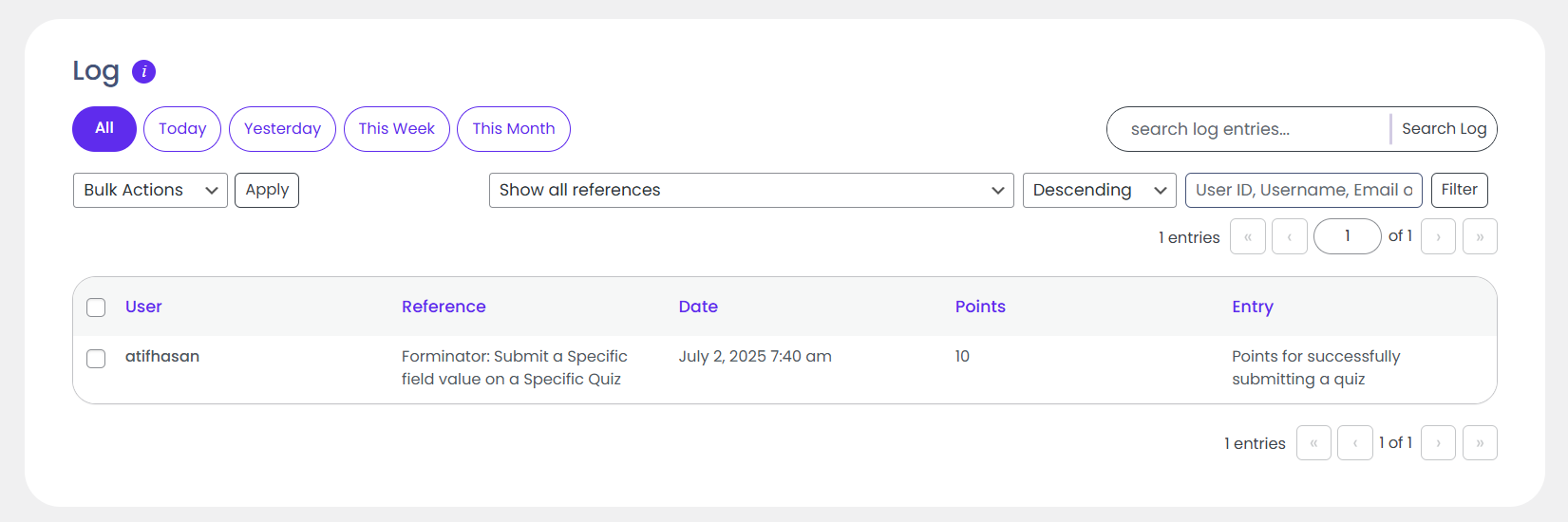
Points: Make sure you set a point value other than zero to enable the hook, and make sure you have provided a log entry template for all quizzes you want to reward/deduct points for.
Log: Each time a hook awards or deducts points from your users, a log entry of this event is saved to your log. What is saved to the log is determined by the log template.
This log template is the textual representation of the hook.
Admins can see which customers earned points by submitting a specific field value on any Forminator quiz.
Navigate to Dashboard > Points > Logs.
Submit a Specific Field Value on a Specific Quiz:
Points: Make sure you set a point value other than zero to enable the hook, and make sure you have provided a log entry template for all quizzes you want to reward/deduct points for.
Log: Each time a hook awards or deducts points from your users, a log entry of this event is saved to your log. What is saved to the log is determined by the log template.
This log template is the textual representation of the hook.
Admins can see which customers earned points by submitting a specific field value on a specific Forminator quiz.
Navigate to Dashboard > Points > Logs.
Vote on a Poll:
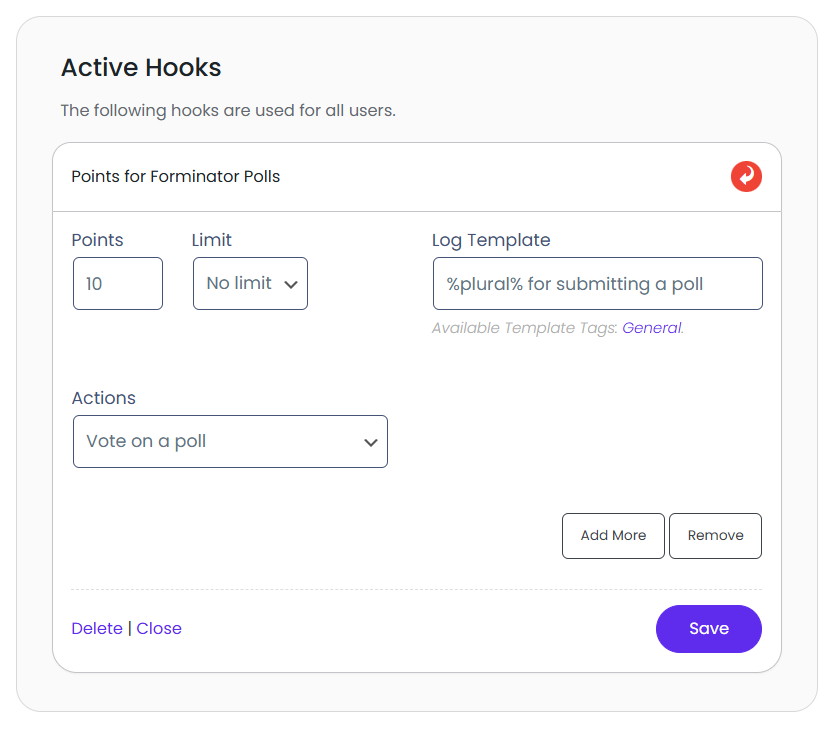
Points: Make sure you set a point value other than zero to enable the hook, and make sure you have provided a log entry template for all polls you want to reward/deduct points for.
Log: Each time a hook awards or deducts points from your users, a log entry of this event is saved to your log. What is saved to the log is determined by the log template.
This log template is the textual representation of the hook.
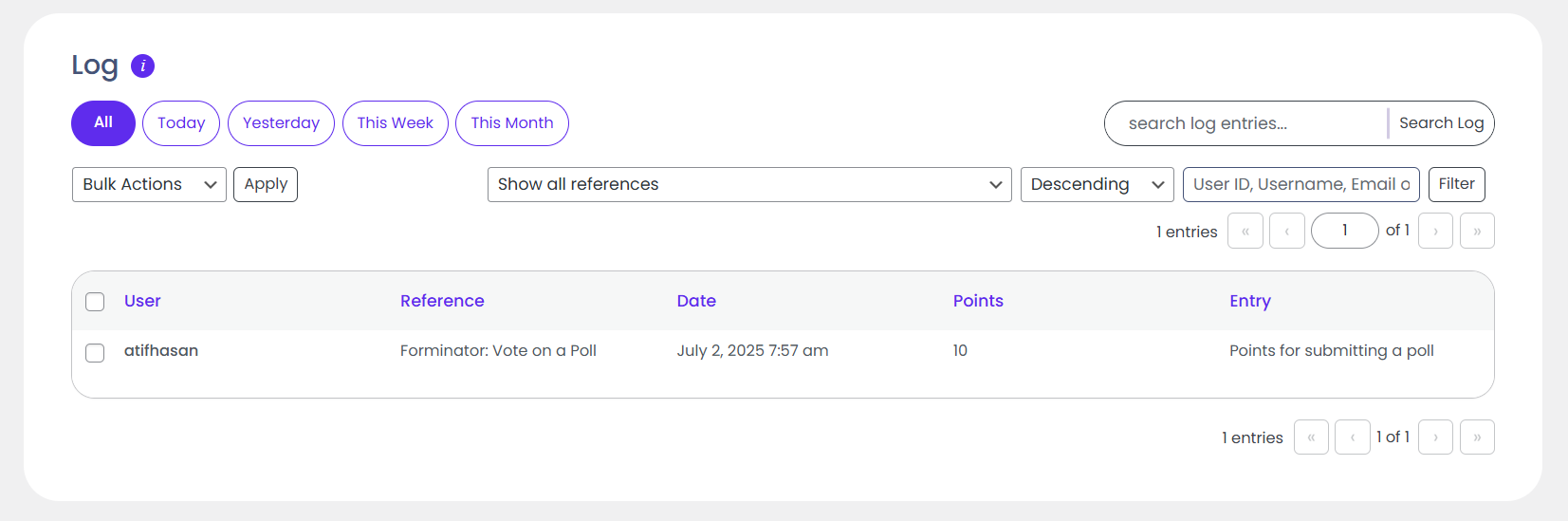
Admins can see which customers earned points by voting on a Forminator poll.
Navigate to Dashboard > Points > Logs.
Vote on a Specific Poll:
Points: Make sure you set a point value other than zero to enable the hook and make sure you have provided a log entry template for all polls you want to reward/deduct points for.
Log: Each time a hook awards or deducts points from your users, a log entry of this event is saved to your log. What is saved to the log is determined by the log template.
This log template is the textual representation of the hook.
Admins can see which customers earned points by voting on a specific Forminator poll.
Navigate to Dashboard > Points > Logs.
Submit a Specific Field Value on Any Poll:
Points: Make sure you set a point value other than zero to enable the hook, and make sure you have provided a log entry template for all polls you want to reward/deduct points for.
Log: Each time a hook awards or deducts points from your users, a log entry of this event is saved to your log. What is saved to the log is determined by the log template.
This log template is the textual representation of the hook.
Admins can see which customers earned points by submitting a specific field value on any Forminator poll.
Navigate to Dashboard > Points > Logs.
Submit a Specific Field Value on a Specific Poll:
Points: Make sure you set a point value other than zero to enable the hook, and make sure you have provided a log entry template for all polls you want to reward/deduct points for.
Log: Each time a hook awards or deducts points from your users, a log entry of this event is saved to your log. What is saved to the log is determined by the log template.
This log template is the textual representation of the hook.
Admins can see which customers earned points by submitting a specific field value on a specific Forminator poll.
Navigate to Dashboard > Points > Logs.
Supported Instances:
Instance Reference
Description
frm_form_submit
Give or take points from users for submitting a forminator form
frm_submit_spec_frm
Give or take points from users for submitting a specific forminator form
frm_submit_spec_field_frm
Give or take points from users for submitting a specific field value on any forminator form
frm_submit_spec_field_spec_frm
Give or take points from users for submitting a specific field value on a specific forminator form
frm_submit_quiz
Give or take points from users for submitting a forminator quiz
frm_submit_spec_quiz
Give or take points from users for submitting a specific forminator quiz
frm_pass_a_quiz
Give or take points from users for passing a forminator quiz
frm_pass_a_specific_quiz
Give or take points from users for passing a specific forminator quiz
frm_fail_a_quiz
Give or take points from users for failing a forminator quiz
frm_fail_a_specific_quiz
Give or take points from users for failing a specific forminator quiz
frm_submit_spec_field_quiz
Give or take points from users for submitting a specific field value on any forminator quiz
frm_submit_spec_field_spec_quiz
Give or take points from users for submitting a specific field value on specific forminator quiz
frm_vote_on_poll
Give or take points from users for submitting a forminator poll
frm_vote_on_spec_poll
Give or take points from users for submitting a specific forminator poll
frm_submit_spec_field_poll
Give or take points from users for submitting a specific field value on any poll
frm_submit_spec_field_spec_poll
Give or take points from users for submitting a specific field value on a specific poll