
Pacman Arcade Game
Pacman Arcade Game

Introduction
myCred Pacman is a maze arcade game that integrates into myCred Point Management System enabling the admin to award points to users who play the game. Users will earn points by consuming pellets while dodging four colored ghosts. Consuming Power Pellets (big blinking dots) will turn ghosts into blue, consuming them will give users bonus points.
Admin can change each and every component of the game through settings, from ghost names, to maze color and max lives for Pacman for the player. User points will be updated in the user point balance when the game is over.
Setup
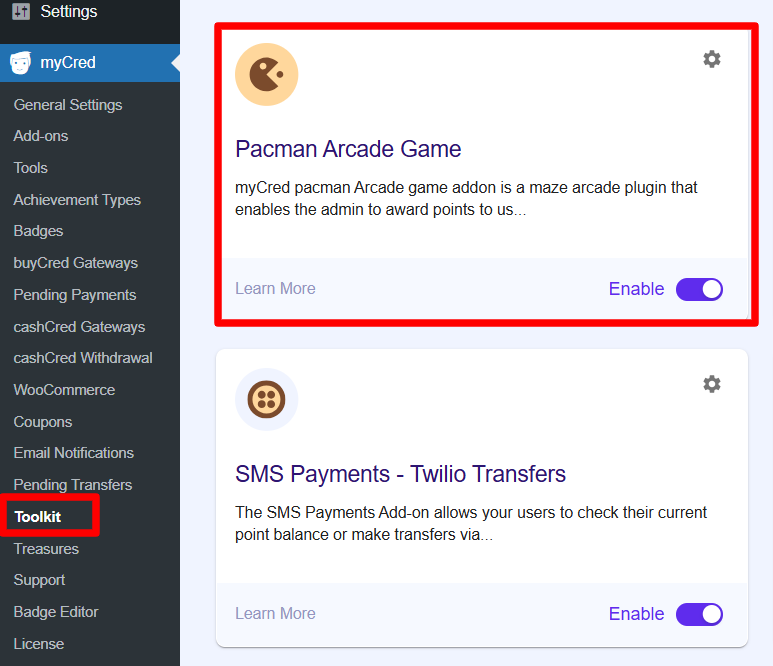
- Navigate to WordPress admin Dashboard > myCred > Addons
- Search for Pacman Arcade Game
- Enable
Settings
- Go to myCred > General settings
- Click Pacman
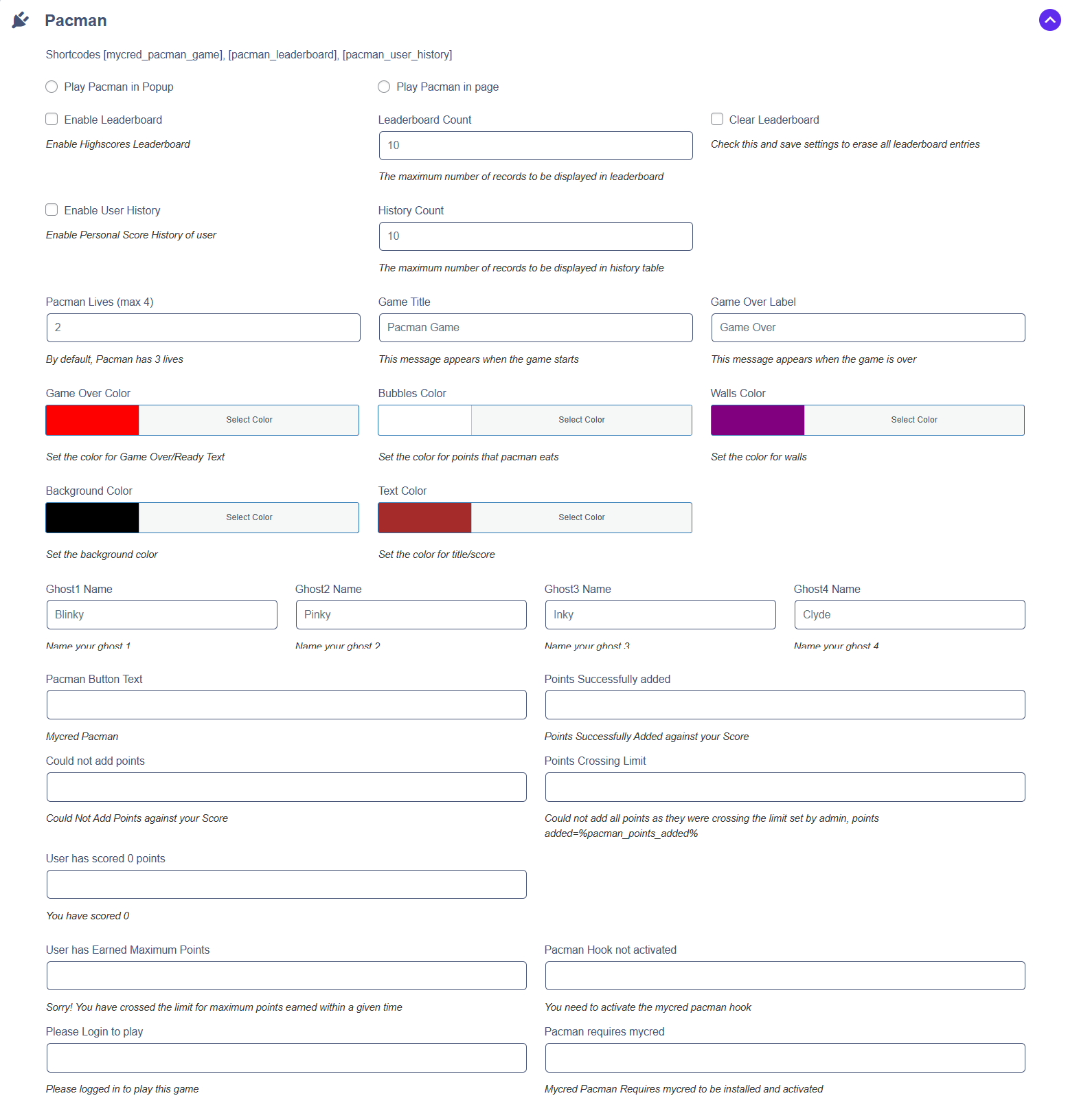
- The leaderboard will be customizable, allowing the admin to set the number of entries displayed and choose whether to show a highscores leaderboard.
- Personal score history can be enabled by the admin, with the option to set a limit on the number of records displayed in the history table.
- The admin will be able to customize the colors of various game elements, including the “Game Over” text, points that Pacman eats (bubbles), walls, background, and text (title/score).
- The admin can change the text on the Pacman button, so a different message can be displayed instead of the default.
- The message shown when points are successfully added to a score will be customizable by the admin.
- The admin will be able to modify the error message displayed when points cannot be added to a score.
- The message displayed when points exceed the admin-set limit can be adjusted by the admin, including the option to show the actual points added.
- The admin can personalize the message shown when a player scores 0 points.
- The message displayed when a user reaches the maximum points limit can be changed by the admin to suit their needs.
- The error message for when the Pacman hook is not activated can be edited by the admin.
- A custom message will prompt users to log in before they play the game, as set by the admin.
- The admin will be able to modify the error message informing users that myCred is required for the game to function.
Hook Configuration
- Navigate to Points > Hooks
- Darg & Drop Pacman hook
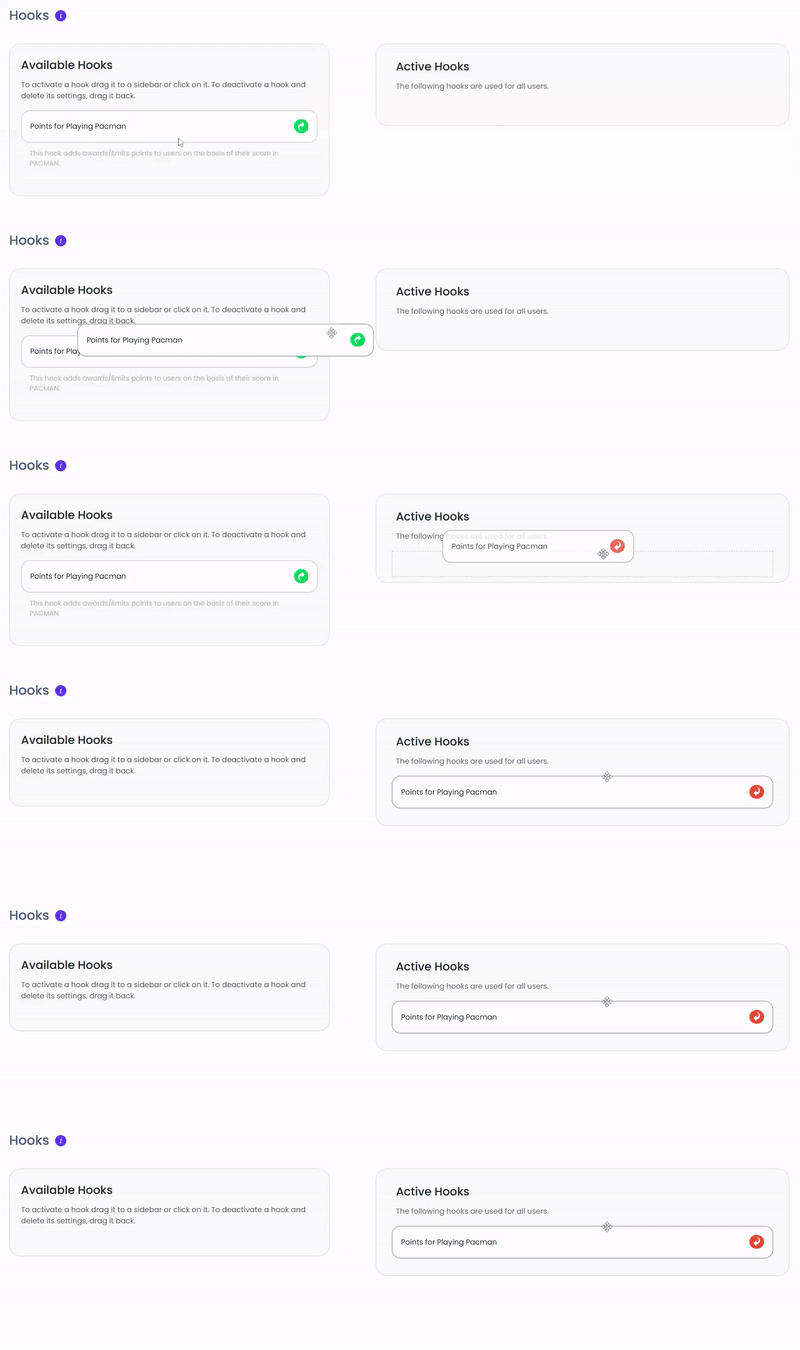
- Click the hook to configure settings
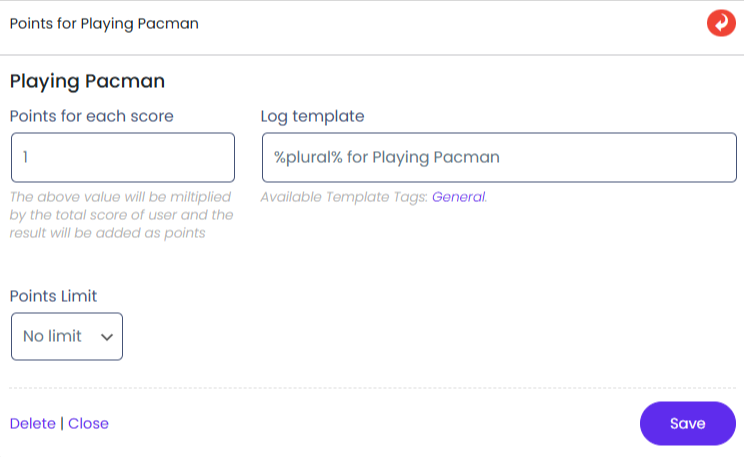
- Points can be set in a Positive OR Negative value depending on which event you want to assign.
- You can set Limit for awarding the points by choosing the desired option in the Limit field.