
Surecart
Surecart
Introduction
MyCred provides 4 built-in hooks for SureCart integration. These hooks enable users to automatically earn points when placing orders through SureCart, subject to specific conditions. The available hooks include:
- Points for Each Order – Award points for every successful order.
- Points for First Order – Grants points only on the user’s first purchase.
- Points for Order Range – Gives points if the order amount falls within a specified price range.
- Points for Numbers of Order – Reward users after completing a specific number of orders.
With these hooks configured, MyCred will automatically assign points to users according to the defined criteria whenever an order is placed via SureCart.
Add-on Setup
- Navigate to the Admin Dashboard > myCred > Addons.
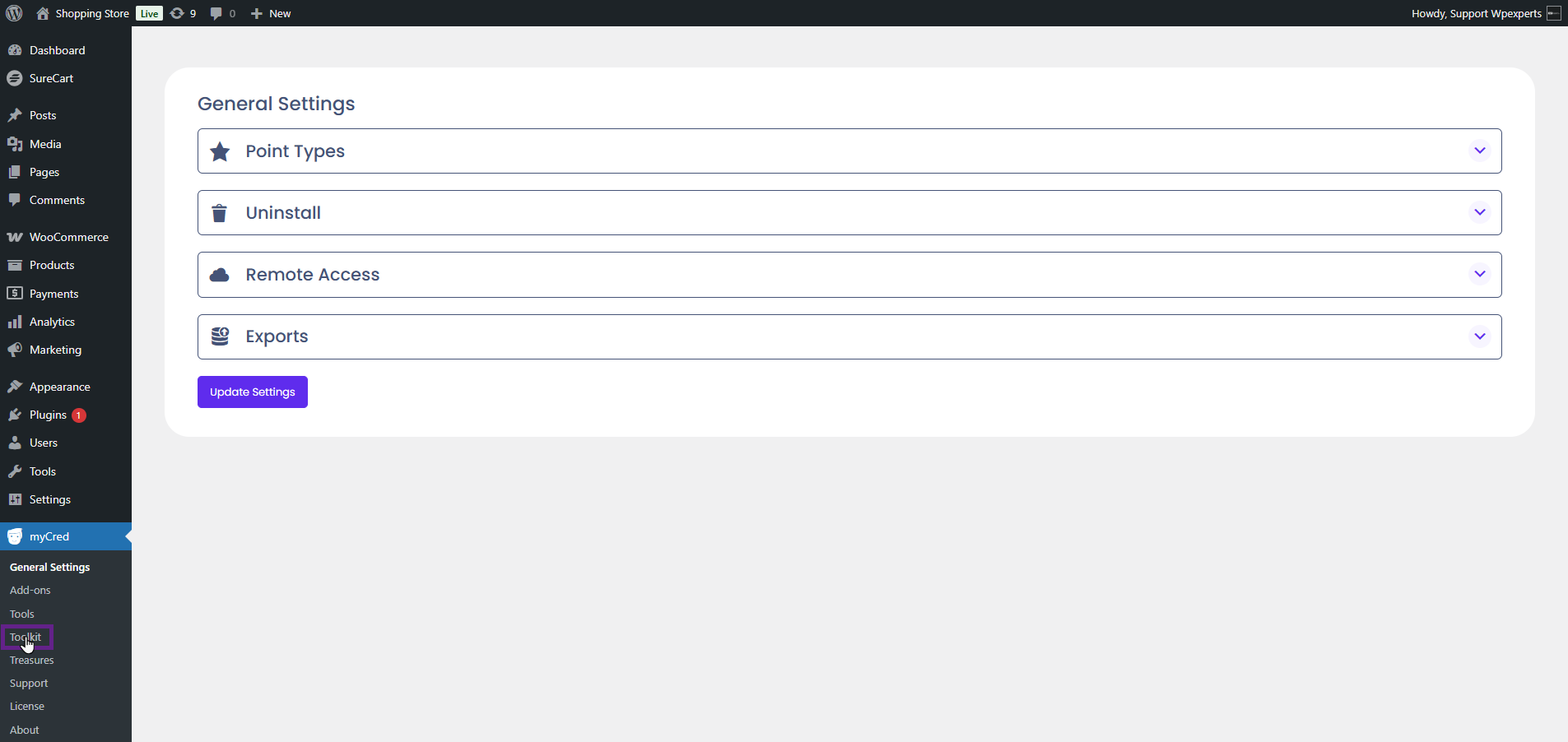
- Activate the SureCart toggle button.
Note: Ensure that the SureCart plugin is installed and activated.

- Now, navigate to the Point type > Hooks.

myCred SureCart includes four hooks: Points per order, Points for the first order, Points based on order total range, and Points based on the number of orders.

Points for Each Order
- The user earns points with each order they place.
- Drag and drop the Points for each order hook to the Active Hooks section.
- Adjust the hook settings according to your needs and click the Save button.
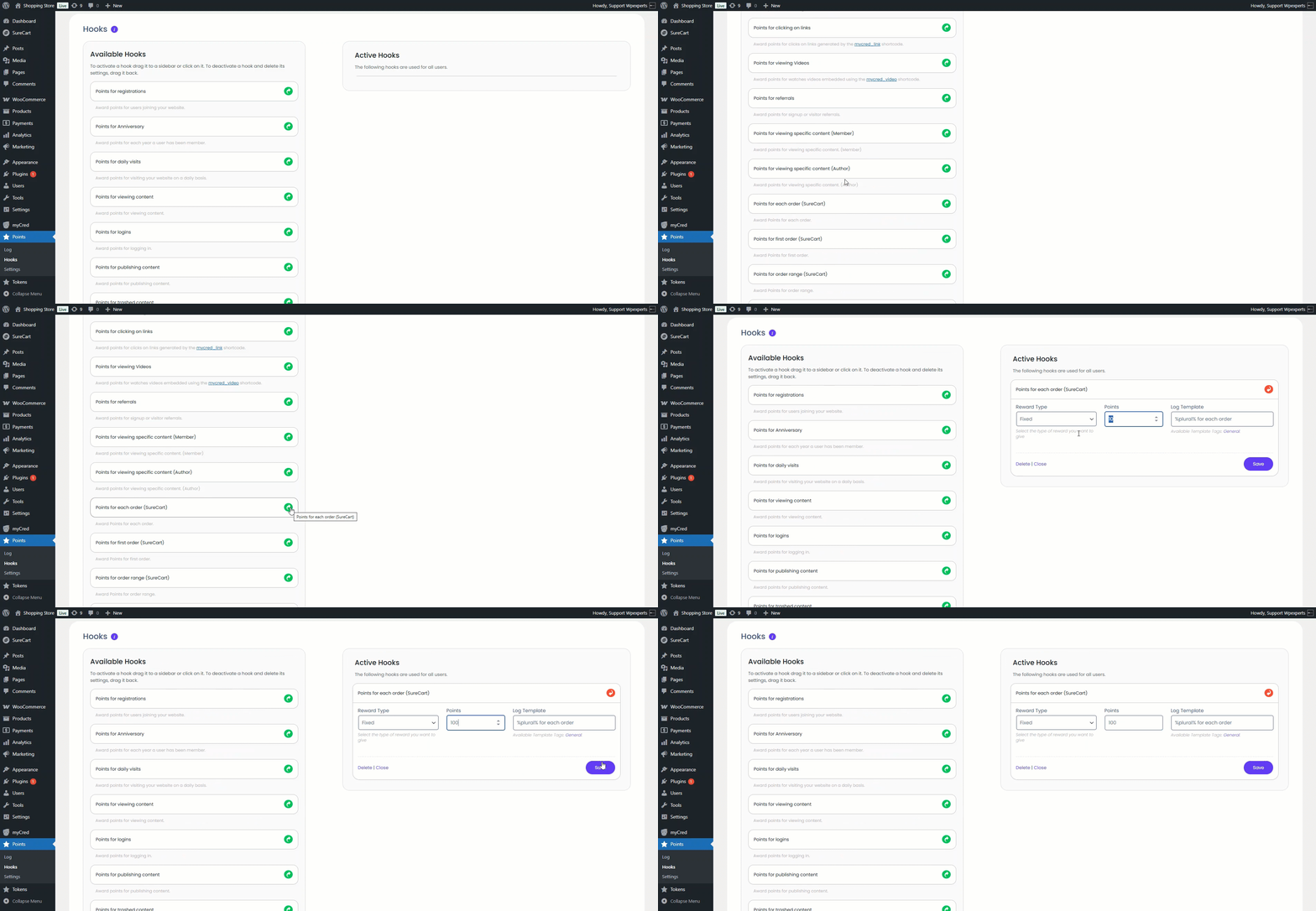
- Now, place the order on the front end of the website.

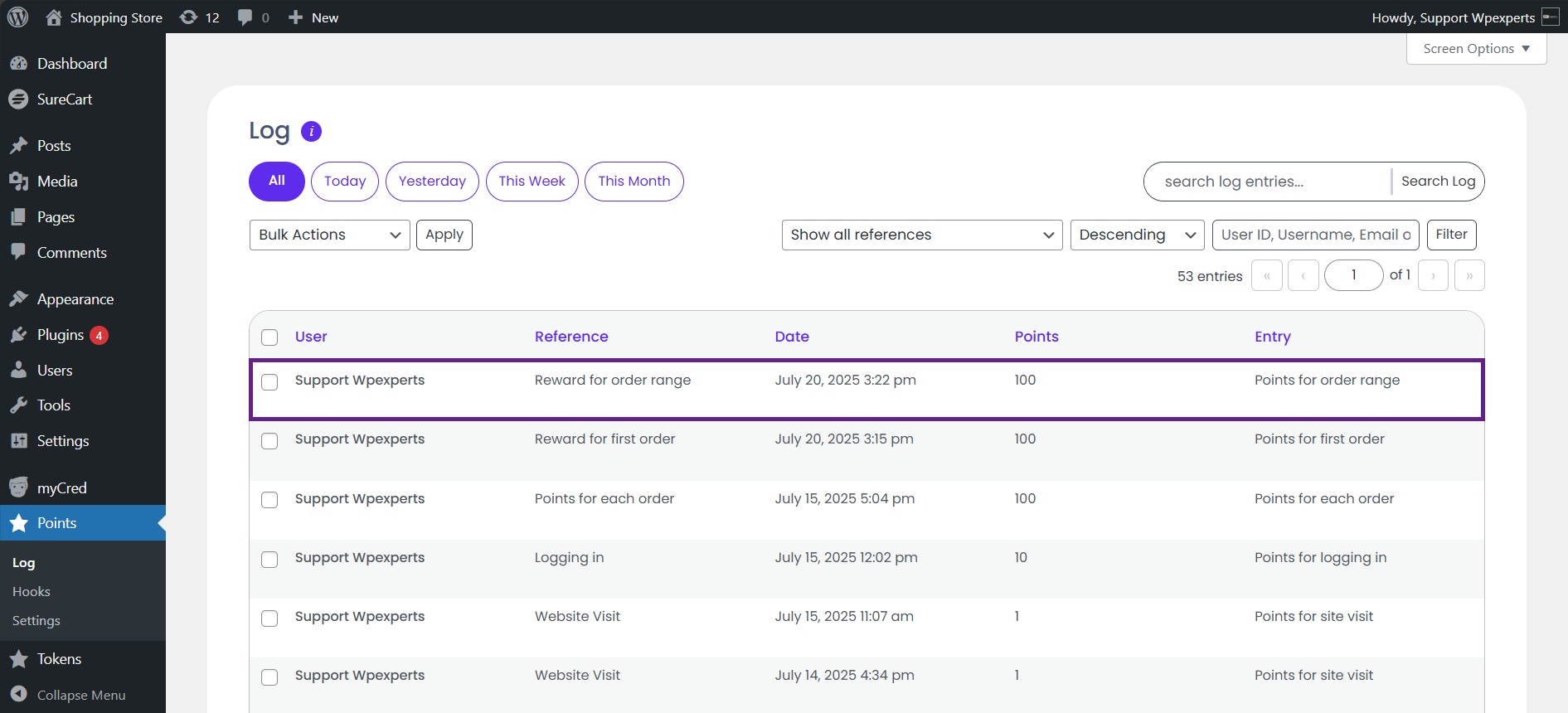
- Once the order is placed, the user will receive the points. This can be verified in the Points Type Log by navigating to Admin Dashboard > Points > Log.

Points for First Order
- The user earns points for placing their first order.
- Drag and drop the Points for first order hook to the Active Hooks section.
- Adjust the hook settings according to your needs and click the Save button.
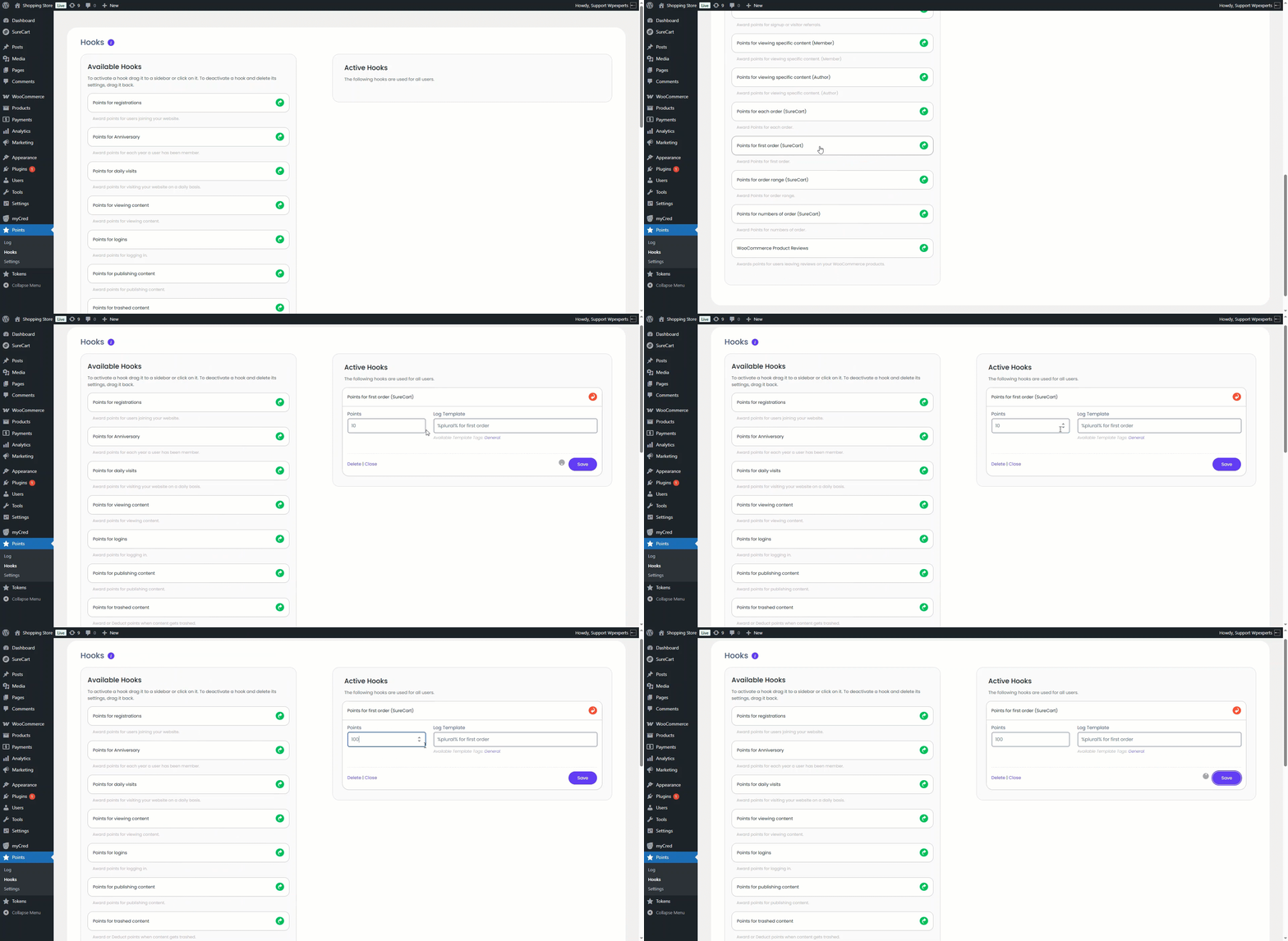
- Now, place the order on the front end of the website.

- Once the order is placed, the user will receive the points. This can be verified in the Points Type Log by navigating to Admin Dashboard > Points > Log.

Points for Order Range
The user will receive points if their total order price falls within the price range set by the admin on the backend. For example, if the admin sets a Minimum price of 1 and a Maximum price of 100, then if a user makes a purchase or places an order for 29, they will earn points.- Drag and drop the Points for order range hook to the Active Hooks section.
- Adjust the hook settings according to your needs and click the Save button.
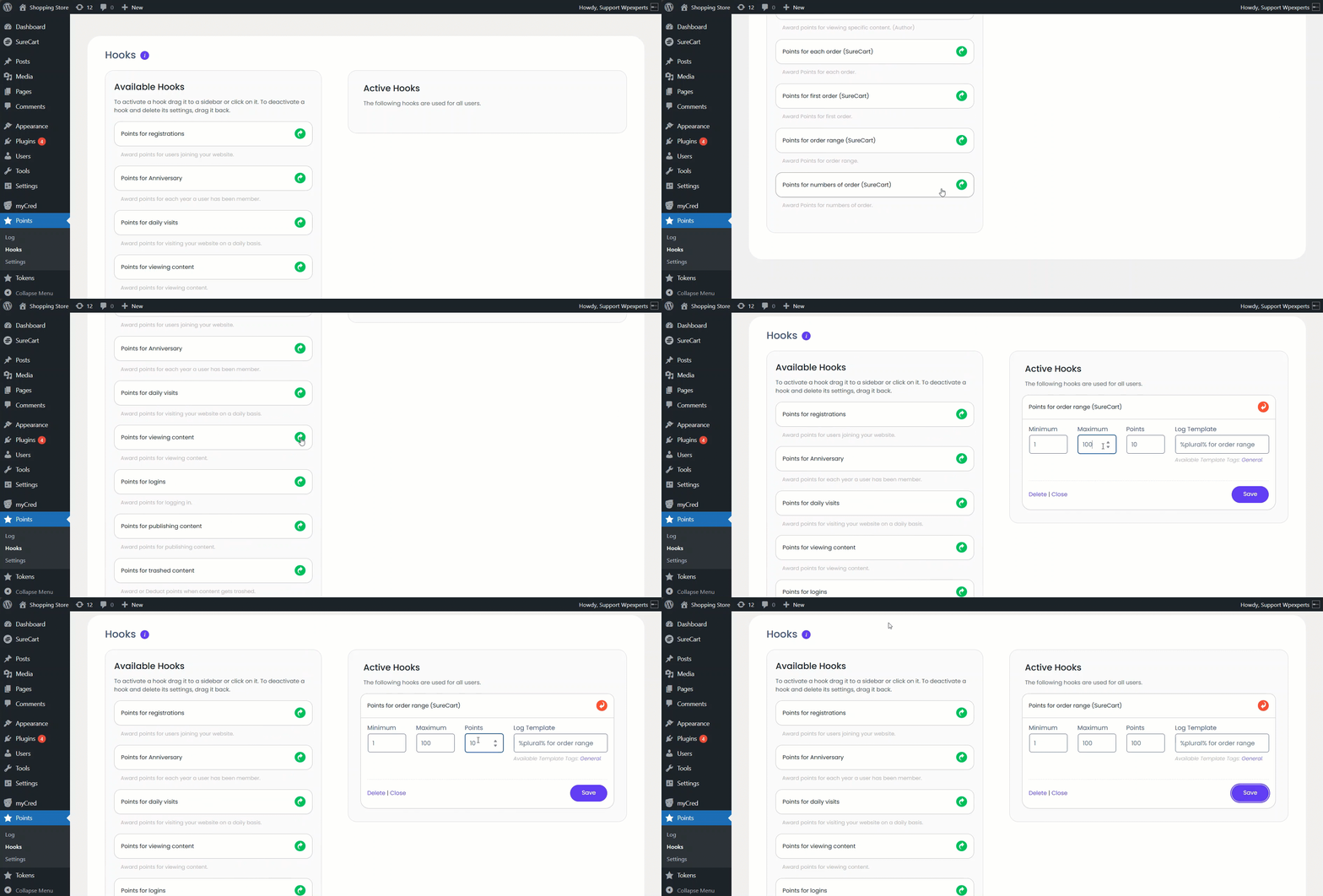
- Now, place the order on the front end of the website.

- Once the order is placed, the user will receive the points. This can be verified in the Points Type Log by navigating to Admin Dashboard > Points > Log.
Points for Number of Orders
- The user will earn points by placing a number of orders that fall within the range specified by the admin.
Note: Previous orders placed by the user before the hook was activated will also be counted in the order total for this hook.
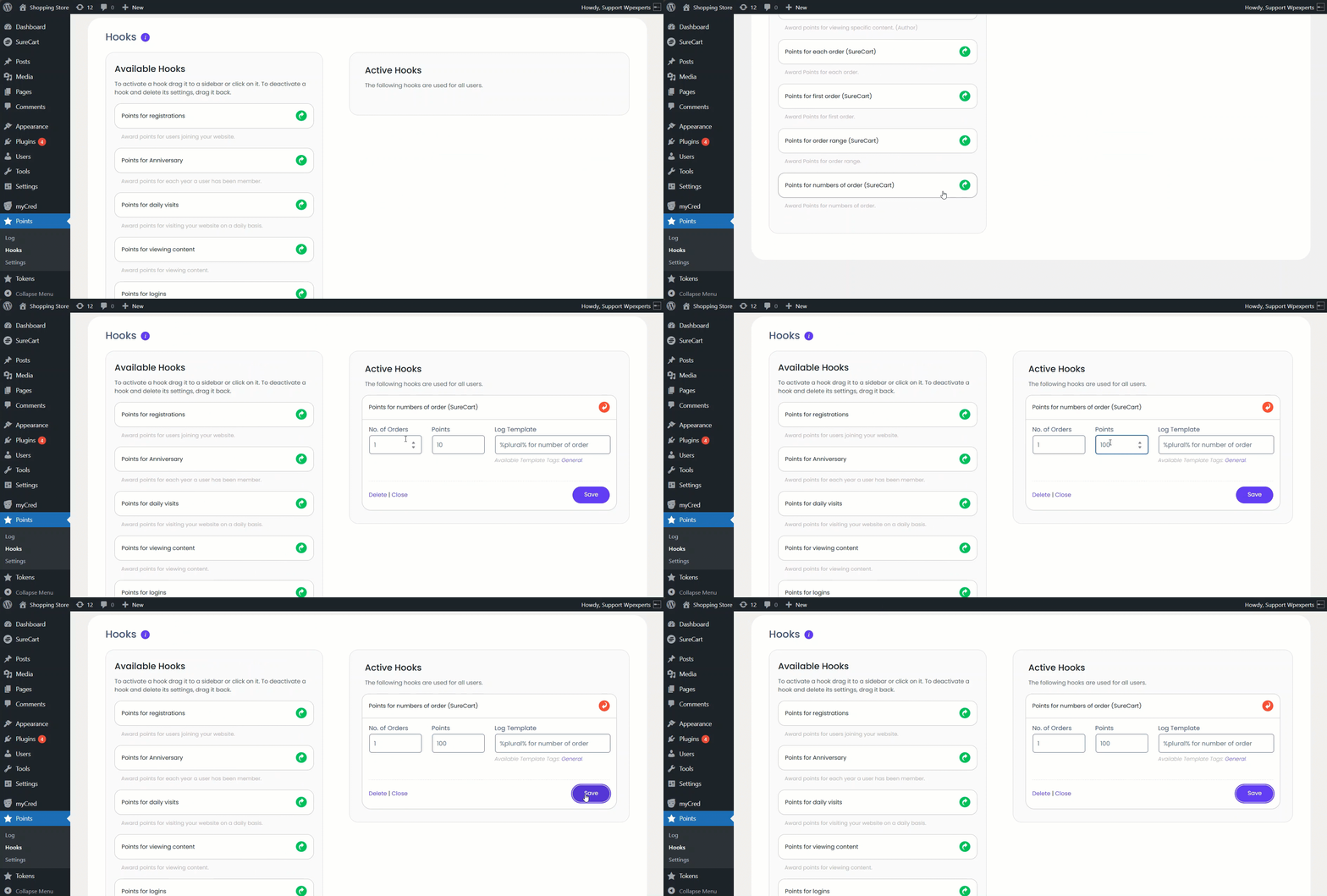
- Drag and drop the Points for the number of orders hooks to the Active Hooks section.
- Adjust the hook settings according to your needs and click the Save button.
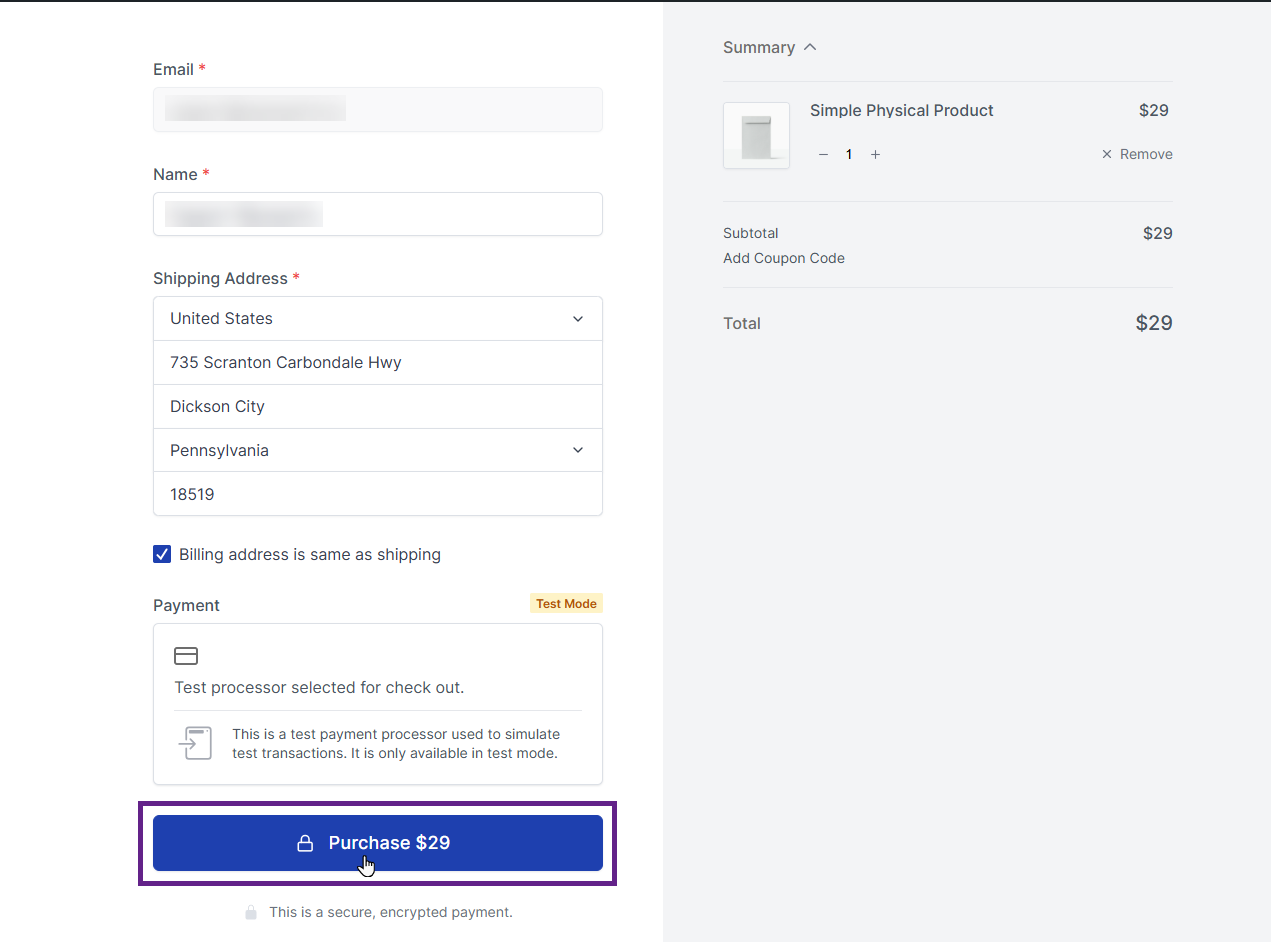
- Now, place the order on the front end of the website.
- Once the order is placed, the user will receive the points. This can be verified in the Points Type Log by navigating to Admin Dashboard > Points > Log.
