
Learndash Points Importer

Introduction
myCred LearnDash Points Importer enables users to import points from LearnDash to myCred, these imported points are added to the myCred point balance and can be redeemed for different products
Features
- Connect LearnDash with myCred.
- Synchronize LearnDash points with myCred Point Balance.
- Import points from LearnDash and add them to myCred Point Balance.
- Update point type logs with detailed entries.
- Notification after deduction of points from point balance.
- Override the LearnDash points for myCred Point Balance.
- Automatically fetch & display any default or custom point types created via myCred
Settings
- Make sure LearnDash plugin is Installed and Activated
- Navigate to myCred > Addons
- Enable LearnDash Point Importer
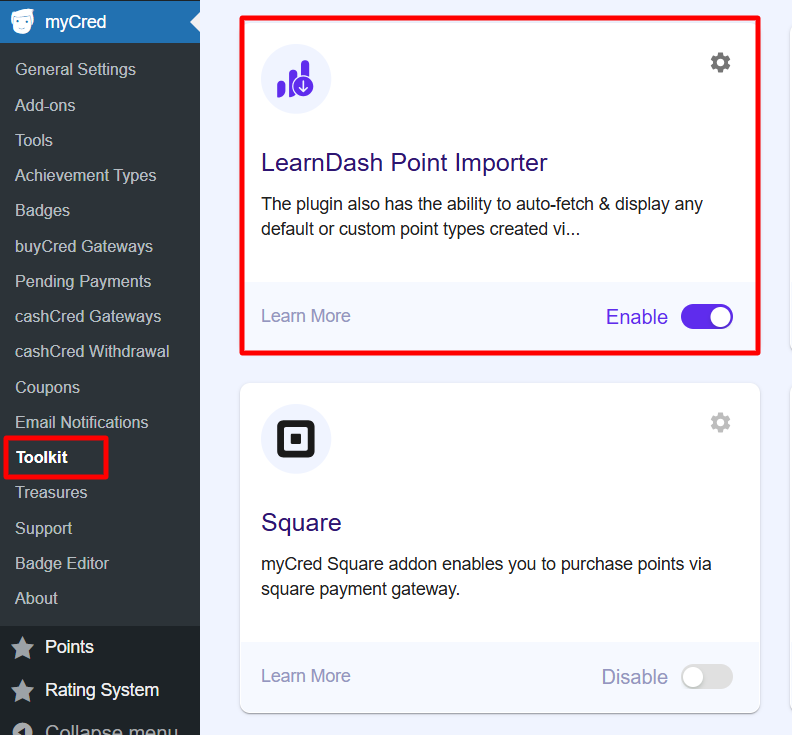
- Go to myCred > General Settings > LearnDash Importer

- Admin can chose which type of points to import
- Points of LearnDash can be added to myCred points or they can overwrite myCred points