
AI Assistant
AI Assistant
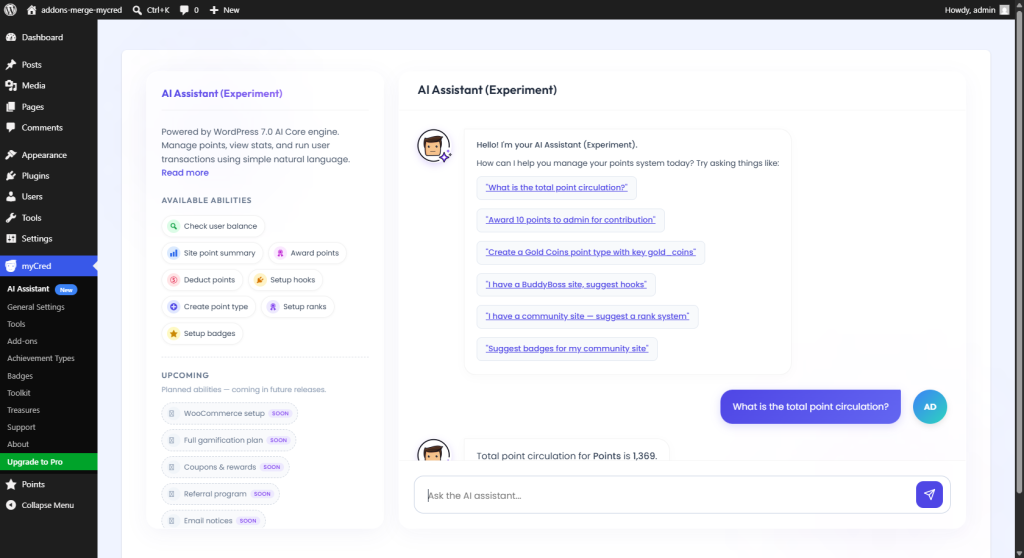
The myCred AI Assistant brings conversational control to your WordPress loyalty and gamification setup. Instead of navigating multiple admin screens, you can use natural language to perform common management tasks—creating point types, suggesting and deploying hooks, adjusting user points, checking balances, and viewing point summaries.
Built on the WordPress AI ecosystem (the WP AI Client, Connectors API, and Abilities API), the assistant connects to your chosen AI provider and translates plain-language instructions into structured actions within myCred.
This experimental feature is intended for testing on staging or development sites.
- Update to WordPress 7.0 or later – this gives you the WP AI Client, Connectors API, and Abilities API.

- Install and activate the latest version of myCred – make sure you’re running the most up‑to‑date version.
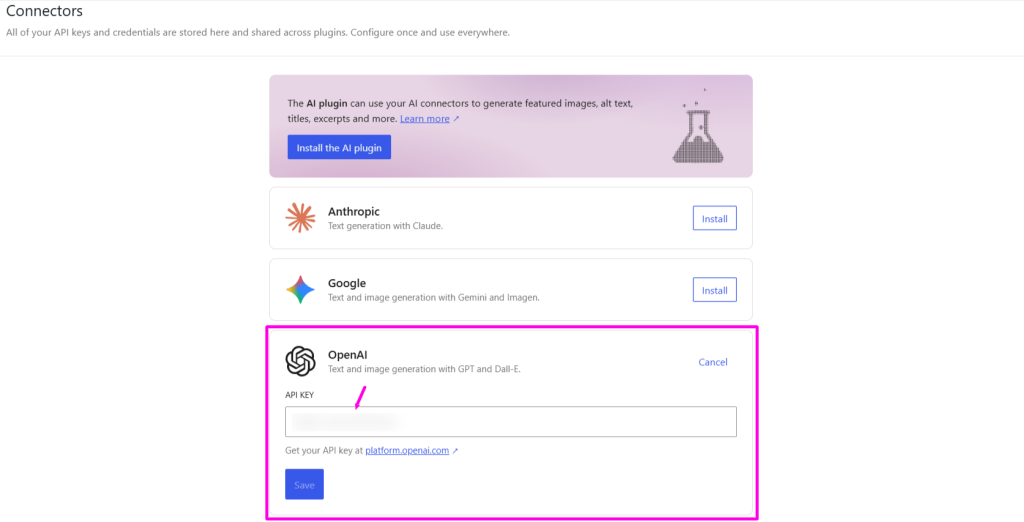
- Connect your AI provider. Go to Settings → Connectors from the left menu bar in WordPress.

- Add your API key for OpenAI, Anthropic (Claude), or Google (Gemini). The Connectors API handles the rest.
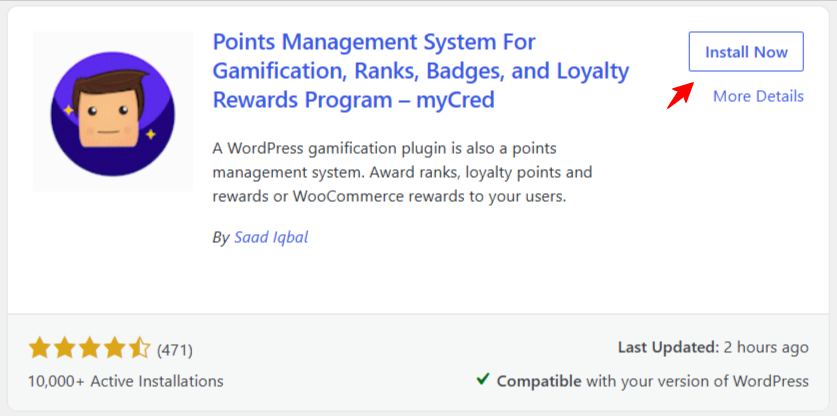
- Download the free myCred Addons plugin, which contains the all-new AI Assistant by searching for “myCred Addons” in the Plugin directory. Activate the myCred Addons after installation.

- From the left menu bar, go to myCred → Addons. Enable the AI Assistant and refresh your window.

- In the left menu bar, go to myCred → AI Assistant. Start chatting – open the AI Assistant and ask it to suggest a hook, deploy it, add points to a user, or even delete a hook. Try all the cool abilities.
This is an experimental feature built on the WordPress AI ecosystem. Feel free to share your feedback to help us improve and shape its future.