
Nominations
Nominations
Now users can nominate any other user to unlock achievements and ranks through a form. You need to configure nominations on the achievements or ranks of your choice to allow your users to nominate others.
Features
- Enable Achievements for ranks and Badges.
- Explanation field for nominations.
- Admin Screen for approval or rejection.
- Shortcode to place the submission anywhere.
- Admin emails to get notified about any new nominations.
- Blocks to place nominations anywhere.
- Widget to place any nomination form on the sidebar.
Getting started
Note: The nominations feature is integrated to work with both ranks and badges.
- Navigate to the wordpress admin Dashboard, then click MyCred> Addons
- Search for nominations and enable the toggle
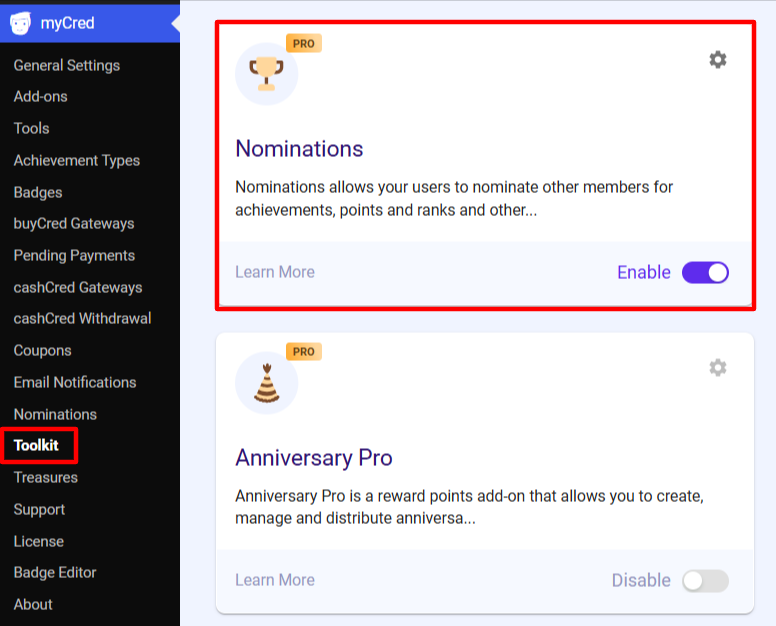
- Now, go ahead and edit the badge or rank you want to add nominations to.
- Scroll down in the right sidebar menu.

- You can set text for the submit button for nominations.
- Maximum votes required to give a nominations to a user can be set
- Lastly, copy & paste this shortcode, hence allowing user to apply for badges and ranks via nominations.