Retro
Retro
Award Points for Past Activities!
When you install myCred on an existing website, there may already be content or user actions you’d like to reward or deduct points for. This plugin helps by allowing retroactive point payouts for actions like user registrations, published content, and approved comments.
Add-on Setup
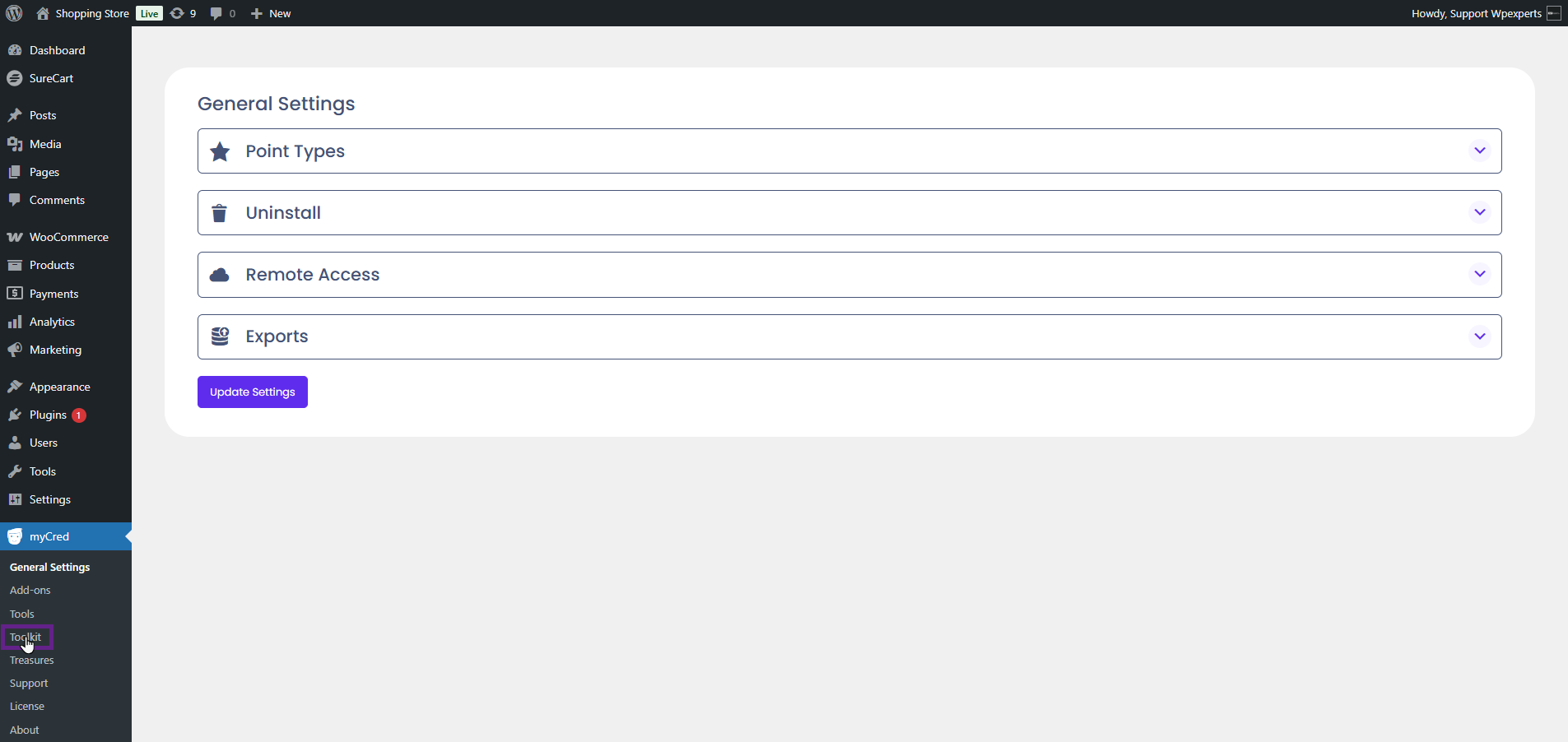
- Go to the Admin Dashboard > myCred > Toolkit.
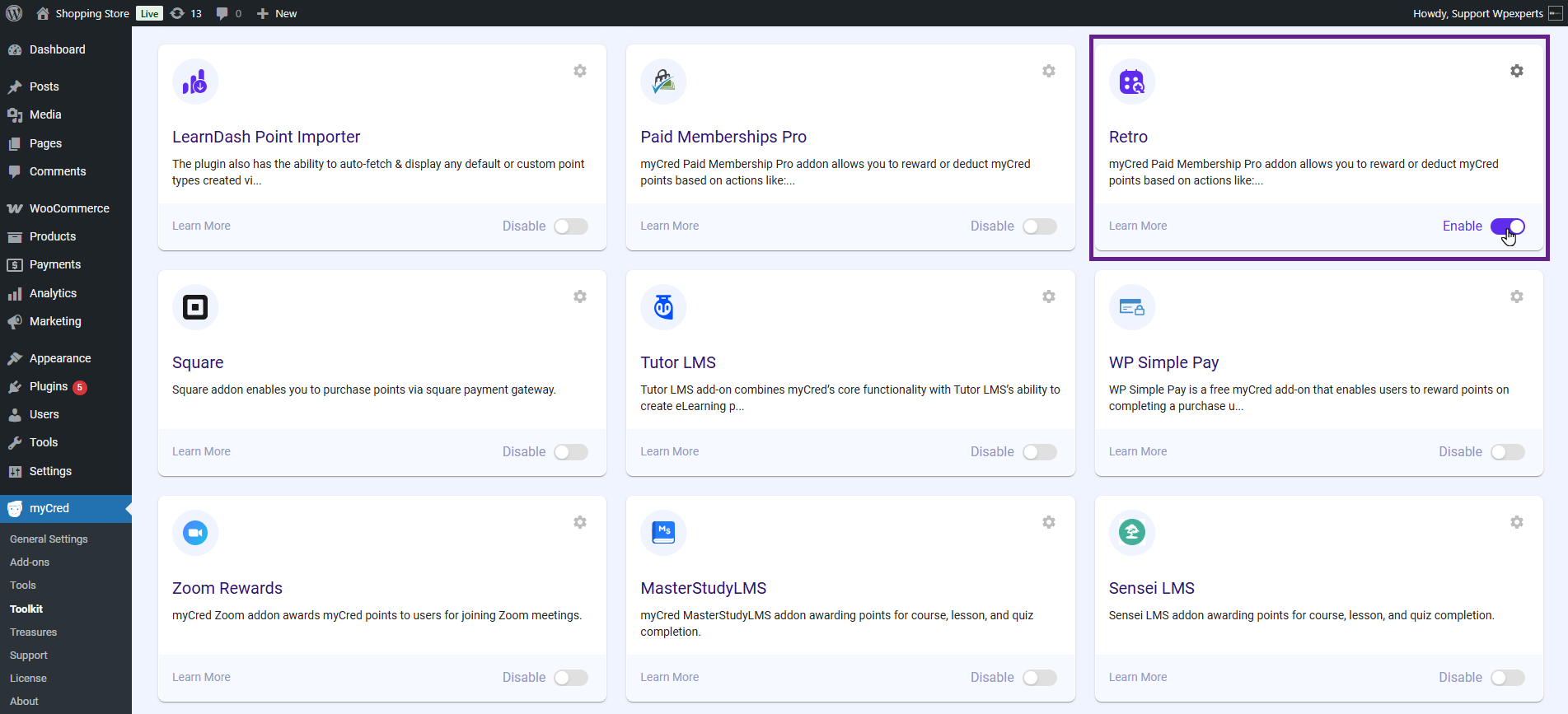
- Activate the Retro toggle button.
Note: Ensure that the myCred Retro plugin is installed and activated.
- Once done, navigate to the Admin Dashboard > Tools > Import.
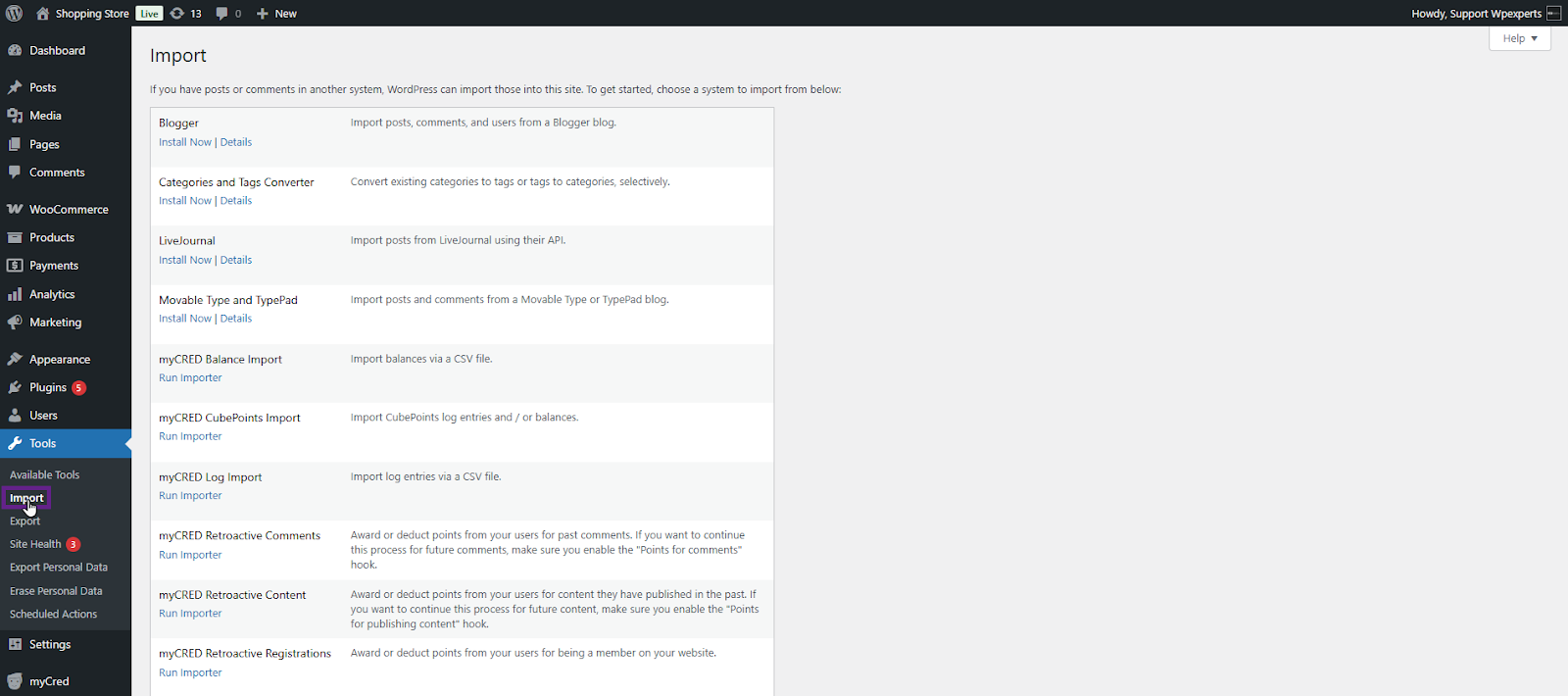
- For the myCred Retro, the admin can award points based on three criteria: comments, content, and registrations.
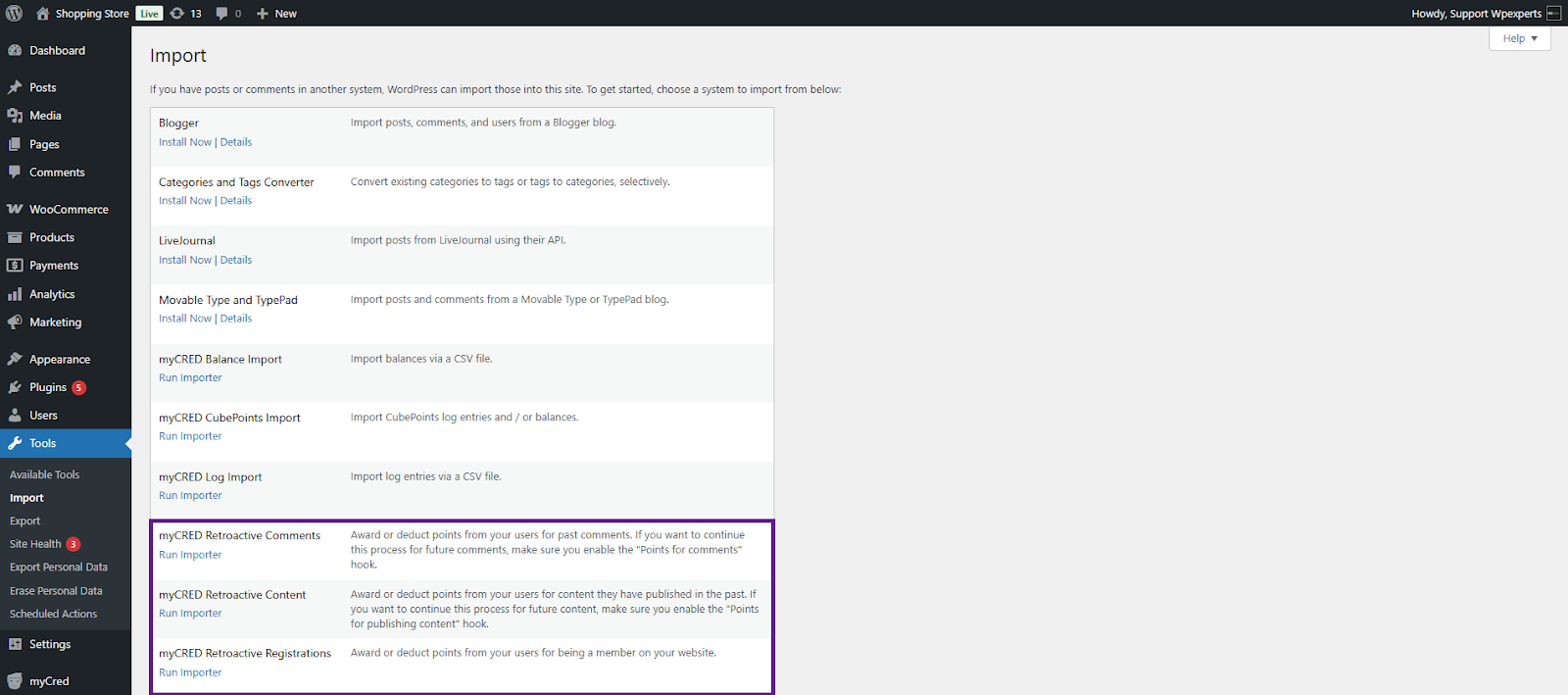
myCRED Retroactive Comments
- Click the Run importer button.

- Select the comment status from the Select Comment Status dropdown menu.
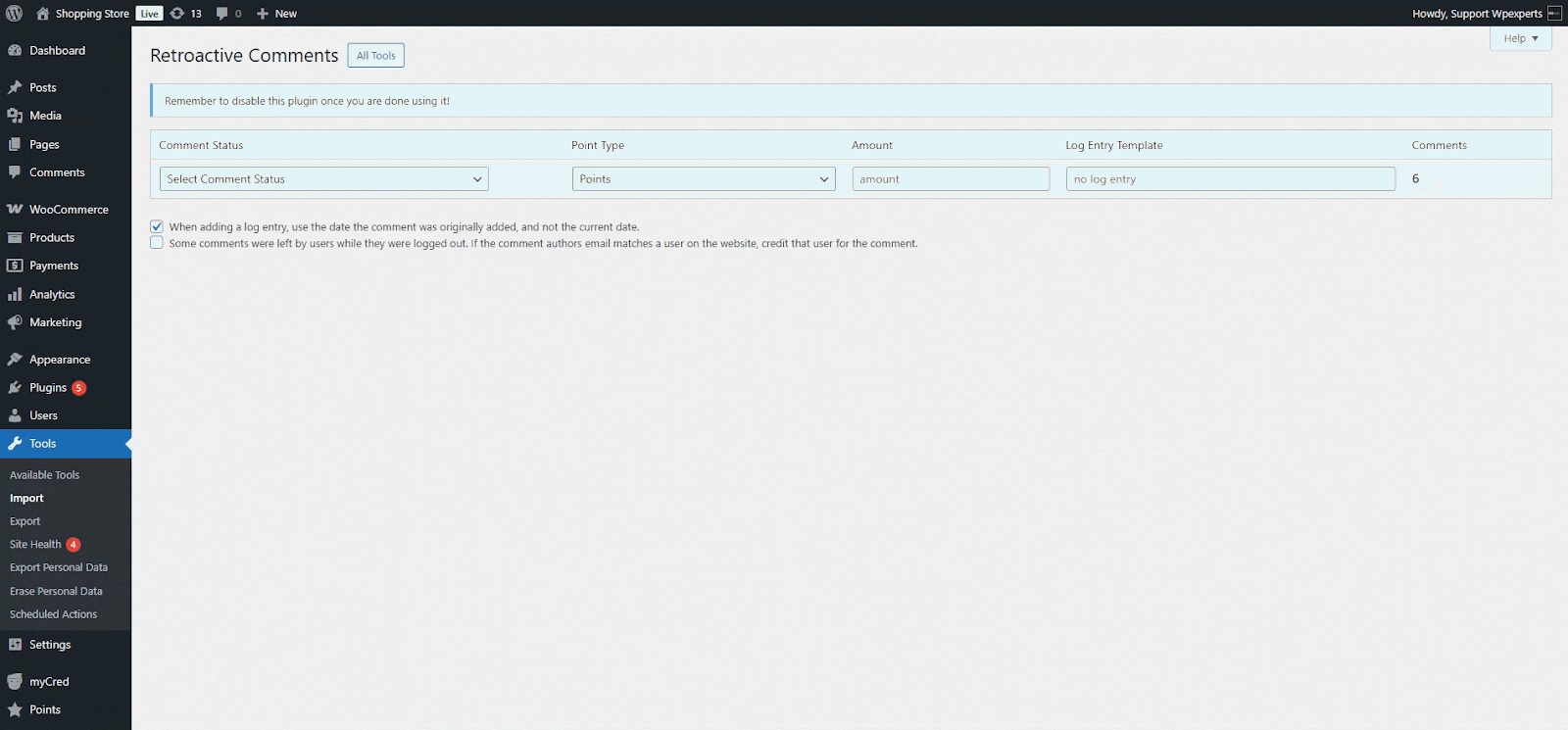
- Next, select the point type from the Point Type dropdown menu.

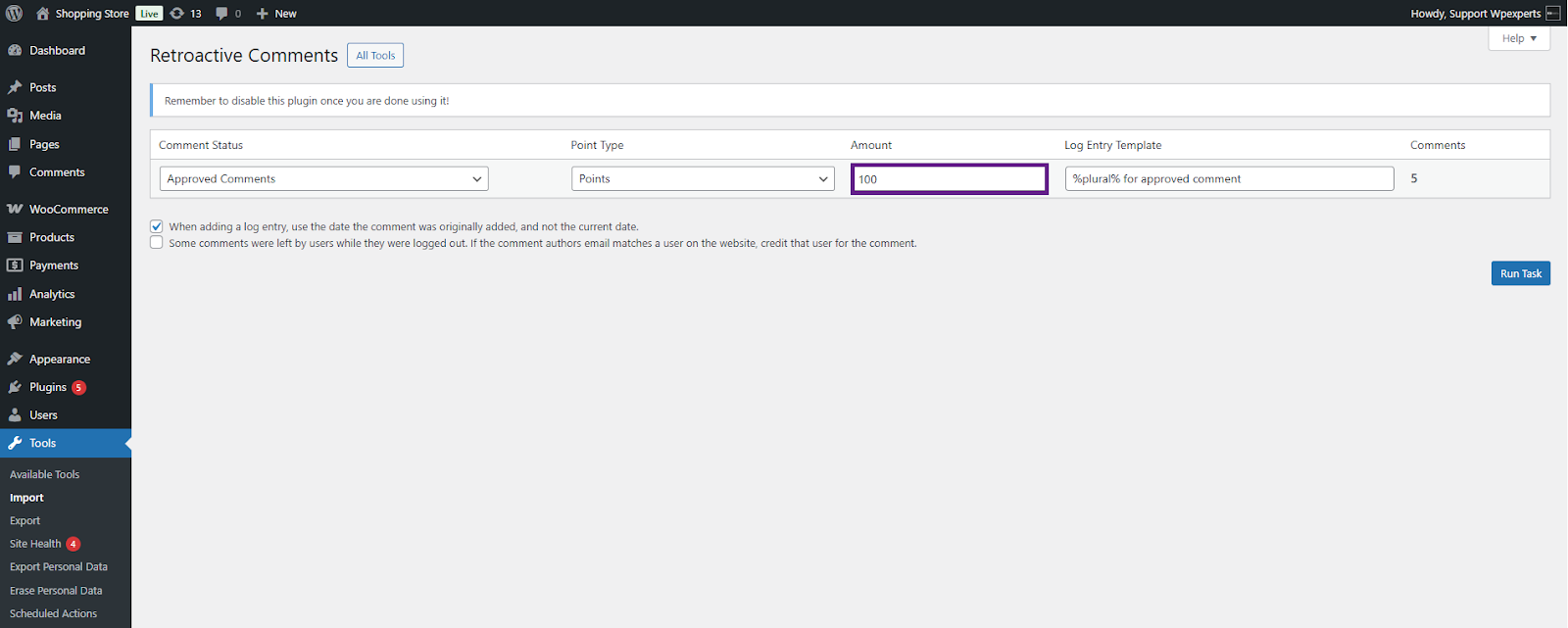
- Now, enter the amount of points to reward the user.
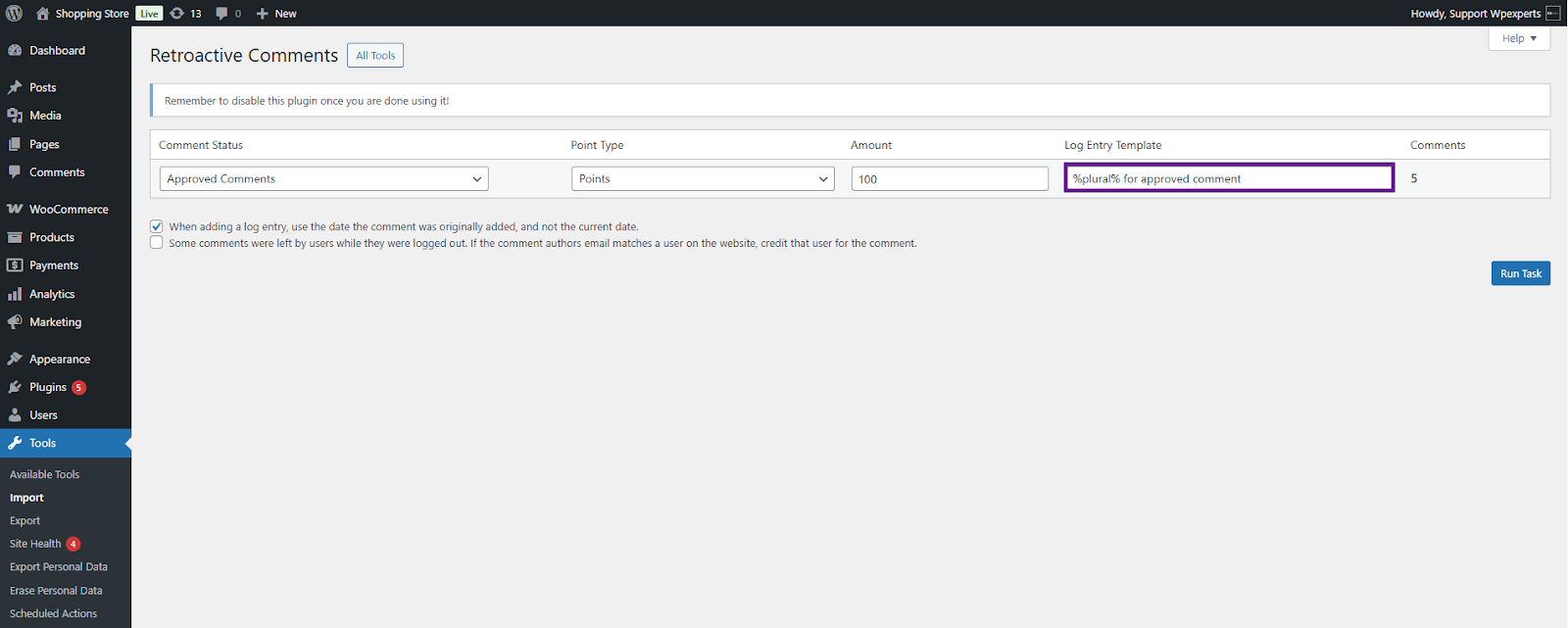
- Change the log entry template if required.
- Finally, click the Run Task button.

- Once the task is completed, the admin can view the log by clicking the View Log Entries button.
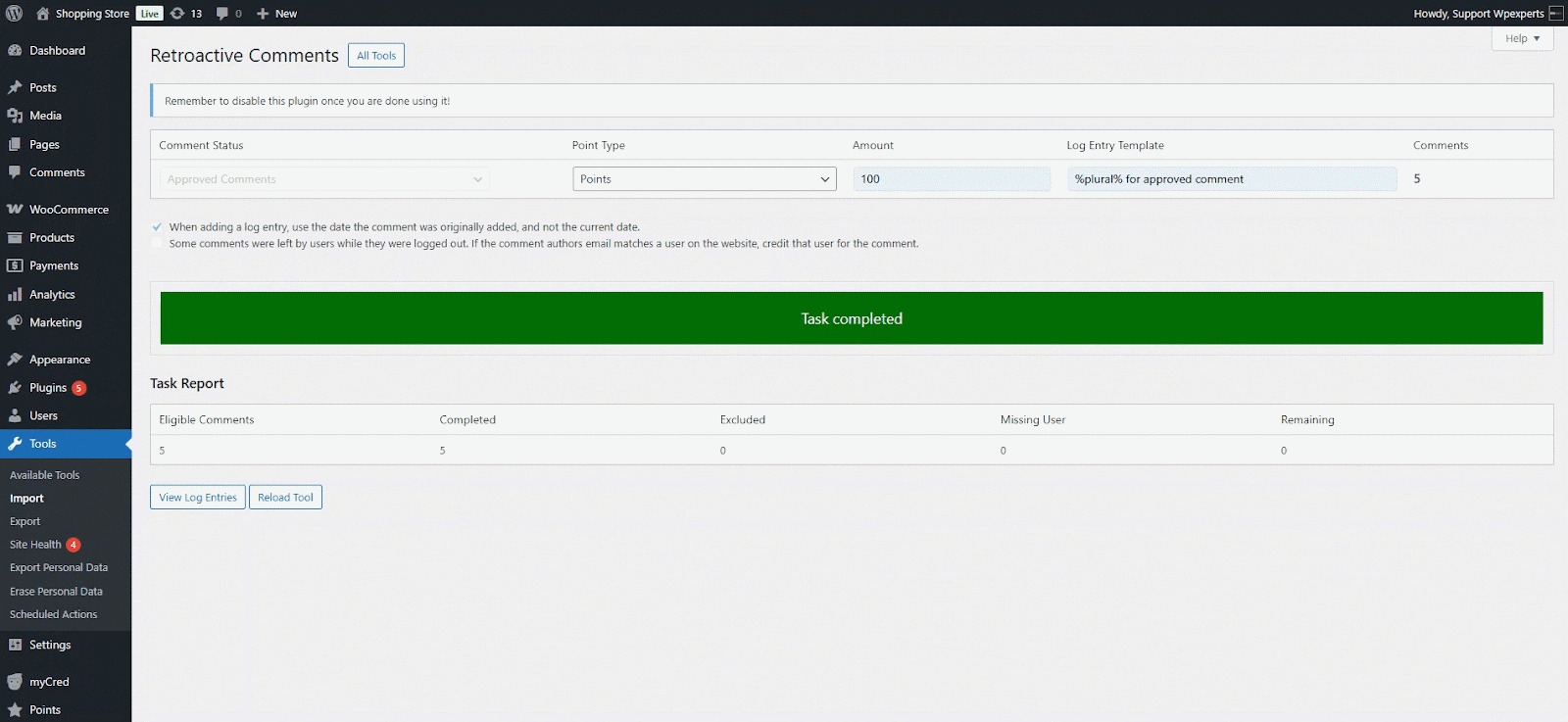
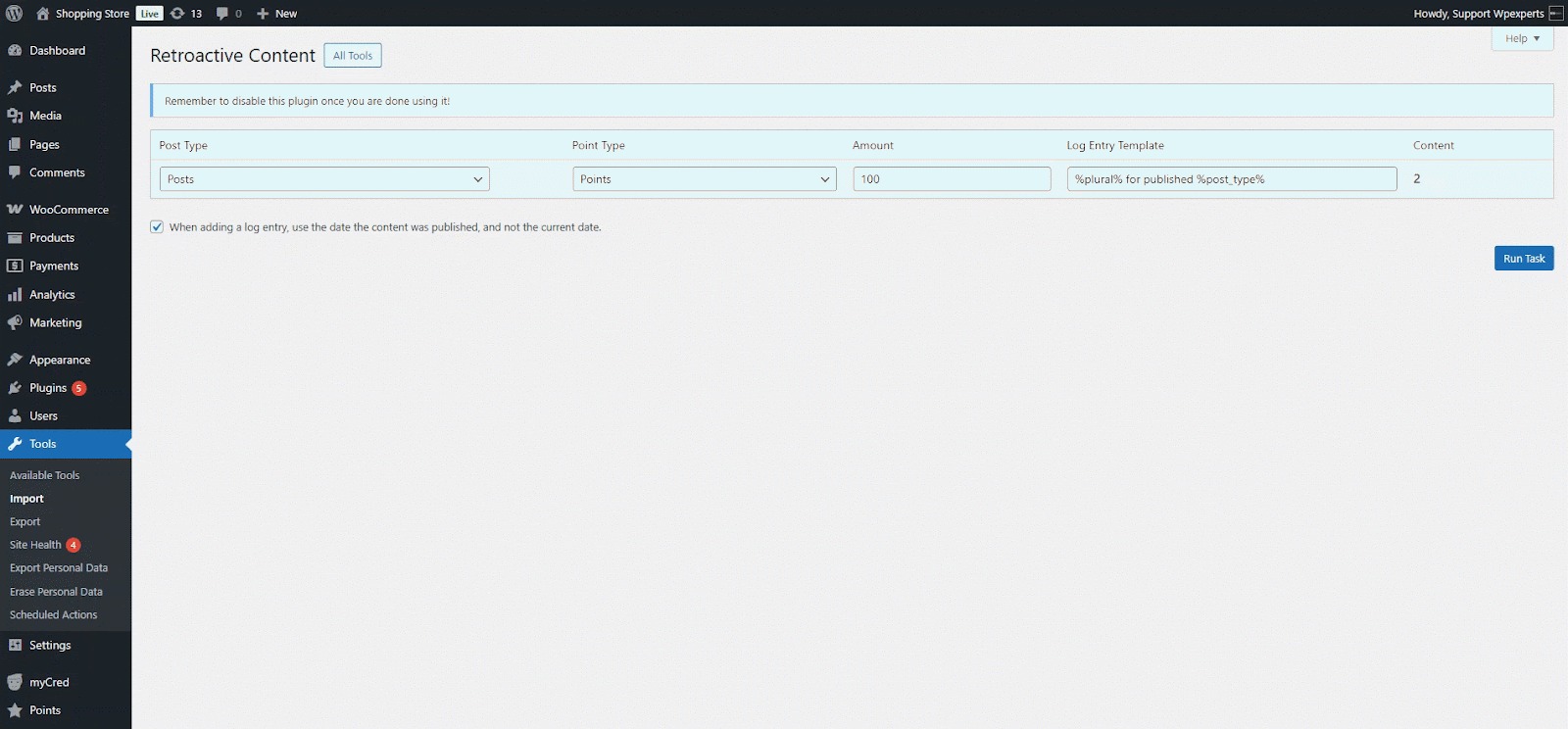
myCRED Retroactive Content
- Click the Run importer button.

- Select the post type from the Select Post Type dropdown menu.

- Next, select the point type from the Point Type dropdown menu.
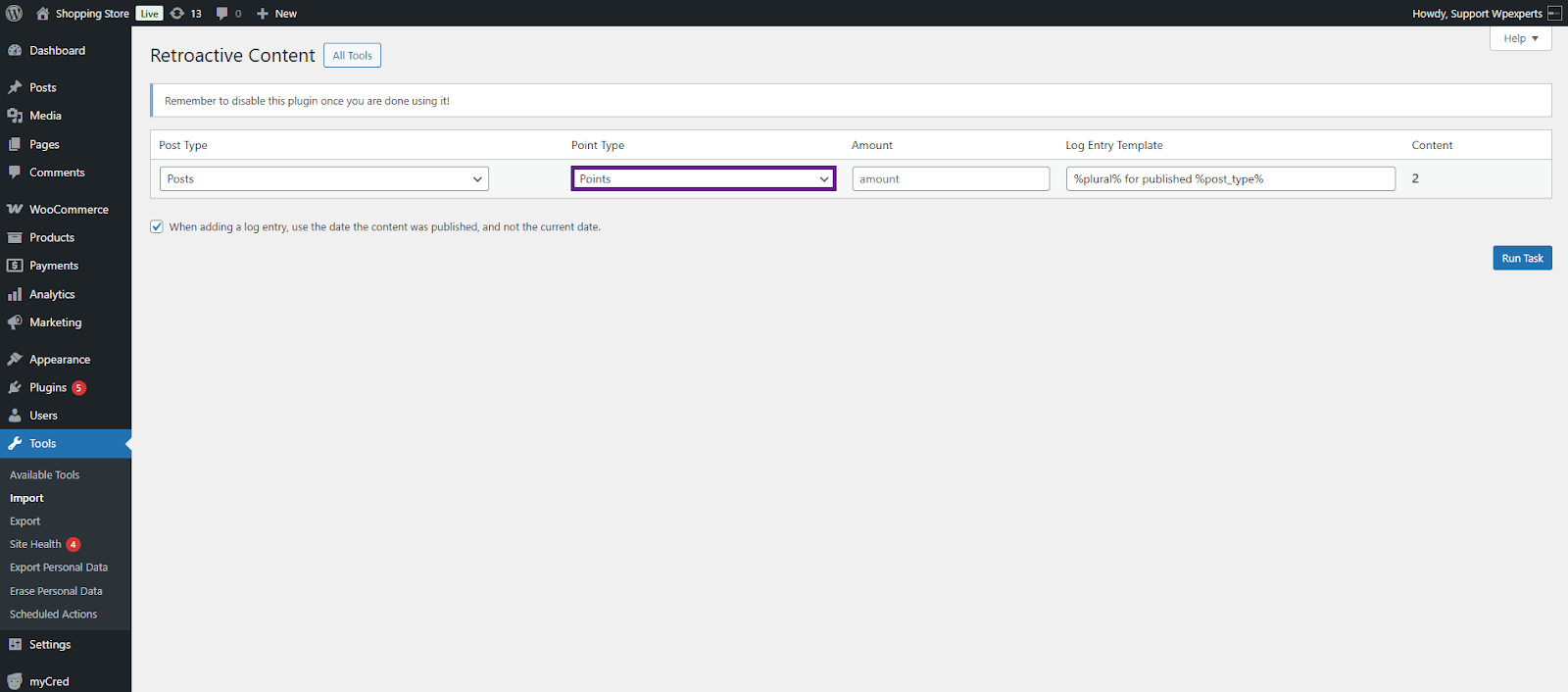
- Now, enter the amount of points to reward the user.

- Change the log entry template if required.
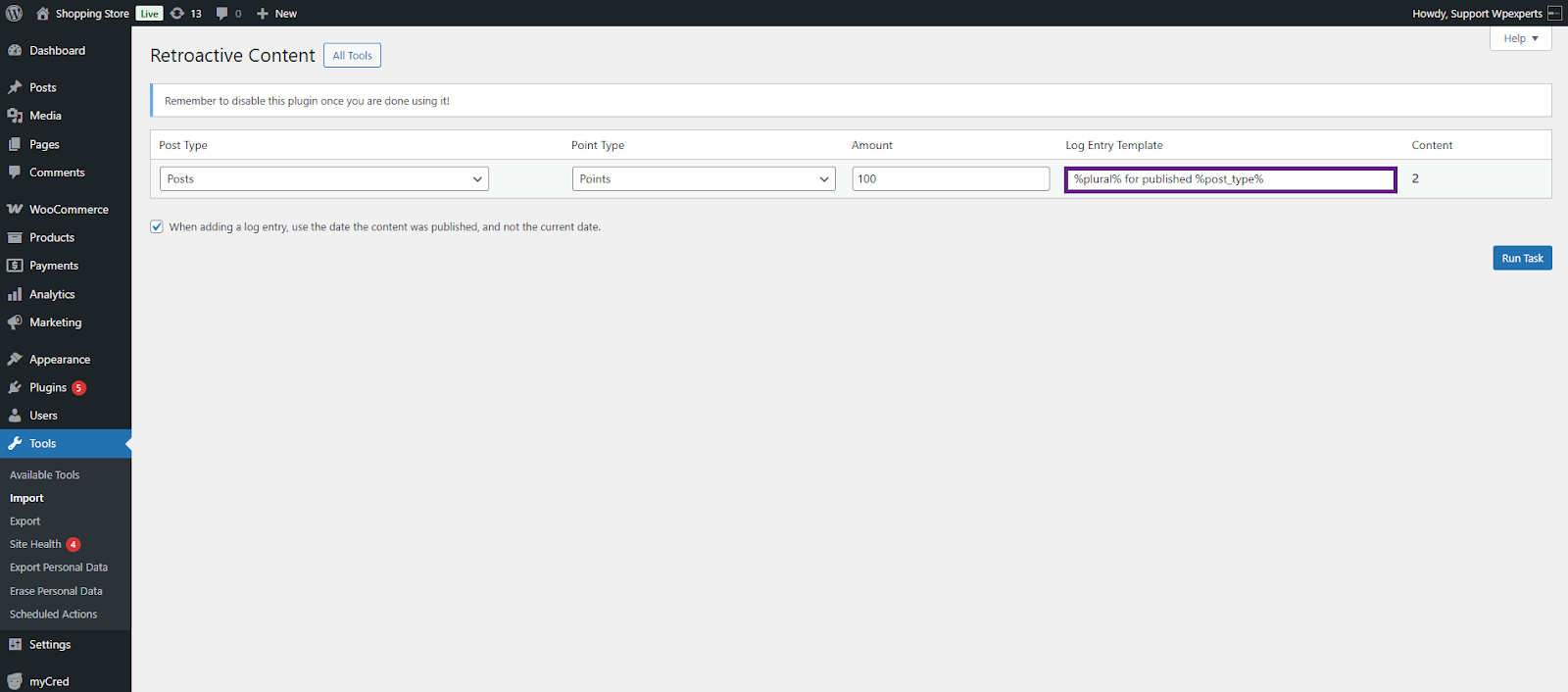
- Finally, click the Run Task button.
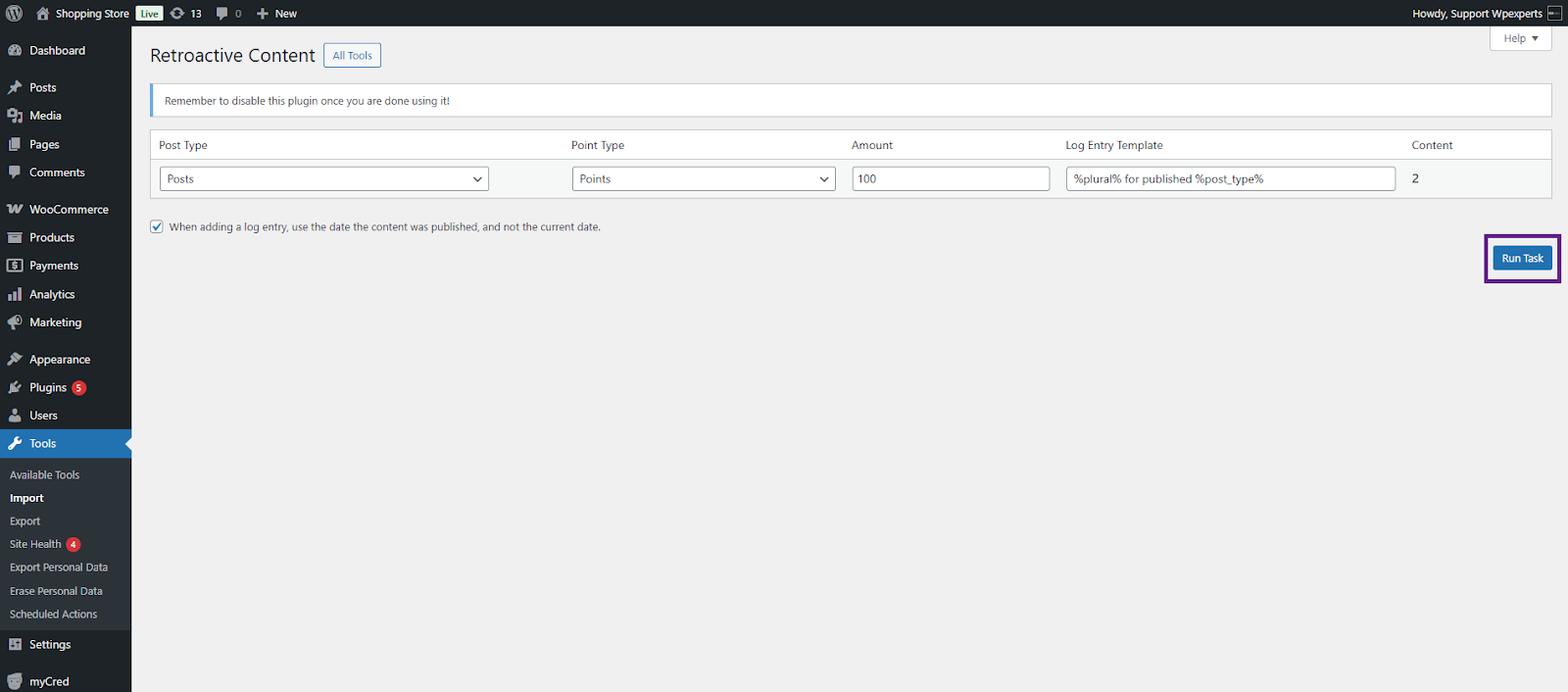
- Once the task is completed, the admin can view the log by clicking the View Log Entries button.
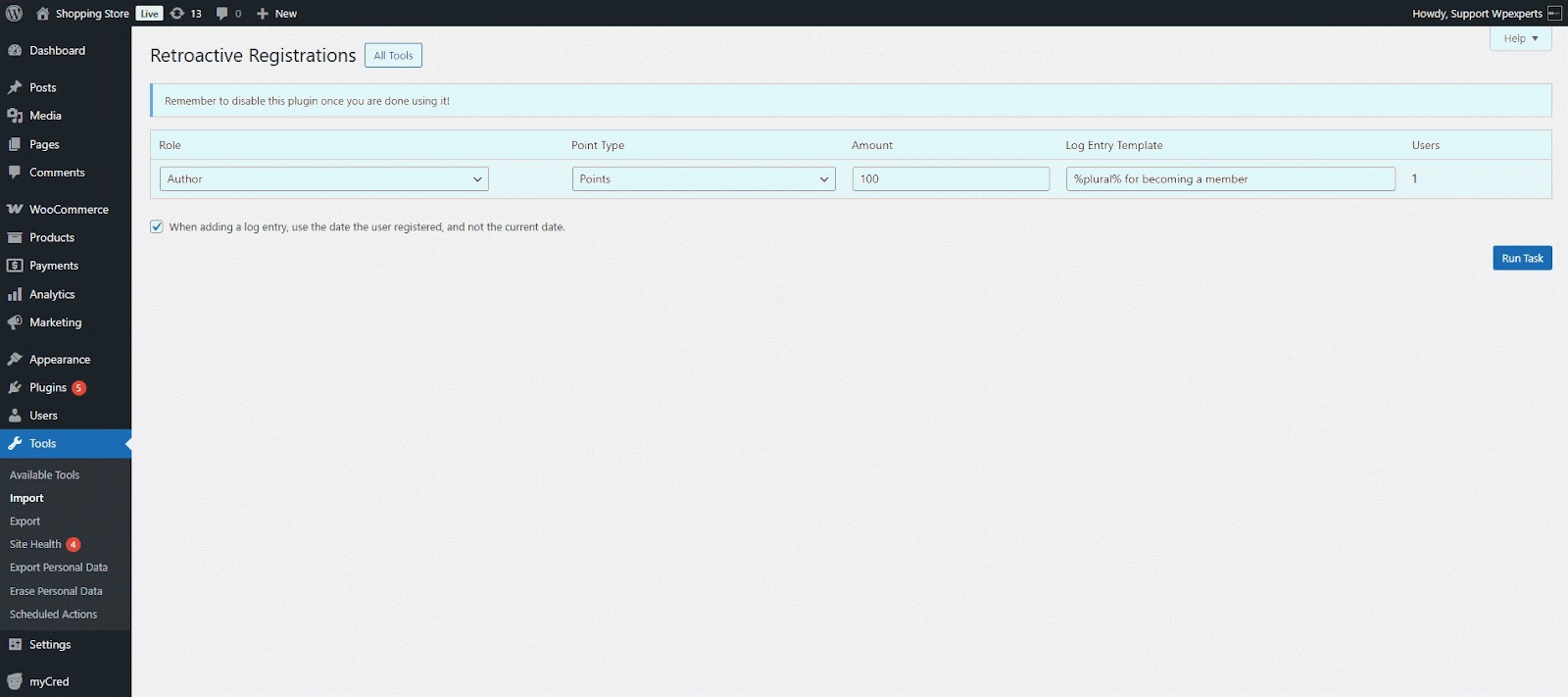
myCRED Retroactive Registration
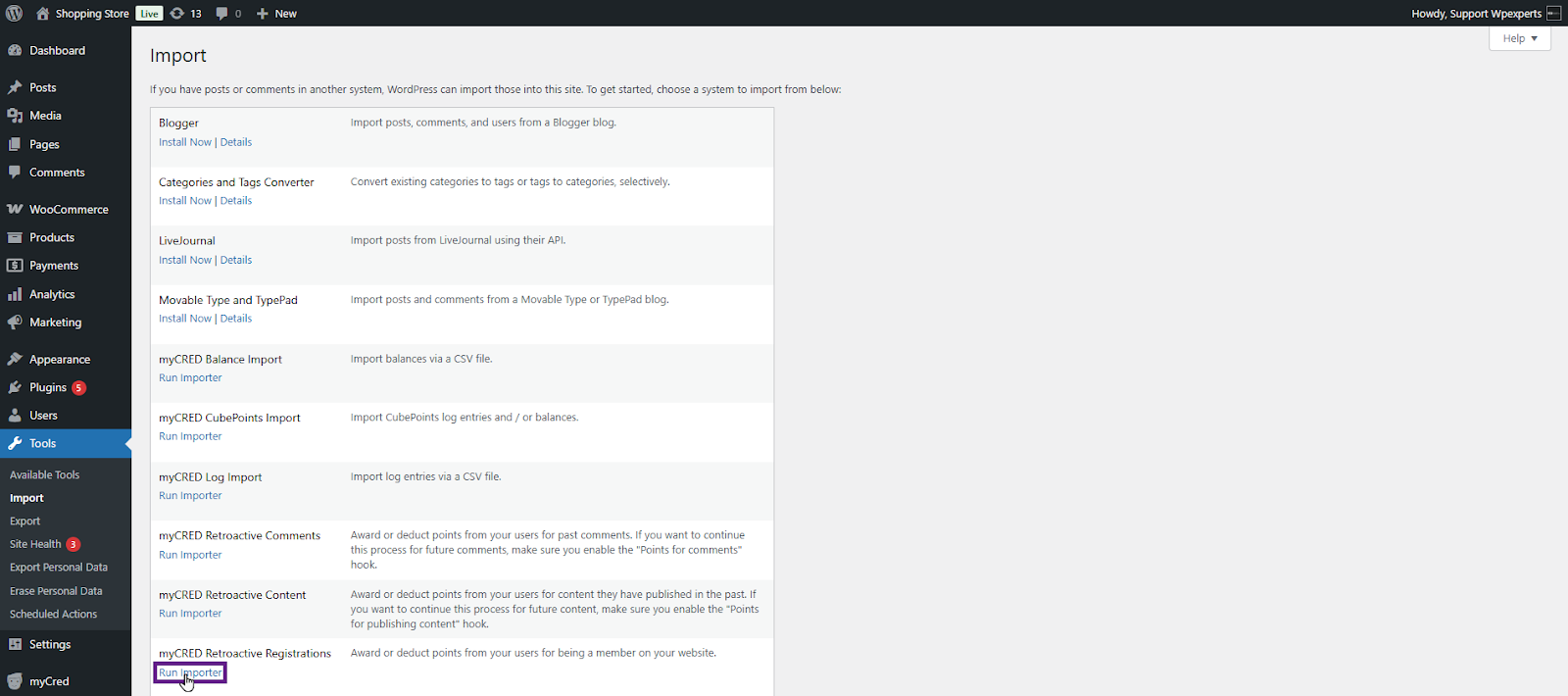
- Click the Run importer button.
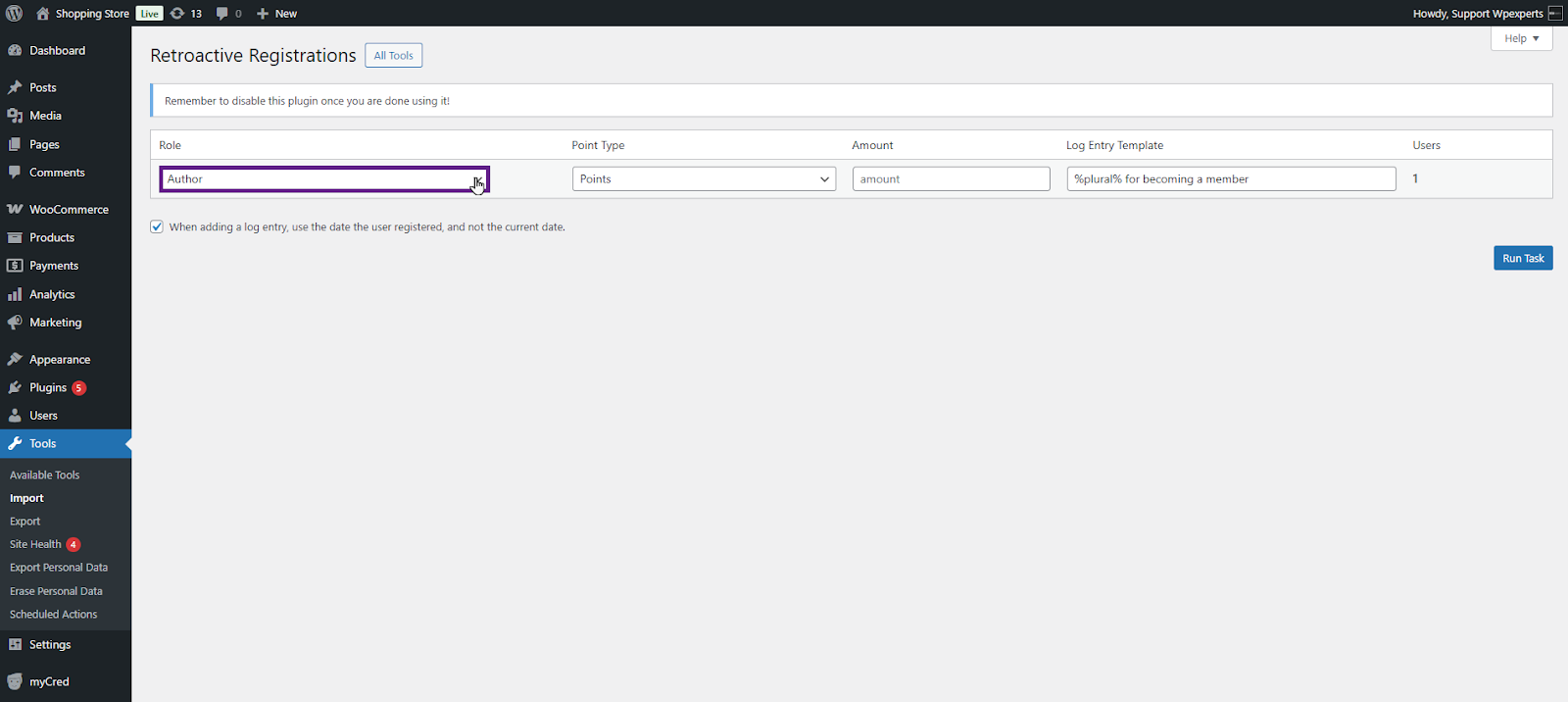
- Select the role from the Select Role dropdown menu.
- Next, select the point type from the Point Type dropdown menu.

- Now, enter the amount of points to reward the user.
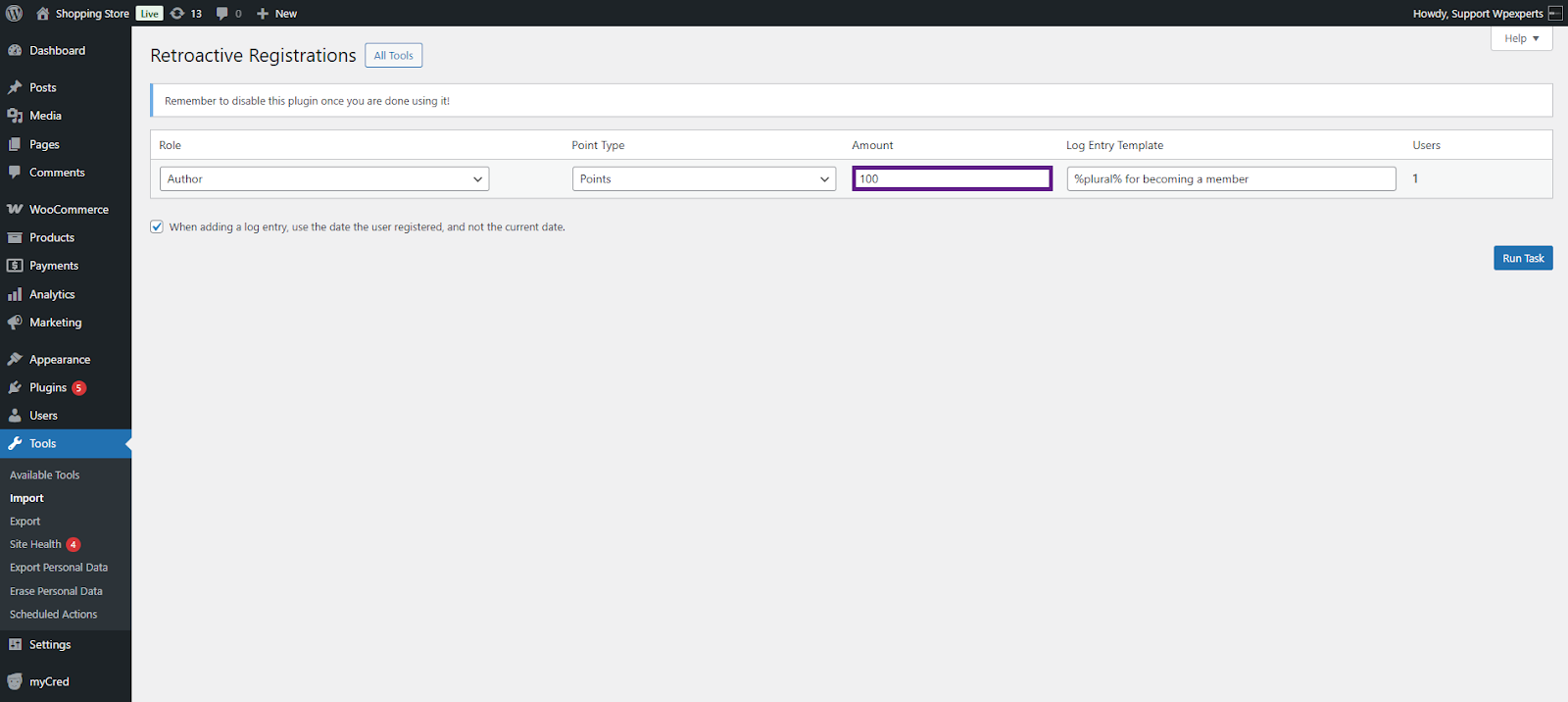
- Change the log entry template if required.

- Finally, click the Run Task button.

- Once the task is completed, the admin can view the log by clicking the View Log Entries button.