myCred Tutor LMS

Introduction
Tutor is a complete, feature-packed and robust WordPress LMS plugin to create & sell courses online easily. All the features of this learning management system hits all the checkpoints for a full-fledged online course marketplace. You can create challenging and fun quizzes, interactive lessons, powerful reports and stats making Tutor potentially the best free WordPress LMS plugin. Manage, administer and monetize your education, online school, and online courses without having to write a single line of code.
Activation
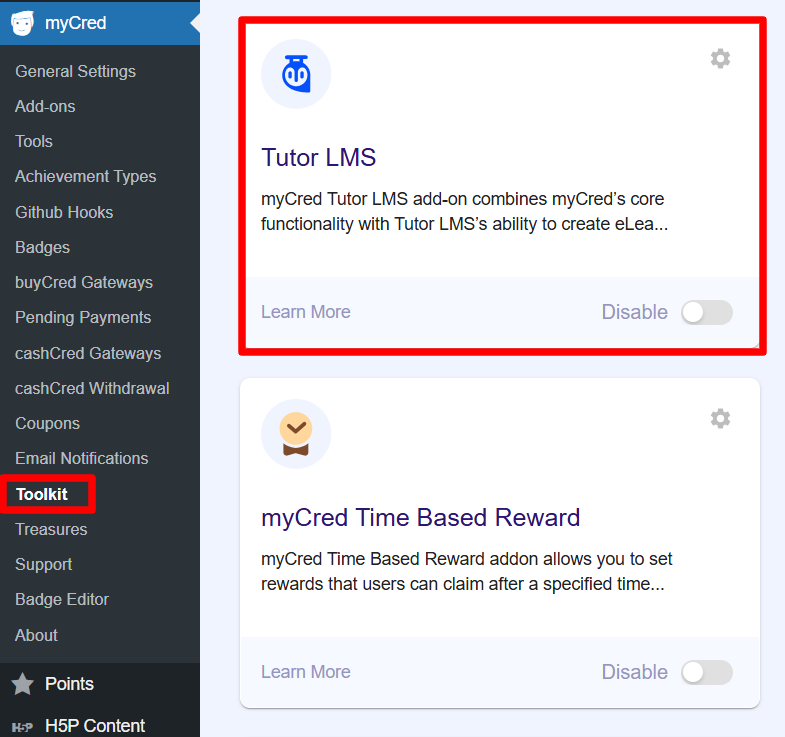
- Navigate to WordPress admin Dashboard > myCred > toolkit
- Search for Tutor LMS
- Enable
Features
- Award points to enroll in any course.
- Award points to enroll in a specific course.
- Award points on completing any lesson.
- Award points on completing a specific lesson.
- Award points on completing any quiz.
- Award points on passing any quiz.
- Award or Deduct points on failing any quiz.
- Award points on completing a specific quiz.
- Award points on passing a specific quiz.
- Award points on failing a specific quiz.
- Award points on completing any course.
- Award points on completing a specific course.
- Set Limits to attempt Course/Lesson/Quiz.
- Click the Add More if you wish to add more courses/lessons/quiz in specific settings.
Min. Requirements
PHP 5.3+
MySQL 5.0
Tutur LMS Plugin
Getting Started
- Once the required plugins are installed, navigate to the WordPress Admin Dashboard → Points → Hooks.

- There are two sections here, Available Hooks and Active Hooks.
- We’ll set the following hooks by dragging and dropping them into the Active Hooks section and from the Available Hooks section and then setting up the hooks.

Enrolling a Course (Tutor LMS)
Back-End Configuration
- This hook is triggered when a user completes a lesson.
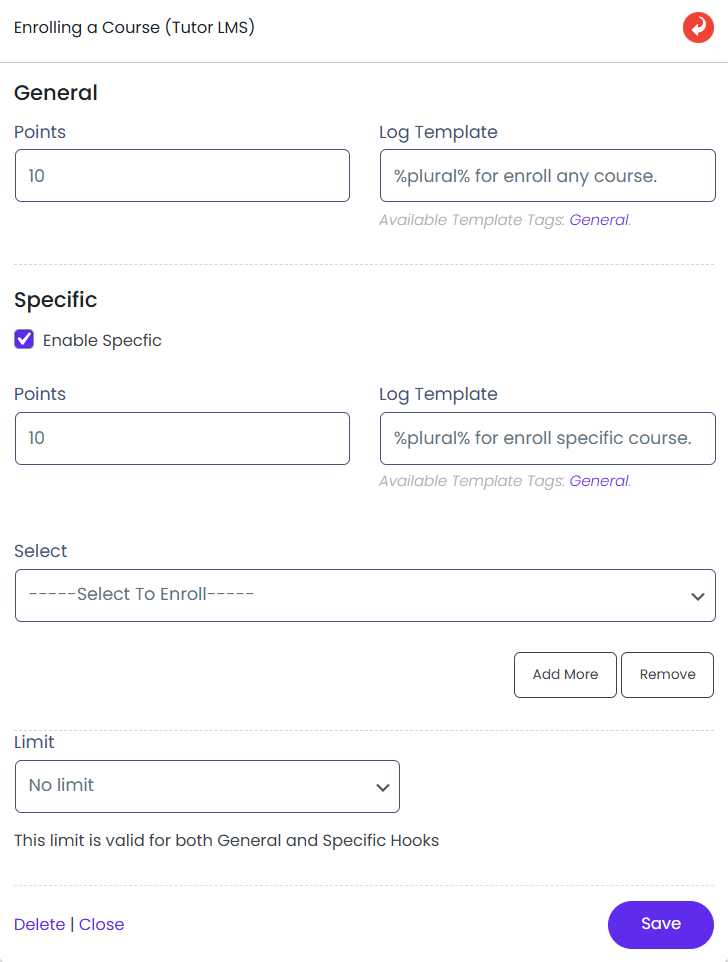
- Admin can click on the hook to open its configuration.
- Admin can set the points that will be awarded whenever the event is triggered.
- Points can be awarded based on specific lesson completion or all lessons.
- Admin can set limits on how often points are awarded.
- Save the configuration after making changes.
Front-End Configuration
- The user will go to your website.
- The user will go to the Course page.
- The user will select the course and click on the Enroll Now button
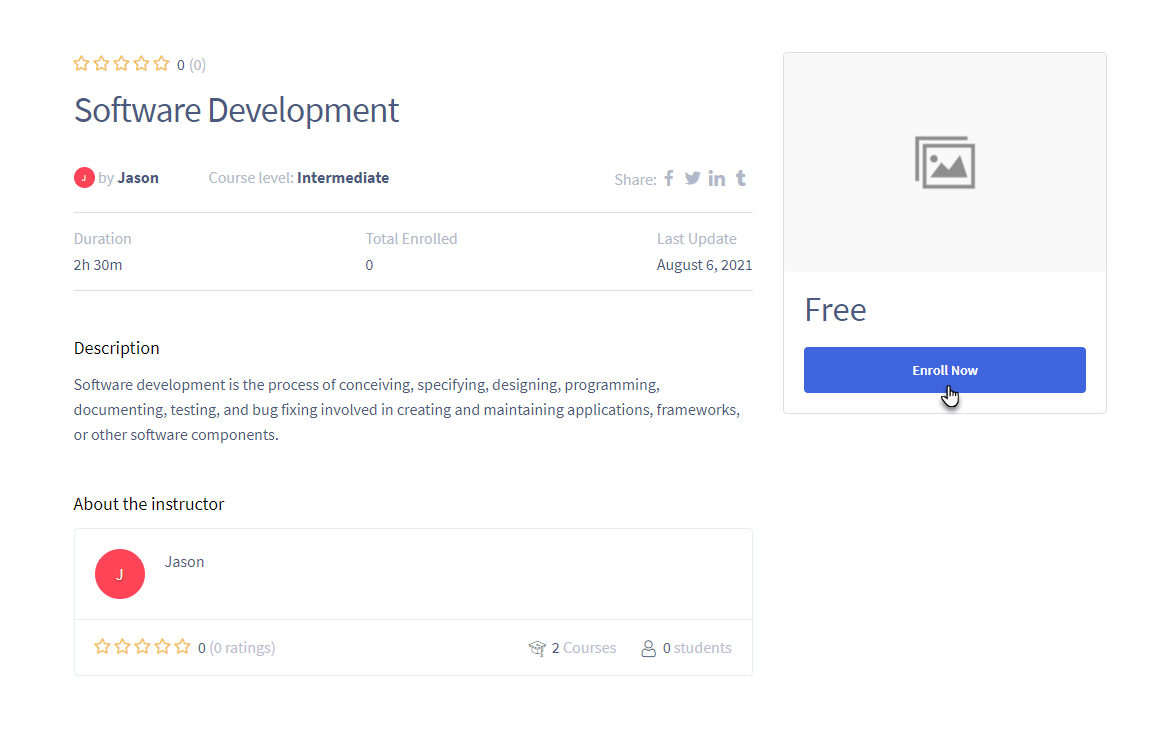
- The user will be awarded points for Enrolling in a Course.
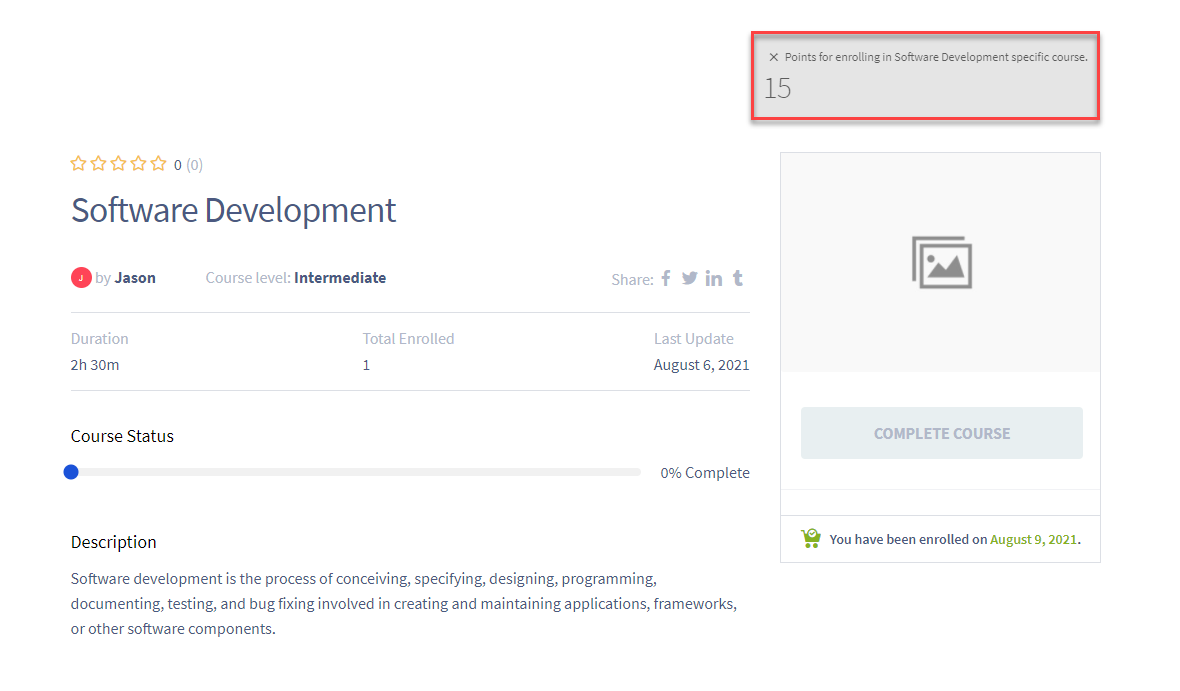
Completing a Lesson (Tutor LMS)
Back-End Configuration

- This hook is triggered when a user completes a course.
- Admin can configure the hook by clicking on it.
- Admin can set the points to be awarded upon course completion.
- Points can be awarded for completing any course or a specific course.
- Admin can select a specific course for points allocation.
- Admin can add or remove courses as needed.
- Admin can set limits on how often points are awarded.
- Save the configuration after making changes
Front-End Impact
- The user will go to your website.
- The user will go to the course in which he/she is enrolled.
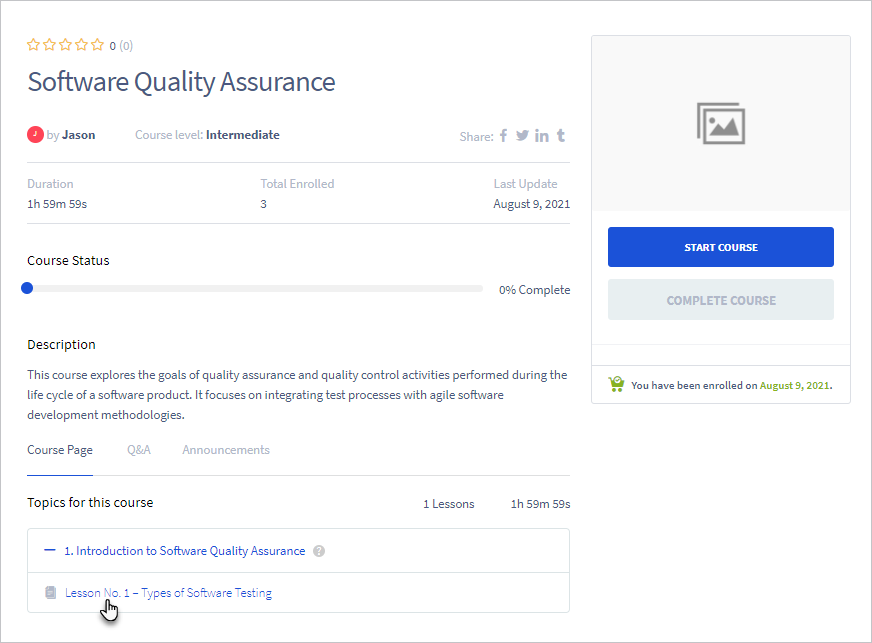
- In the Course Page section of the course, all the lessons are mentioned.
- The user will click on any lesson.
- The user will click on the Complete Lesson button.
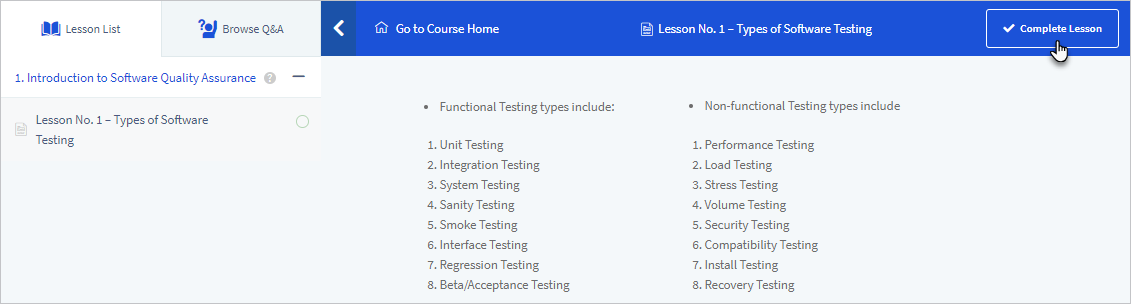
- The user will be awarded points for Completing a Lesson.

Completing a Quiz (Tutor LMS)
Back-End Configuration
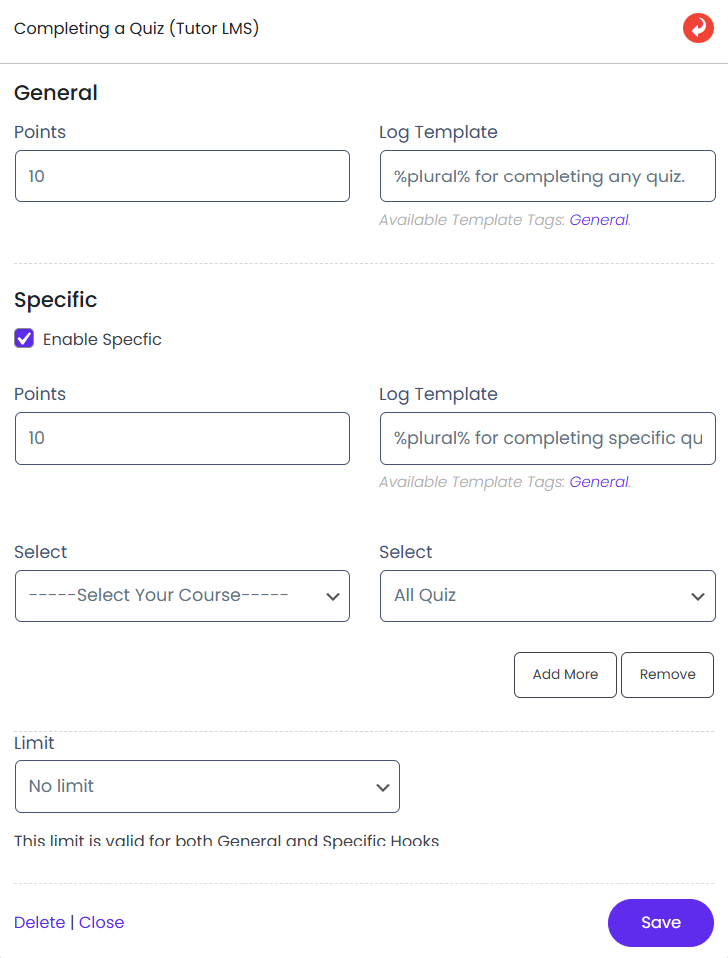
- This hook is triggered when a user completes a quiz.
- Admin can configure the hook by clicking on it.
- Admin can set the points to be awarded upon quiz completion.
- Points can be awarded for completing any quiz or a specific quiz.
- Admin can select a specific quiz for points allocation.
- Admin can select all quizzes for points allocation.
- Admin can add or remove specific quizzes.
- Admin can set limits on how often points are awarded.
- Save the configuration after making changes
Front-End Impact
- The user will go to your website.
- The user will go to the course in which he/she is enrolled.
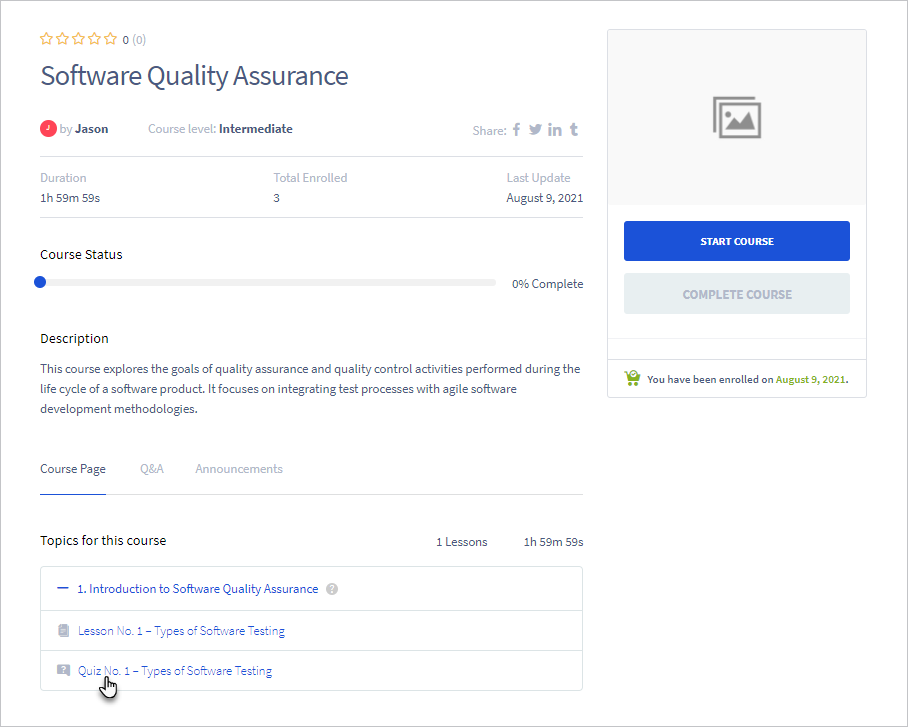
- In the Course Page section of the course, all the quizzes are mentioned.
- The user will click on the quiz.
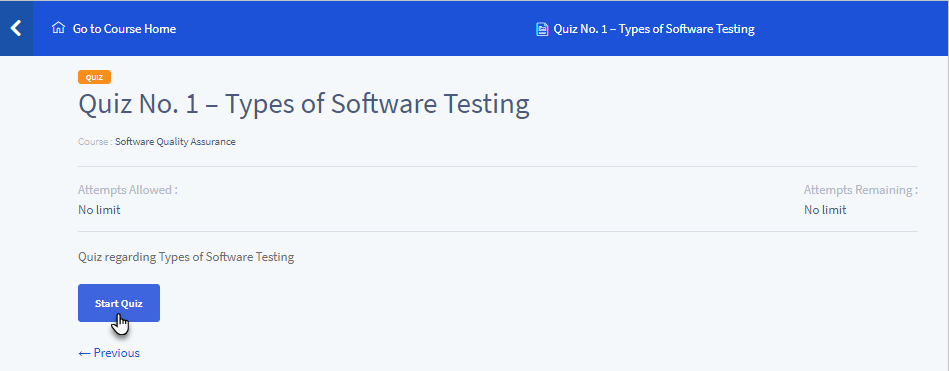
- Click on the Start Quiz button
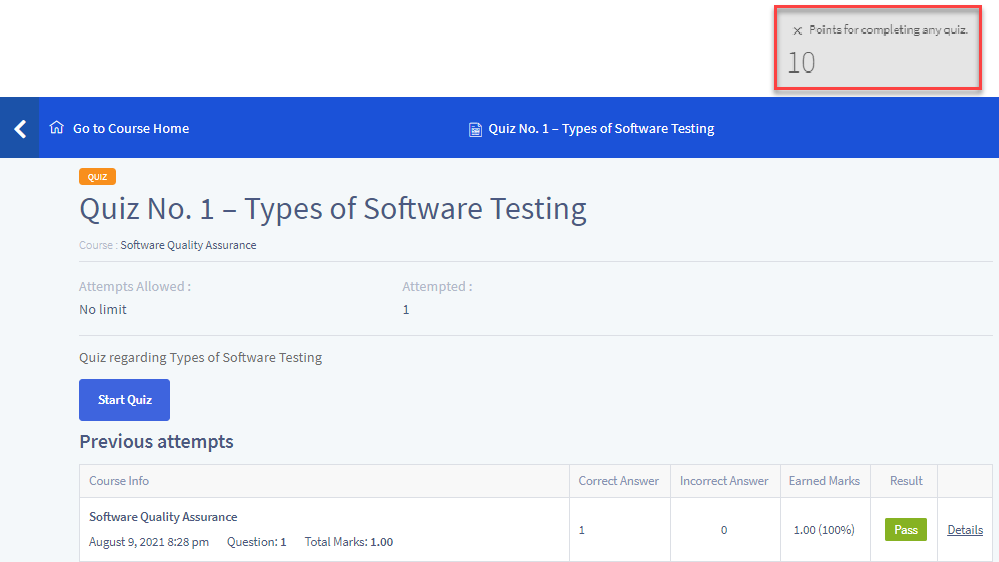
- Once the user completes the quiz, he/she will click on the Submit Quiz button.

- The user will be awarded points for Completing a Quiz.
Passing a Quiz (Tutor LMS)
Back-End configuration
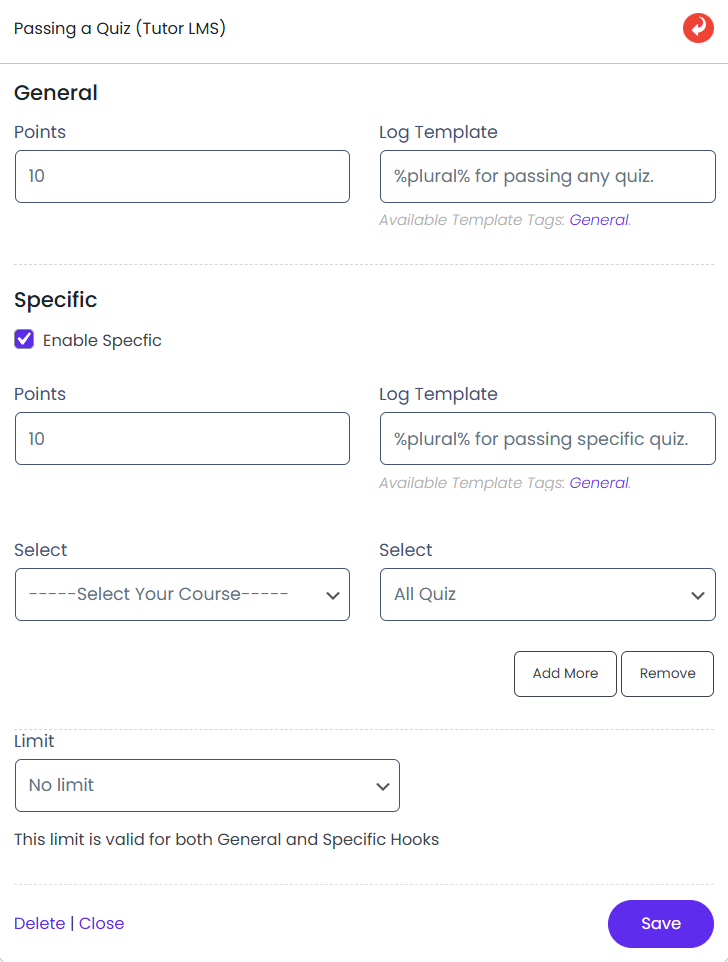
- This hook is triggered when a user passes a quiz.
- Admin can configure the hook by clicking on it.
- Admin can set the points to be awarded when the user passes a quiz.
- Points can be awarded for passing any quiz or a specific quiz.
- Admin can select a specific quiz for points allocation.
- Admin can select all quizzes for points allocation.
- Admin can add or remove specific quizzes.
- Admin can set limits on how often points are awarded.
- Save the configuration after making changes.
Front-End Impact
- The user will go to your website.
- The user will go to the course in which he/she is enrolled.
- In the Course Page section of the course, all the quizzes are mentioned.
- The user will click on the quiz.

- Click on the Start Quiz button.
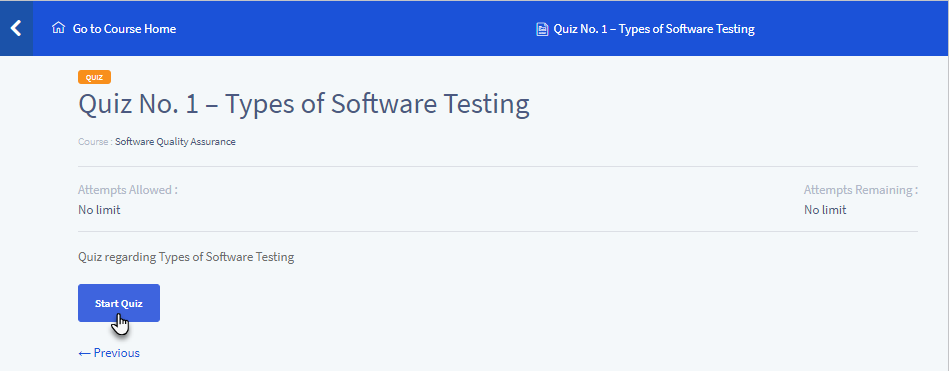
- Once the user completes the quiz, he/she will click on the Submit Quiz button.
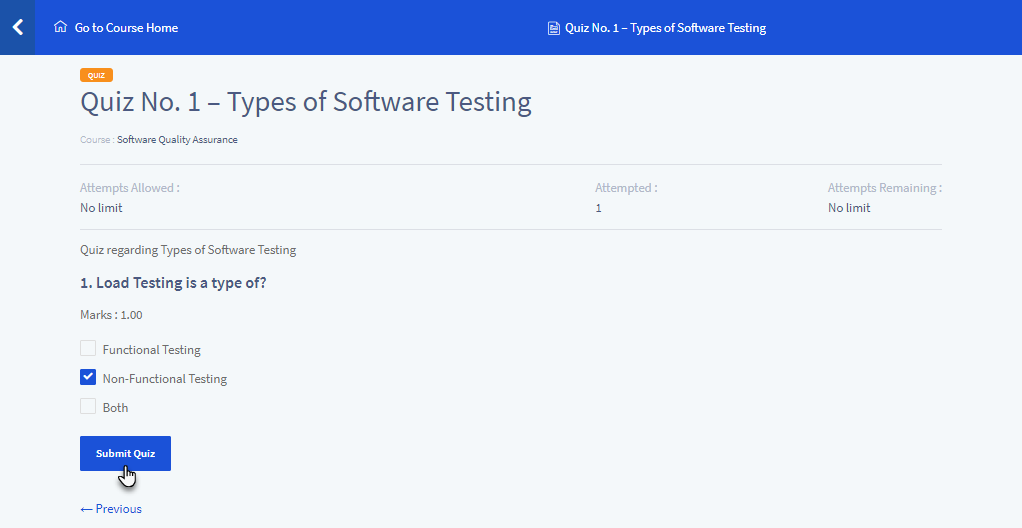
- If the user passes the quiz, he/she will be awarded points for Passing a Quiz.

Failing a Quiz (Tutor LMS)
Back-End Configuration
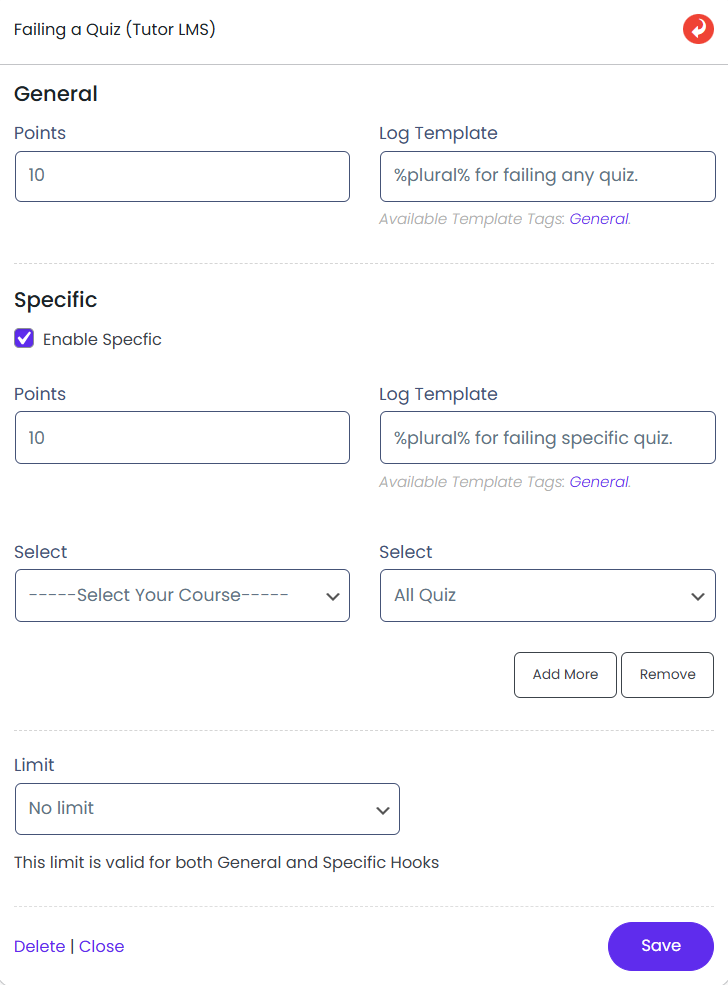
- This hook is triggered when a user fails a quiz.
- Admin can configure the hook by clicking on it.
- Admin can set the points to be awarded when the user fails a quiz.
- Points can be awarded for failing any quiz or a specific quiz.
- Admin can select a specific quiz for points allocation.
- Admin can select all quizzes for points allocation.
- Admin can add or remove specific quizzes.
- Admin can set limits on how often points are awarded.
- Save the configuration after making changes.
Front-End Impact
- The user will go to your website.
- The user will go to the course in which he/she is enrolled.
- In the Course Page section of the course, all the quizzes are mentioned.
- The user will click on the quiz.

- Click on the Start Quiz button.
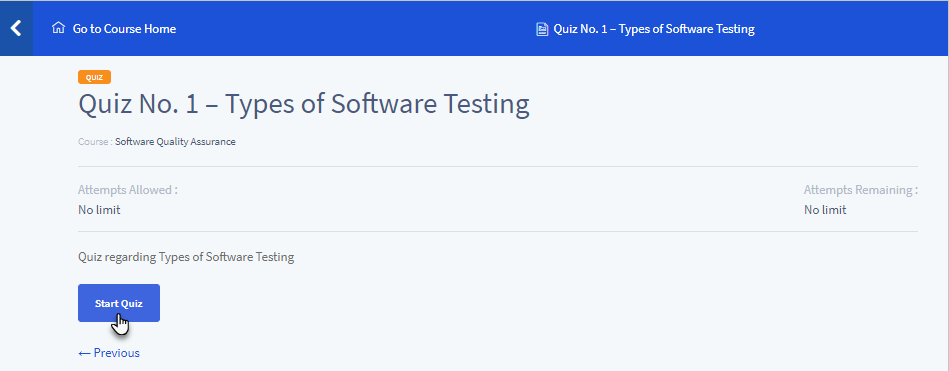
- Once the user completes the quiz, he/she will click on the Submit Quiz button.

- If the user fails the quiz, he/she will be awarded points for Failing a Quiz.
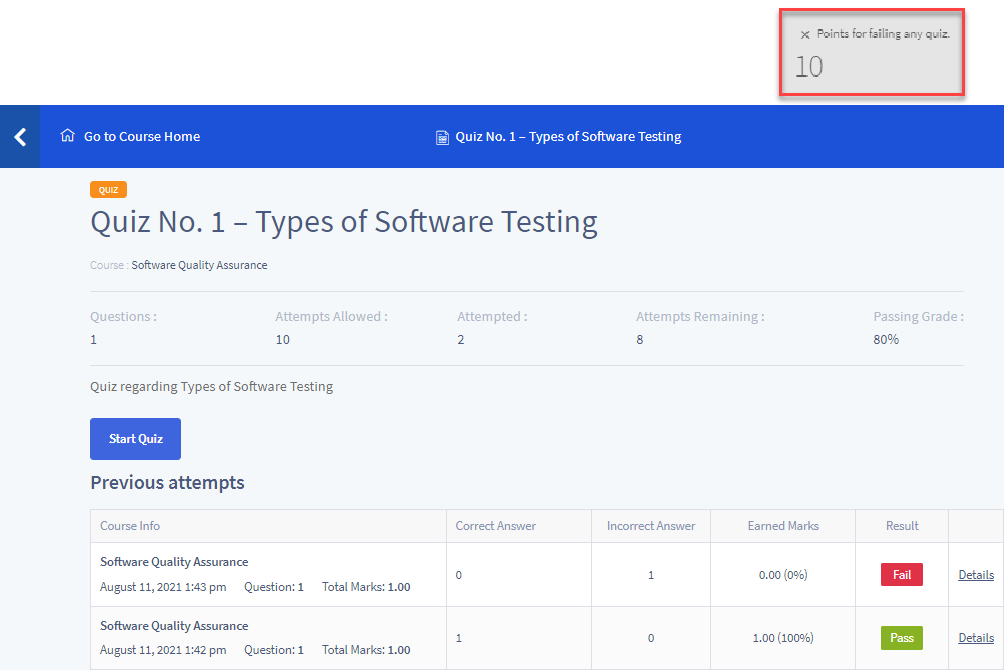
Completing a Course (Tutor LMS)
Back-End Configuration
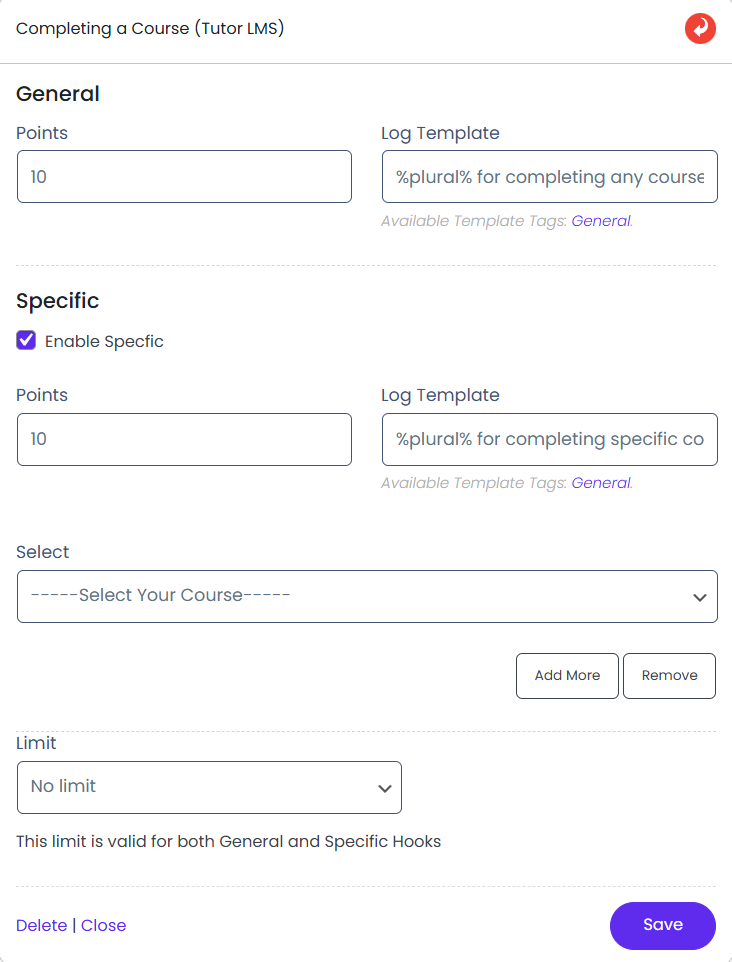
- This hook is triggered when a user completes a course.
- Admin can configure the hook by clicking on it.
- Admin can set the points to be awarded upon course completion.
- Points can be awarded for completing any course or a specific course.
- Admin can select a specific course for points allocation.
- Admin can add or remove specific courses.
- Admin can set limits on how often points are awarded.
- Save the configuration after making changes.
Front-End Impact
- The user will go to your website.
- The user will go to the course in which he/she is enrolled.
- Once the user has completed all the activities of the course, the user will click on the Complete Course button.
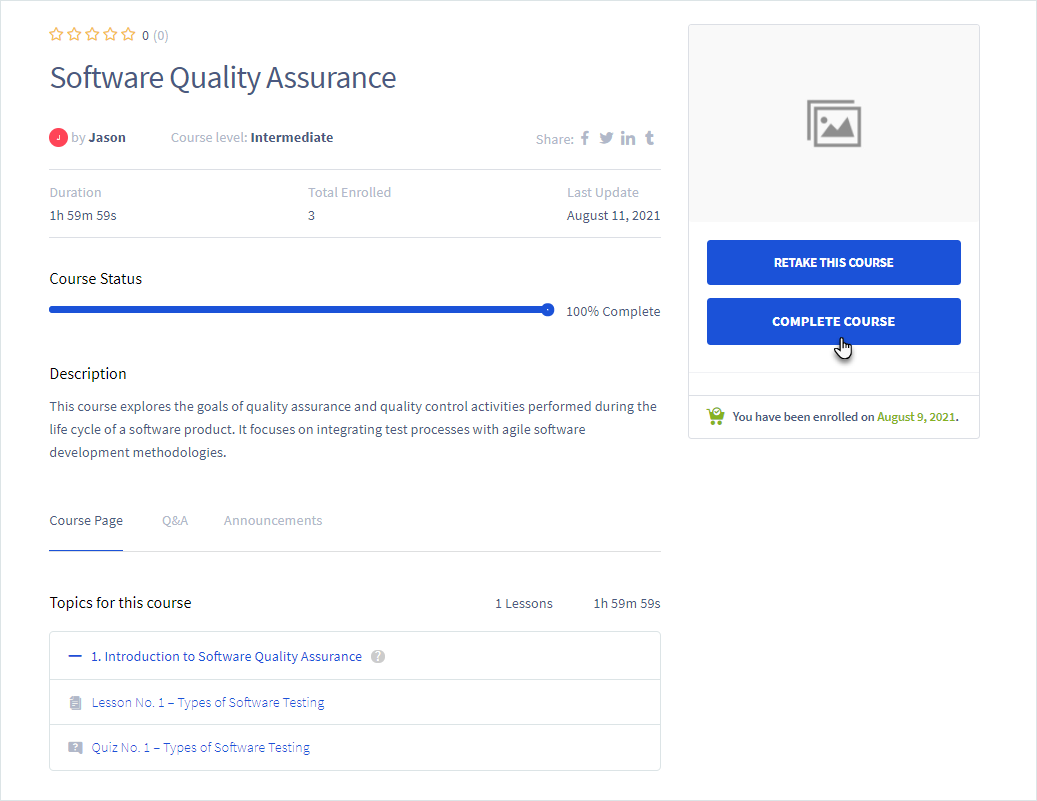
The user will be awarded points for Completing a Course.
NOTE: The Notification Add-on of myCred will not function on the Completing a Course (Tutor LMS) hook. However, the log will be generated once the event is triggered.
Logs
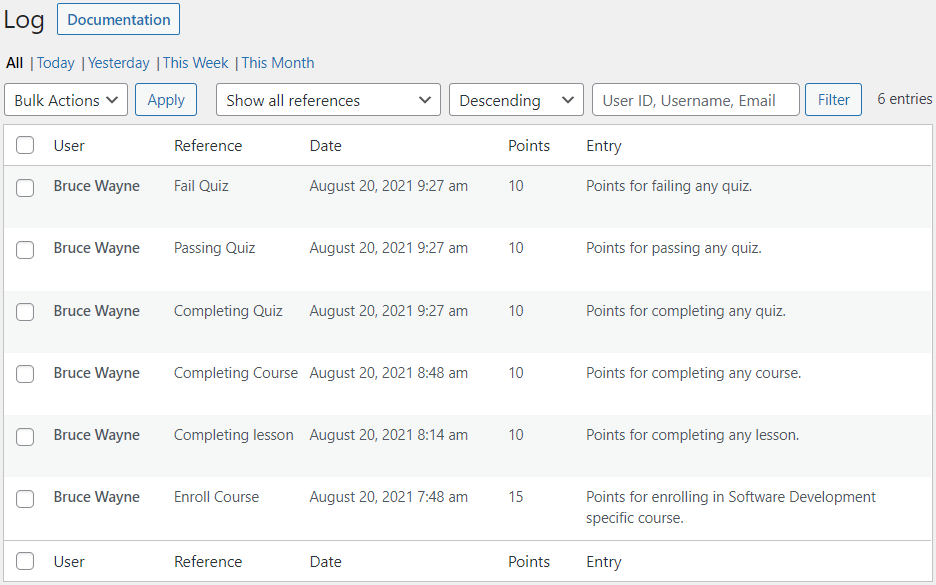
Go to Admin Dashboard → Points → Logs.

Each time myCred gives or takes points from a user on your website, the transaction is saved in the Logs section.
All the details like User, Reference, Date, Points, etc of the event are present here.