
Buddypress
BuddyPress

Settings
- Navigate to WordPress admin Dashboard > myCred > General Settings > BuddyPress
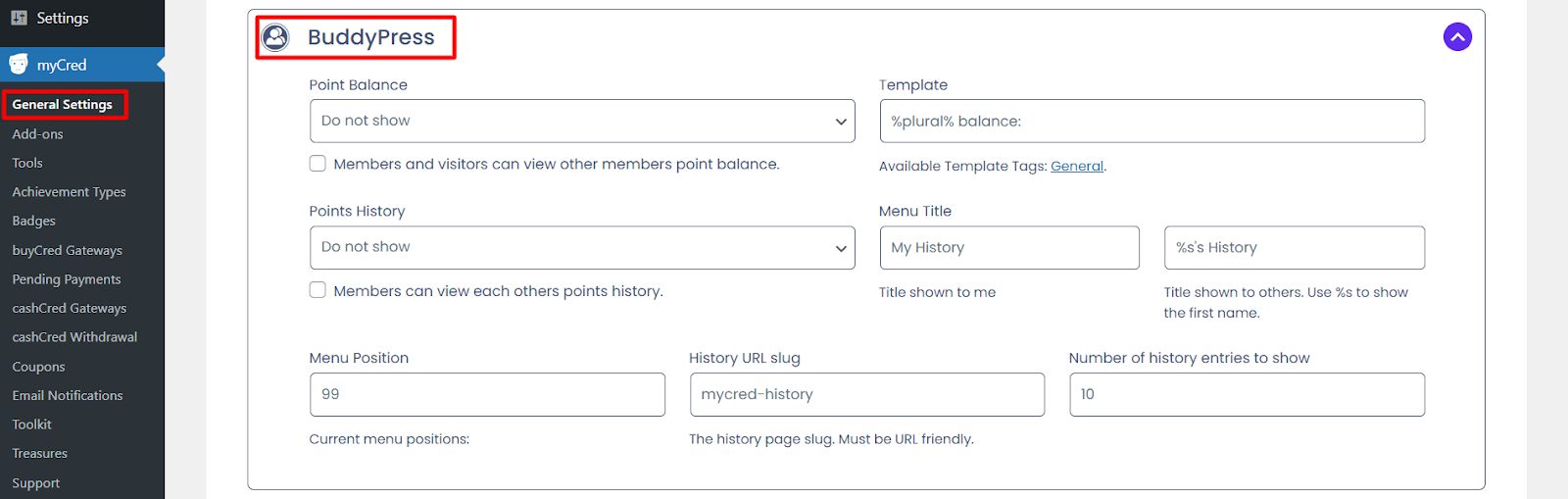
Point Balance and Template
- Admin can choose to keep the points balance hidden by selecting “Do not show” or enable visibility for members to view each other’s balance .
- The format for displaying the point balance, template tags can be accessed under General.
Point history and Menu title
- Admin can choose to keep the points history hidden by selecting “Do not show” or enable visibility for members to view each other’s history.
- A custom menu title can be added by the admin.
History
- Custom URL slug can be added for history page
- Admin can decide how many history entries to show
Hook configuration
- Navigate to Points > Hooks

- Press “BuddyPress: Member” hook to configure its settings
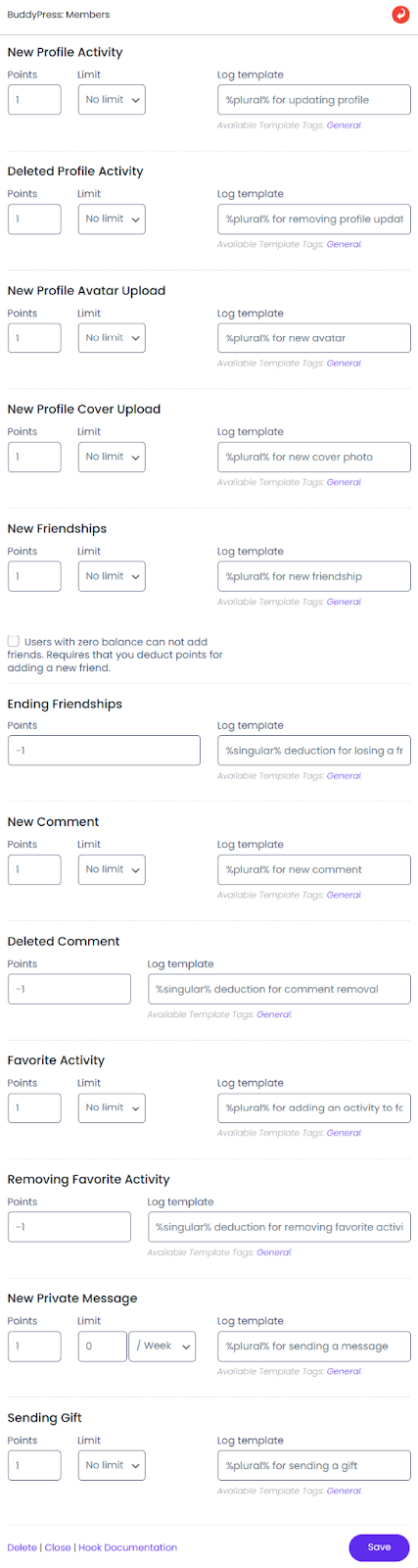
- Points can be added for specific actions like profile updates, comments, or friendships under their relevant headings.
Admin can set limits on points and select templates from the General section for each action.