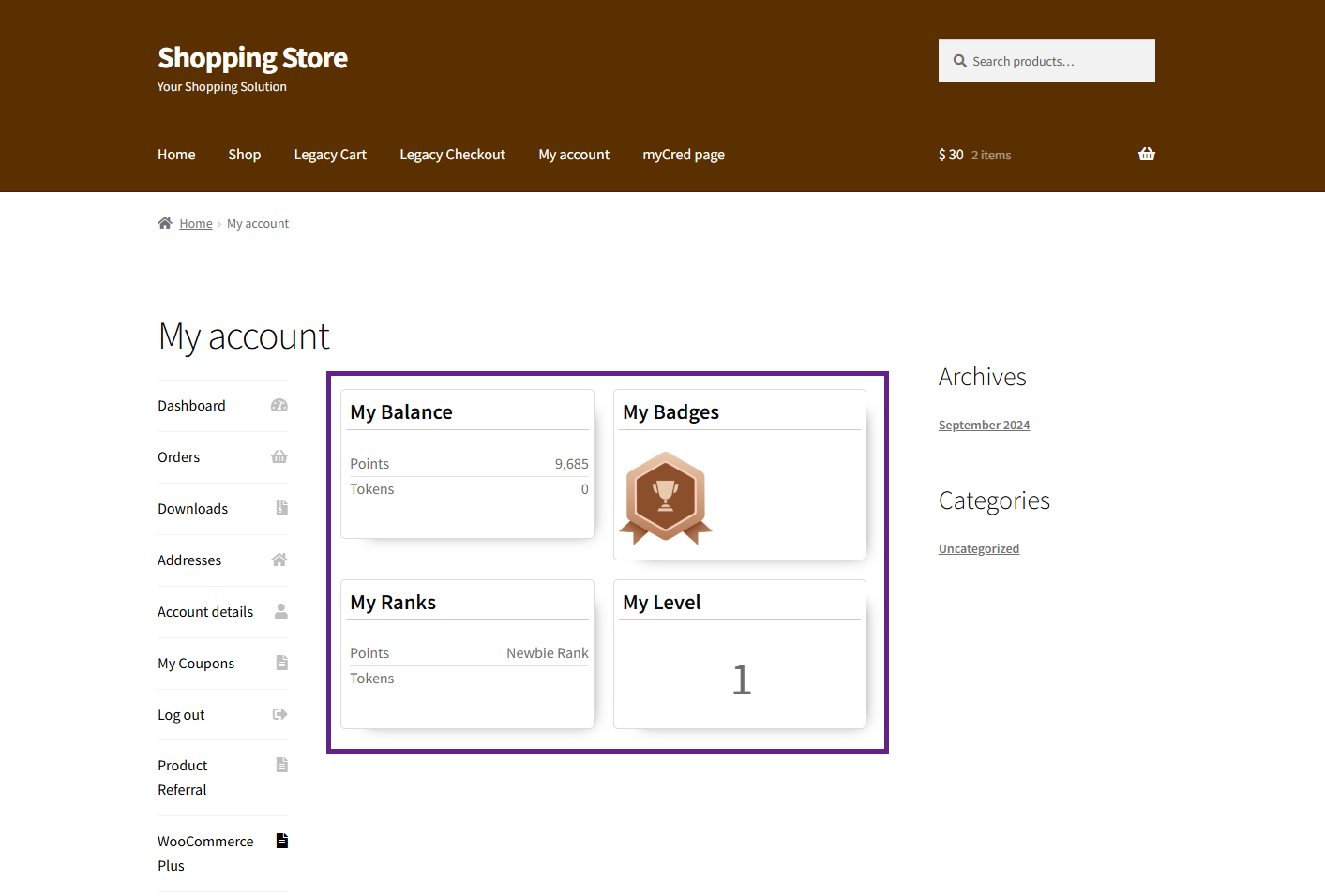
On the My Account page, the admin can add a dedicated tab to display the user’s badges, ranks, balances, and levels, allowing users to view their progress in one place.
Back-End Settings
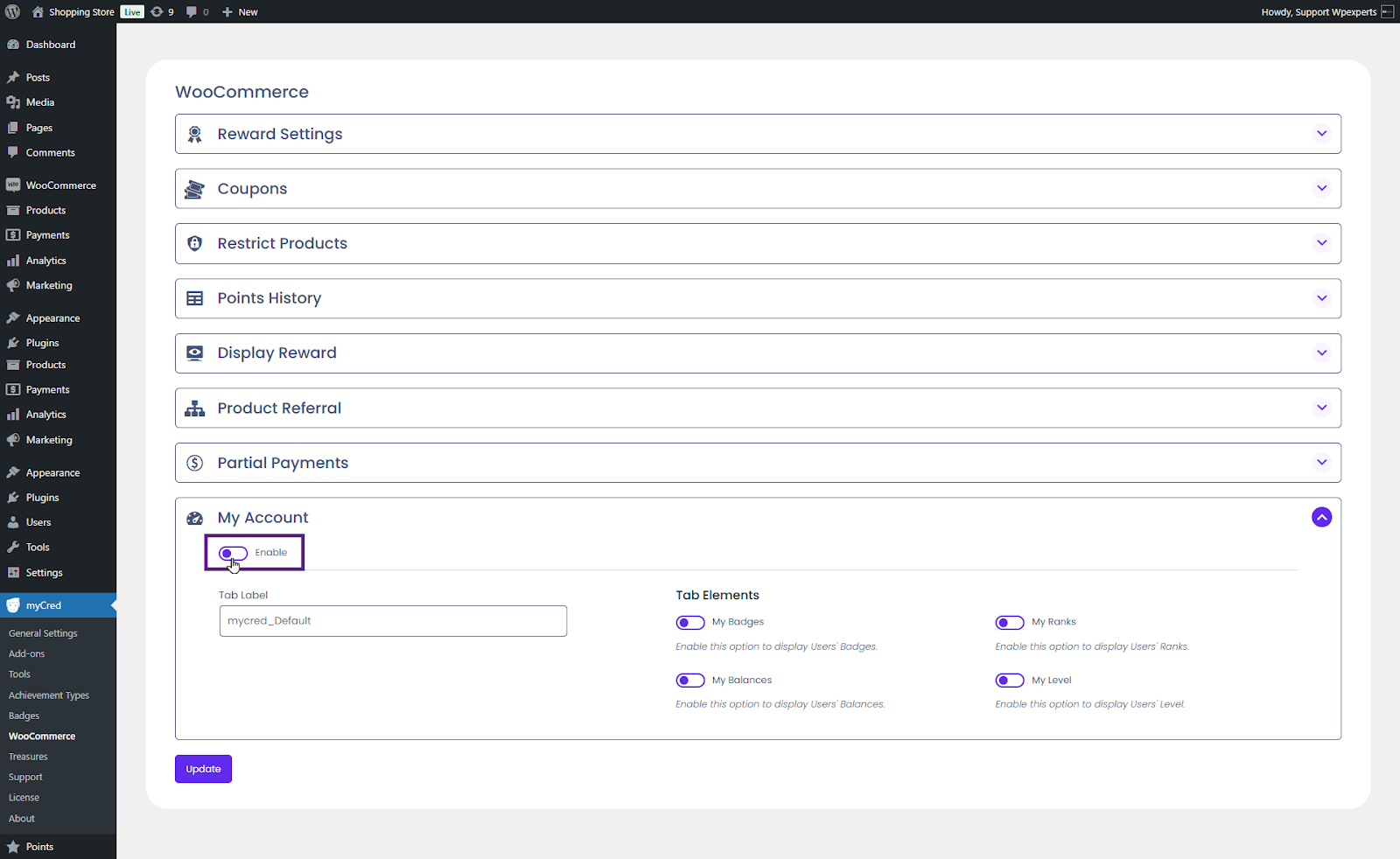
Go to the Admin Dashboard > myCred > WooCommerce.
Navigate to the My Account section.
Activate the Enable button.
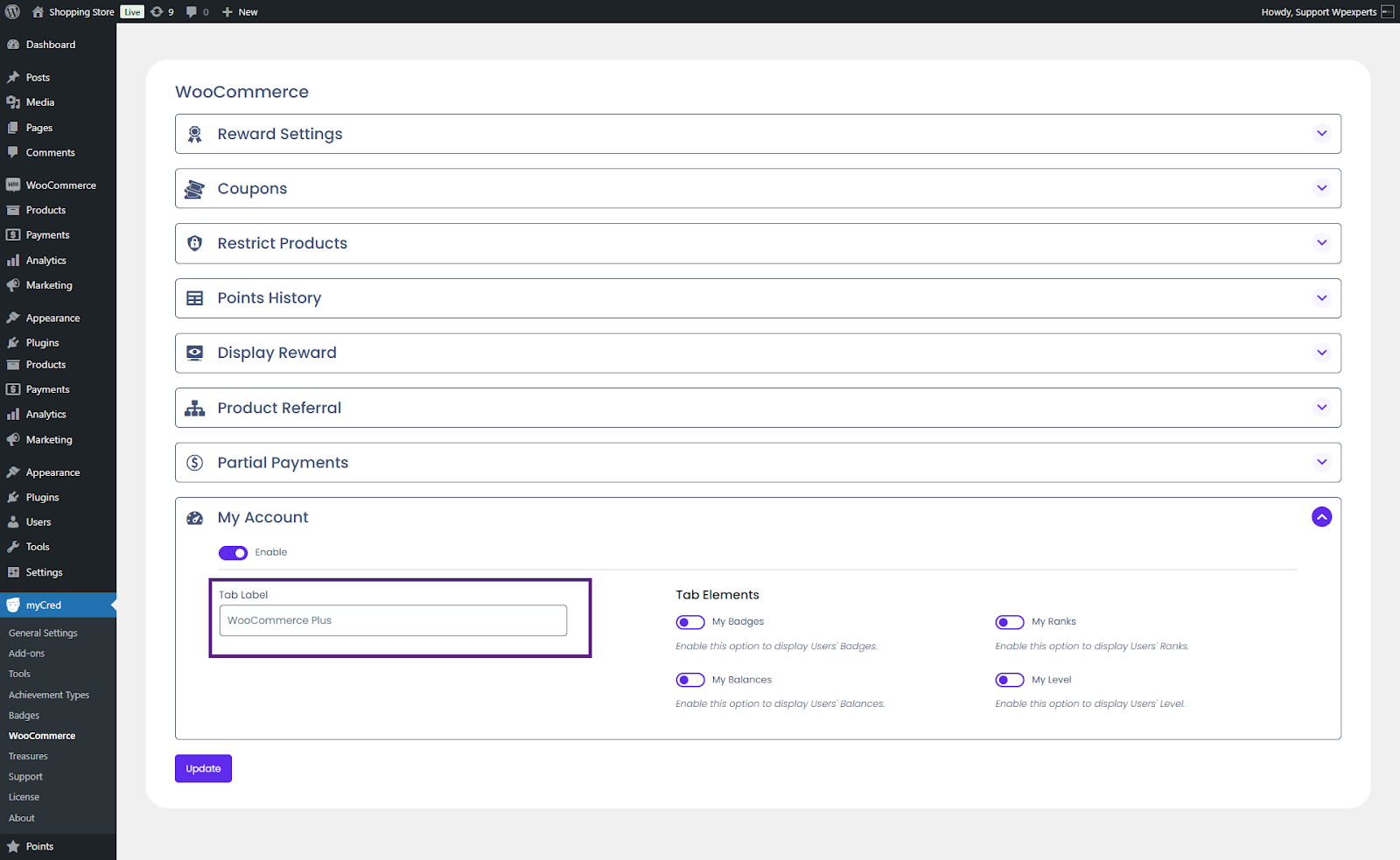
Next, enter the tab label in the Tab Label field.
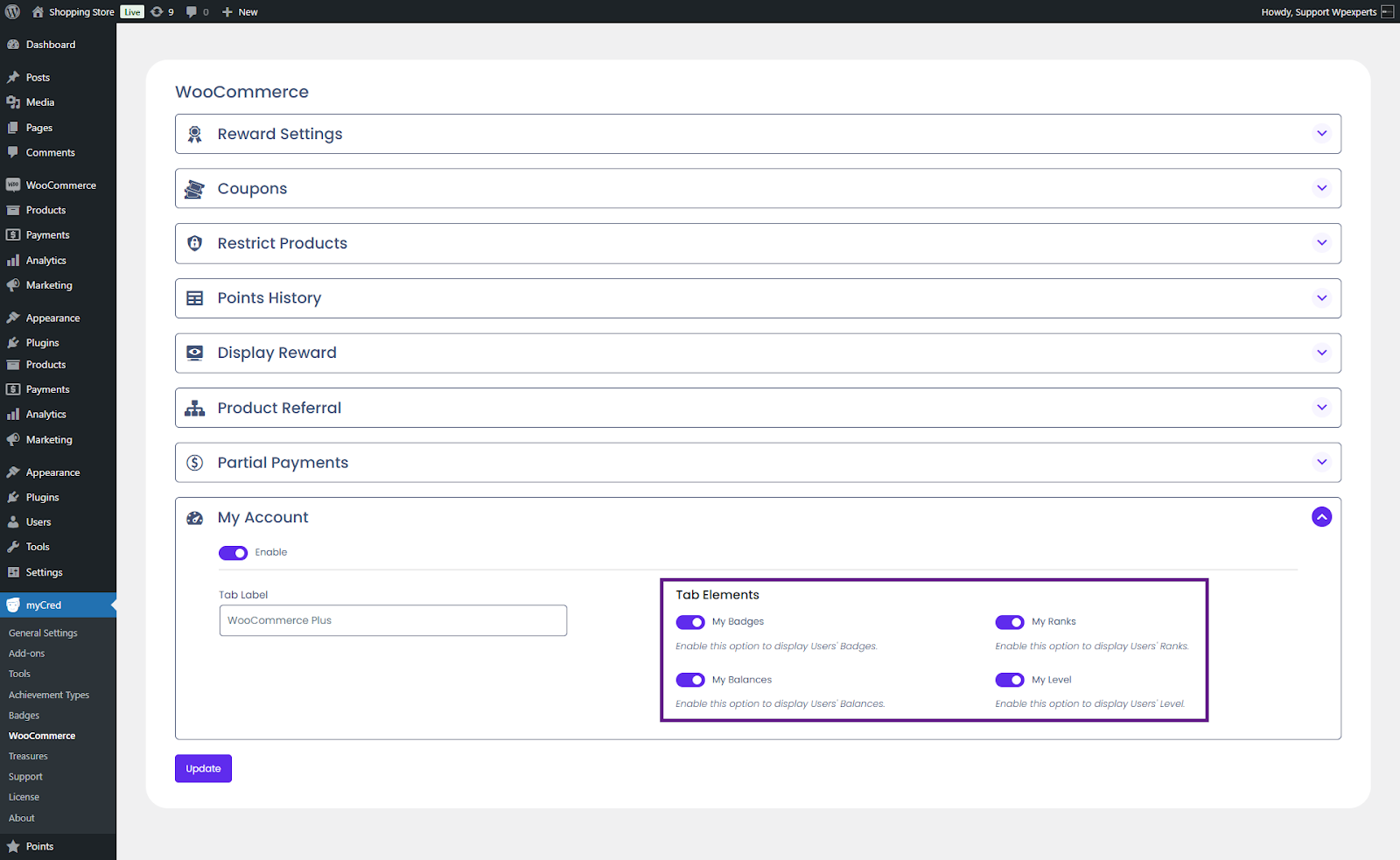
Activate the Tab Elements toggle buttons according to your requirements. In this case, we are activating all four toggle buttons.
Once done, click the Update button.
Front-End Impact
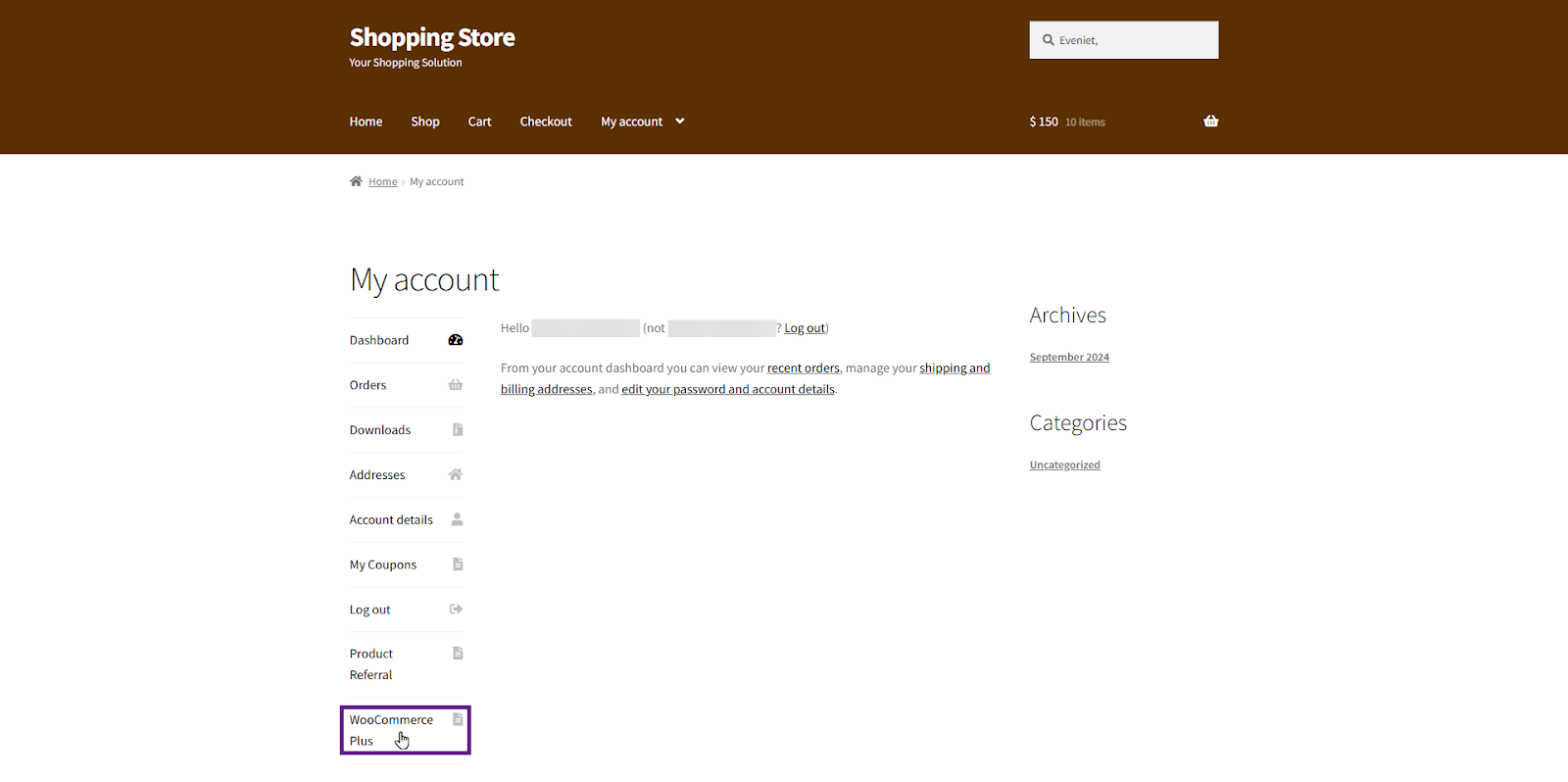
Go to the website.
Navigate to the My Account page.
Click the WooCommerce Plus tab.
Once on the WooCommerce Plus tab, users can view their balance, badges, ranks, and levels.