myCred GiveWP

Introduction
This plugin works for the ‘Donation’ feature. Donation forms will be placed on the main page of the website. Whenever a registered user donates to a campaign, so user will either be rewarded with badges/Points or can be deducted with points. The cases depend on the following scenarios:
- Award/deduct points on making a ‘donation’\
- Award/deduct points on ‘donation of minimum amount’ (Threshold of specific amount)
- Award/deduct points on ‘donation through specific form’
- Award badge on making ‘donation’
- Award badge on donation of ‘minimum amount’ (Threshold of specific amount)
- Award badge on ‘donation from specific form’
Note: Admin must set some ‘Hook Points’ for the above-stated cases
Activation
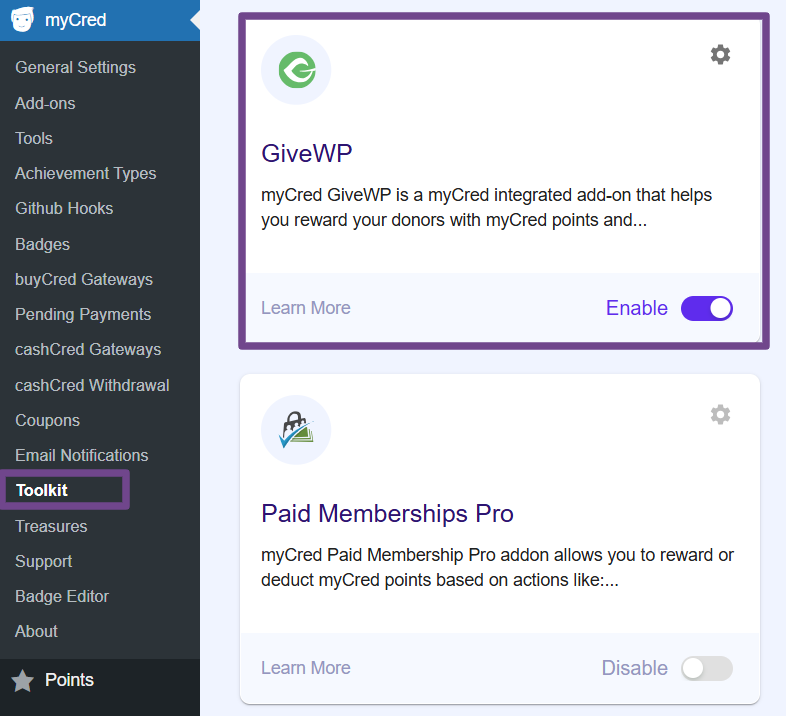
- Navigate to WordPress admin Dashboard > myCred > Toolkit
- Search for GiveWP
- Enable
Min. Requirements
PHP 7.0+
MySQL 5.0+
DONATION FORM SETTINGS
You need to visit the following link that contains the details of how to generate the form and configure it for donation
SHORTCODE SETTINGS
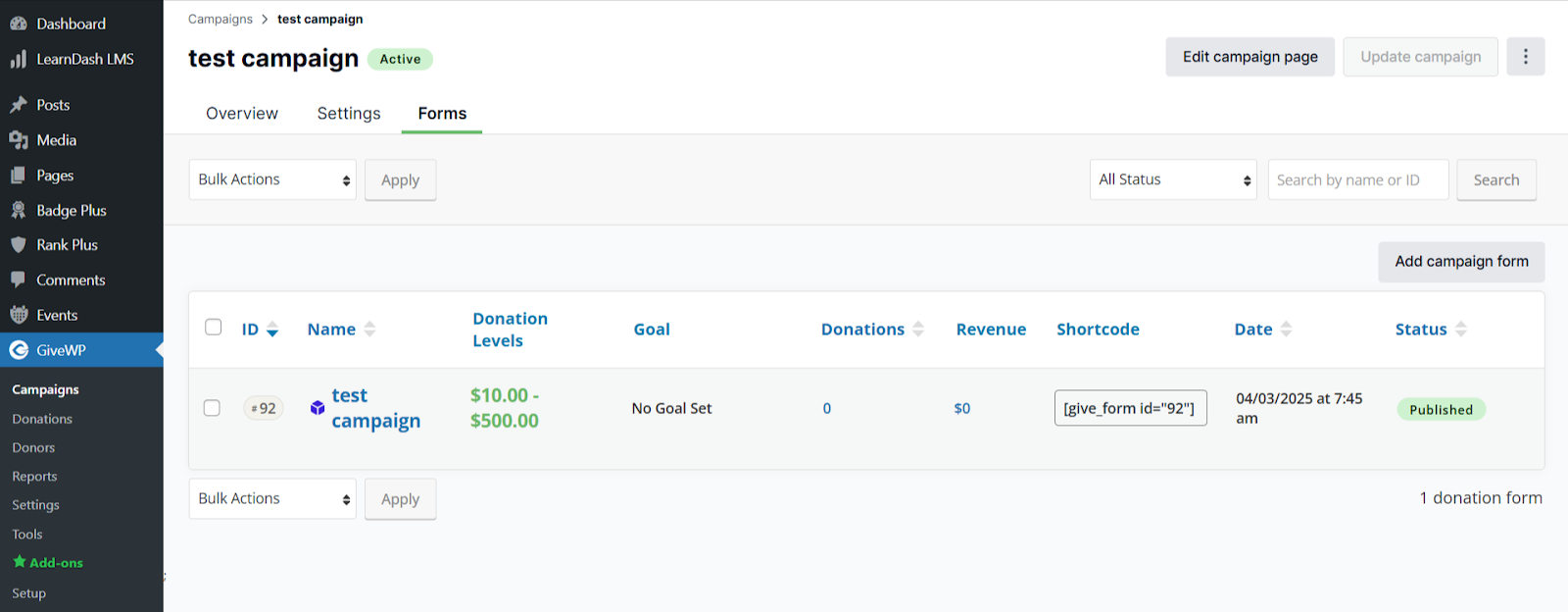
- Go GiveWP > campaigns
- Edit the the campaign
- Go to the forms sections
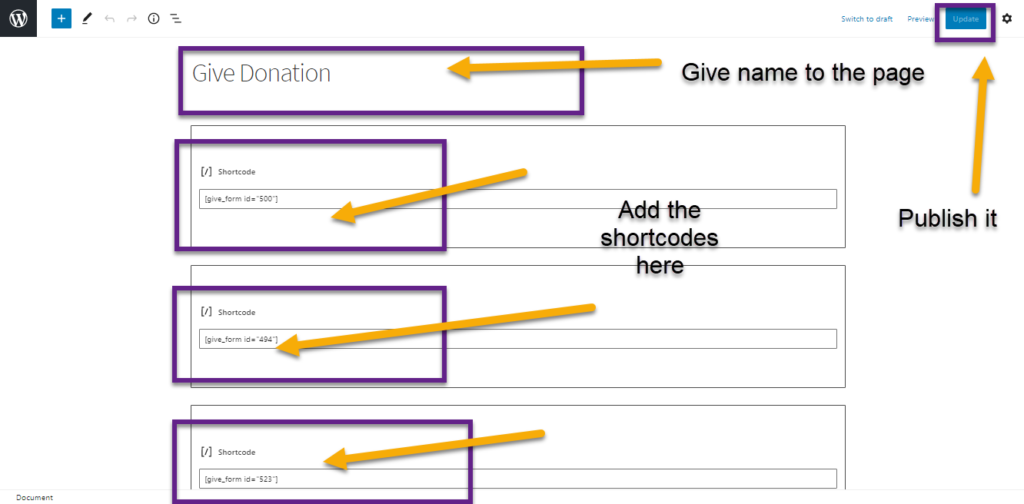
- Copy the shortcodes for each individual campaigns
FUNCTIONALITY ON HOOKS
Hooks
- Go to ‘Points’
- Then ‘Hooks’
Drag ‘Points for GiveWP Donation’ in Active Hooks
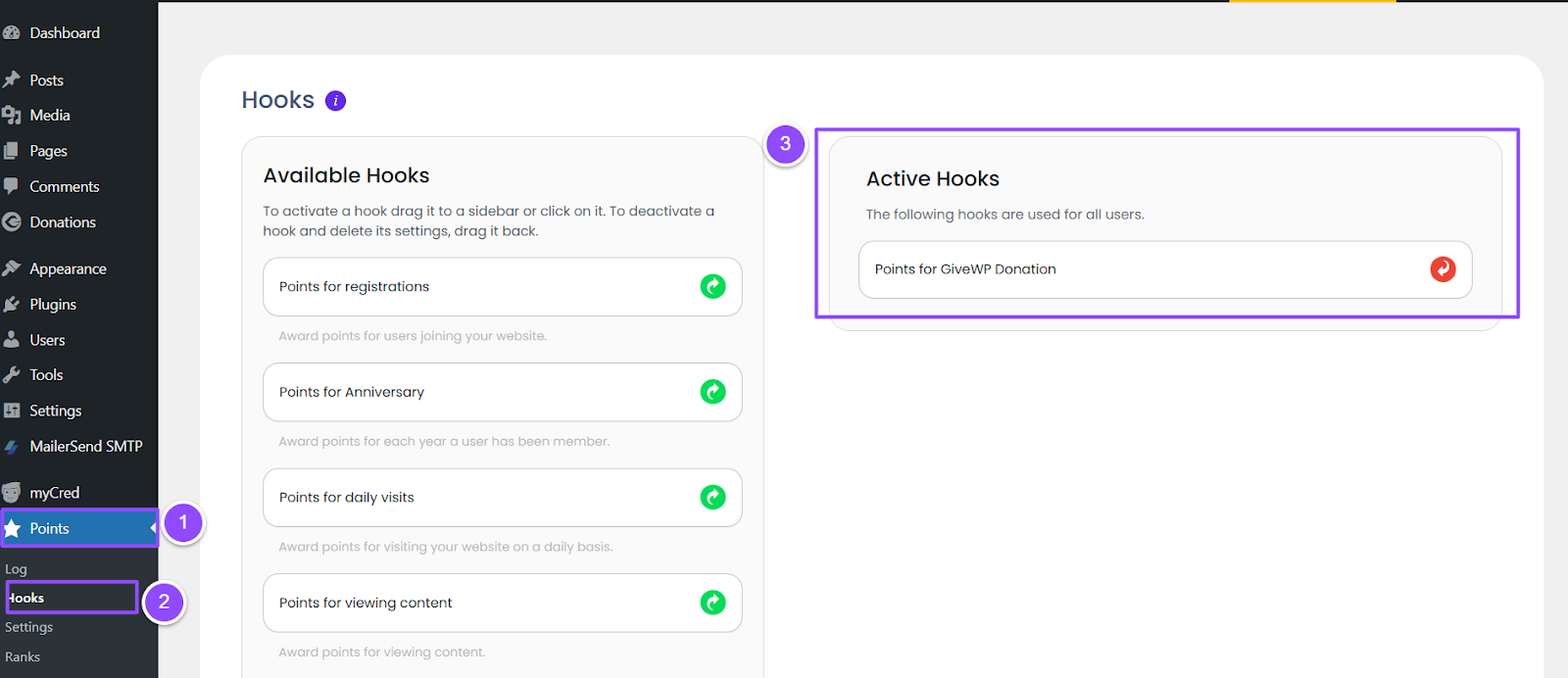
Award/deduct points on making a ‘donation’
Award Points
- In this case ‘Admin’ can enter ‘points’ which will be rewarded to the ‘customer’ who will donate any form. Admin can set the limit of transaction by per Day/Week/Month or Total.
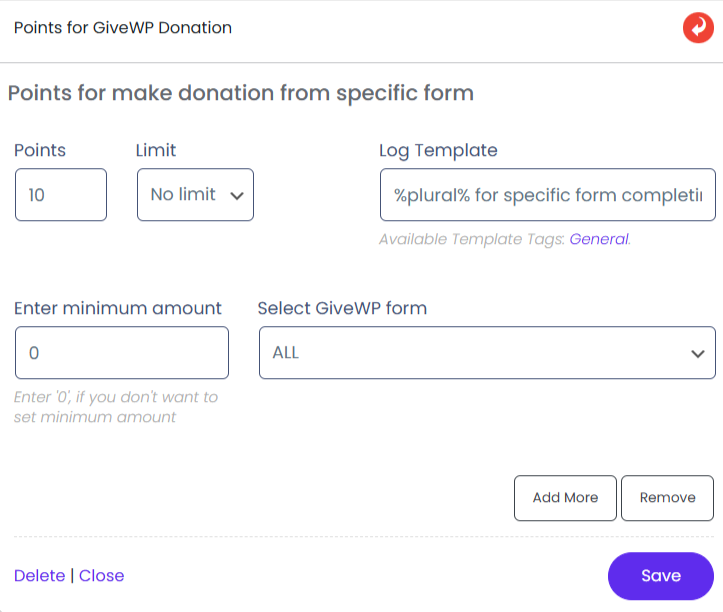
- Now click on ‘Save’
- When the user goes to the donate page, the following screen will appear
- Click on ‘Donate Now’

- ‘Select’ or ‘give amount’ of donation and click on continue

- Give your name, email address and click on ‘donate now’

Transaction will proceed
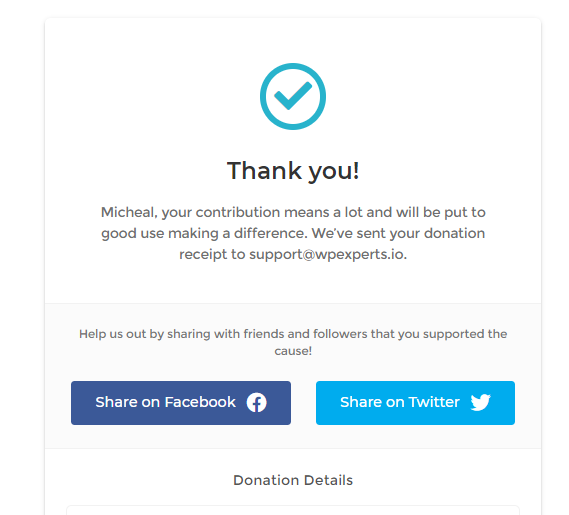
On successful transaction, a notification will appear on customer screen that you have rewarded with points for donation in specific fund
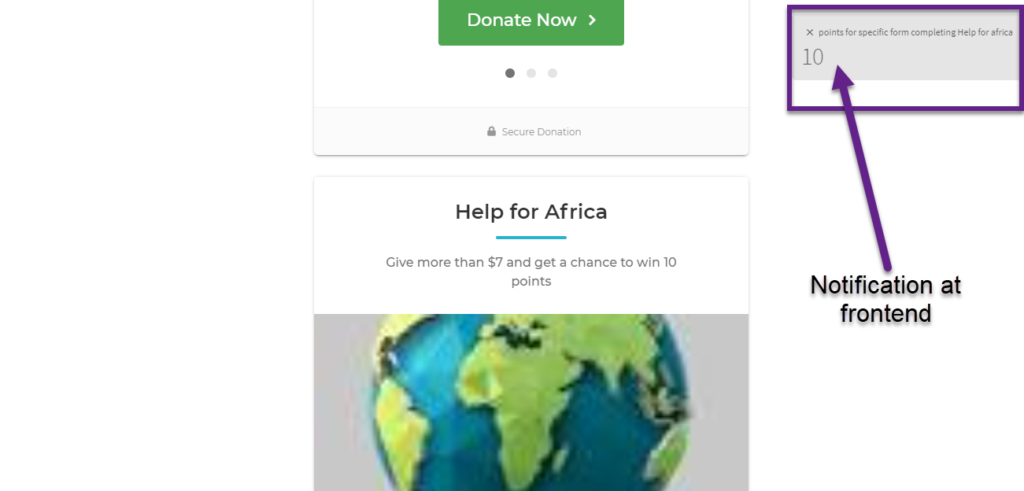
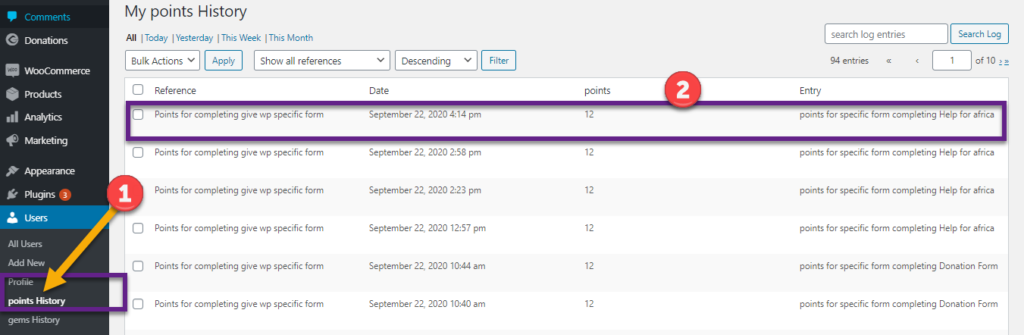
In ‘Profile History’ user can see that ’10’ points have been rewarded against this donation
Deduct Points
If you want to set the case of point deduction then in ‘points’ field put your desired value with ‘-ve’ sign
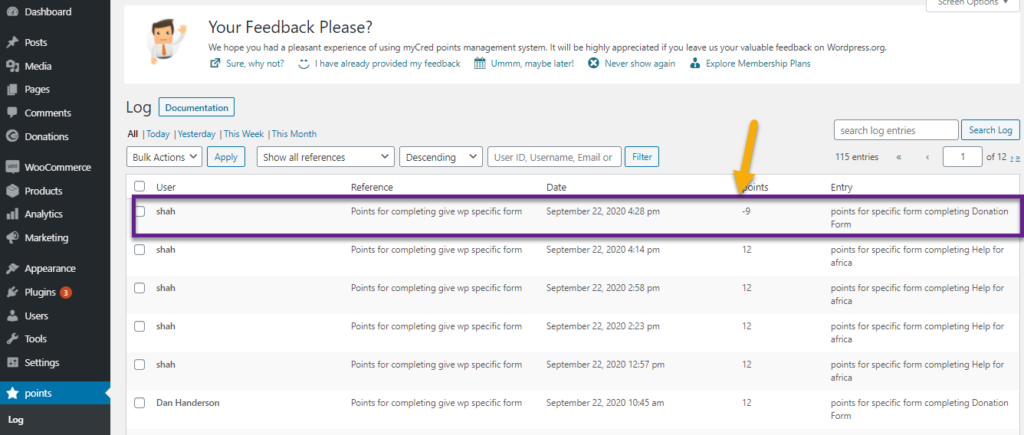
Here we have placed ‘9’ value which will get deducted when a customer will make a donation on any form

Now by repeating the same steps of donation we can see in profile section that ‘9’ points have been deducted against this donation
Award/Deduct points on ‘donation of minimum amount’ (Threshold of specific amount)
Award Points
In this scenario, if a customer will donate ‘7’ or more than ‘7’ amount then designated points will be rewarded
Where 7 is the minimum amount on which points will be given to customer. Any value below to ‘7’ will not be consider for points allocation

As we can donate in any form and there is no restriction of selecting a specific form in this case, therefore we donated at ‘Donation Form’

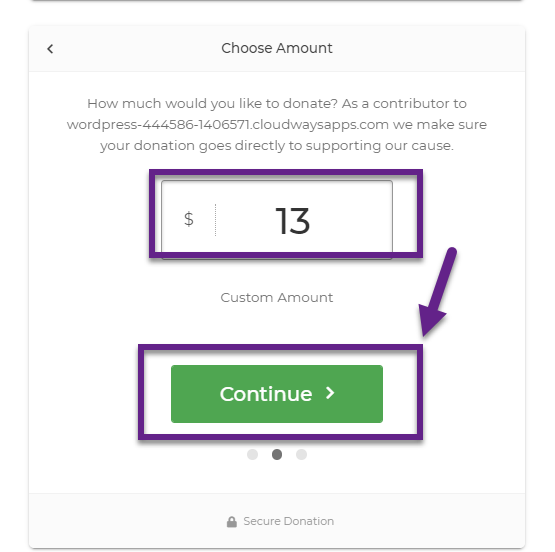
We donated more than ‘7’ amount
Therefore ‘Awarded’ points can be seen in ‘Profile History’
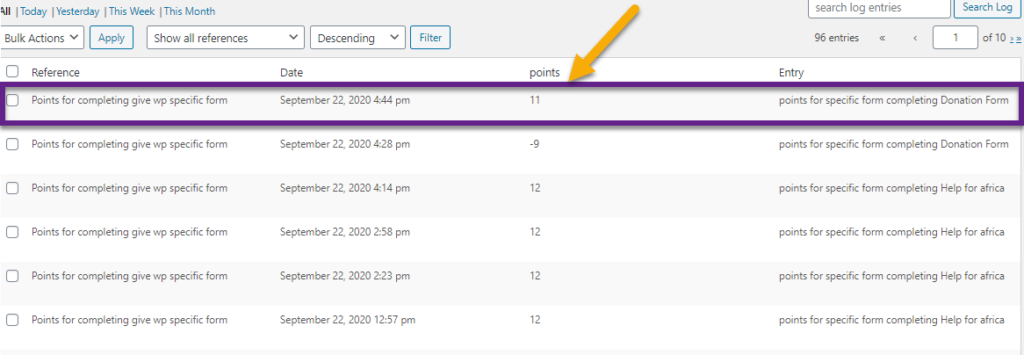
Notification of gained points has been appeared on donating more than minimum amount
Deduct Points
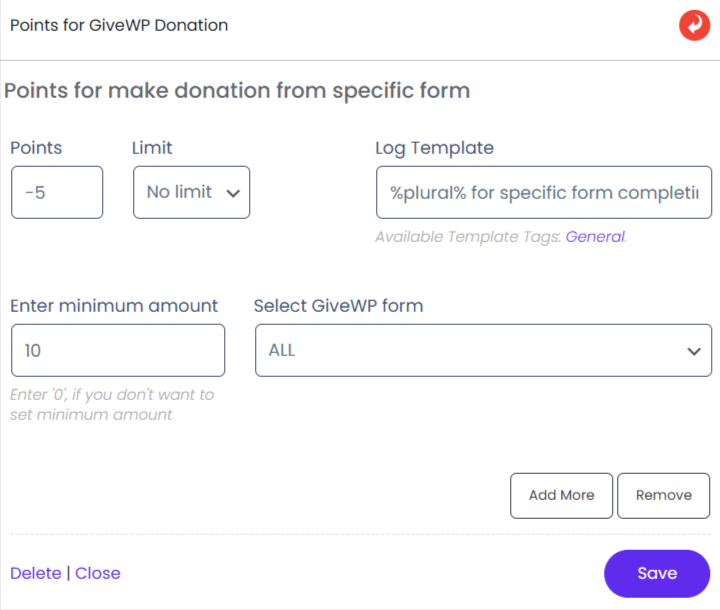
In this scenario if a customer will donate ‘10’ or more than ‘10’ amount then ‘5’ points will be deducted
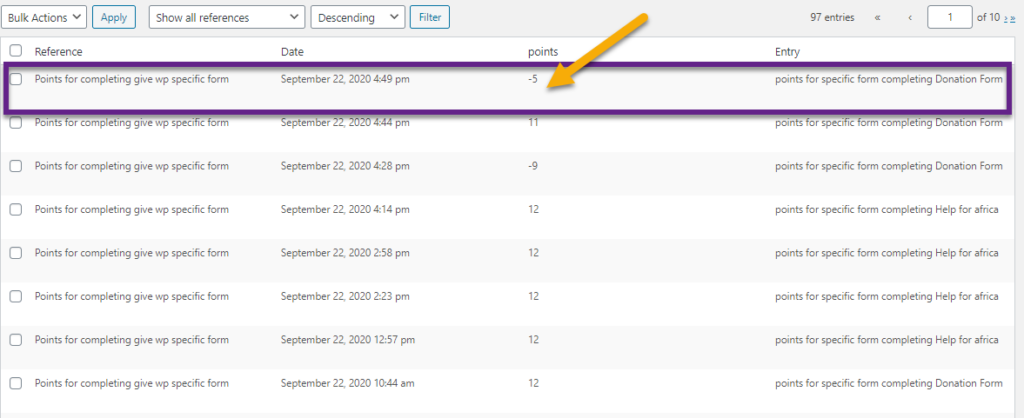
We donated more than ‘10’ and went through same donation process. Therefore ‘Deducted’ points can be seen in ‘Profile History’
Award/Deduct points on ‘donation through specific form’
Award Points
In this scenario ‘5’ points will be rewarded to the customers, if they will donate on a ‘Specific campaign’

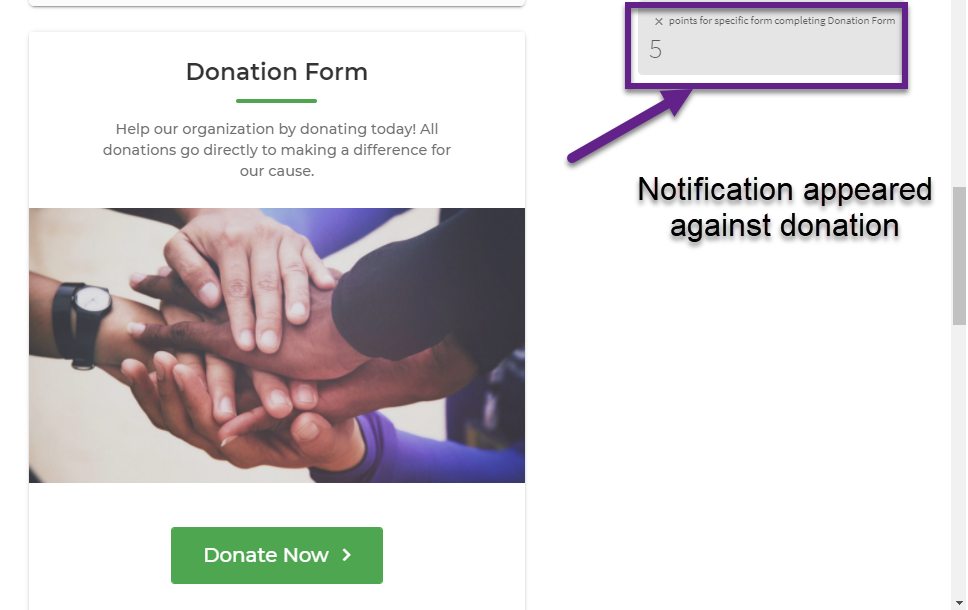
‘Specific Campaign’ that appeared on front page

Customer has donated for the stated campaign and has been rewarded with ‘5’ Points
Customer can see the logs in his ‘Points History’ too
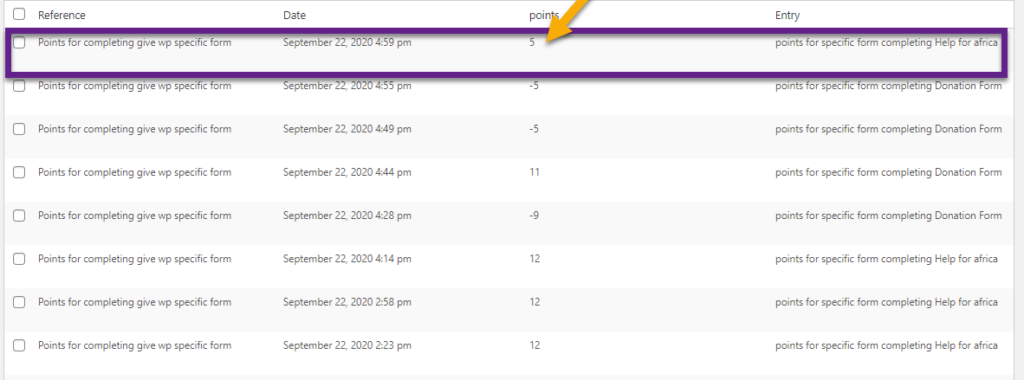
Deduct Points
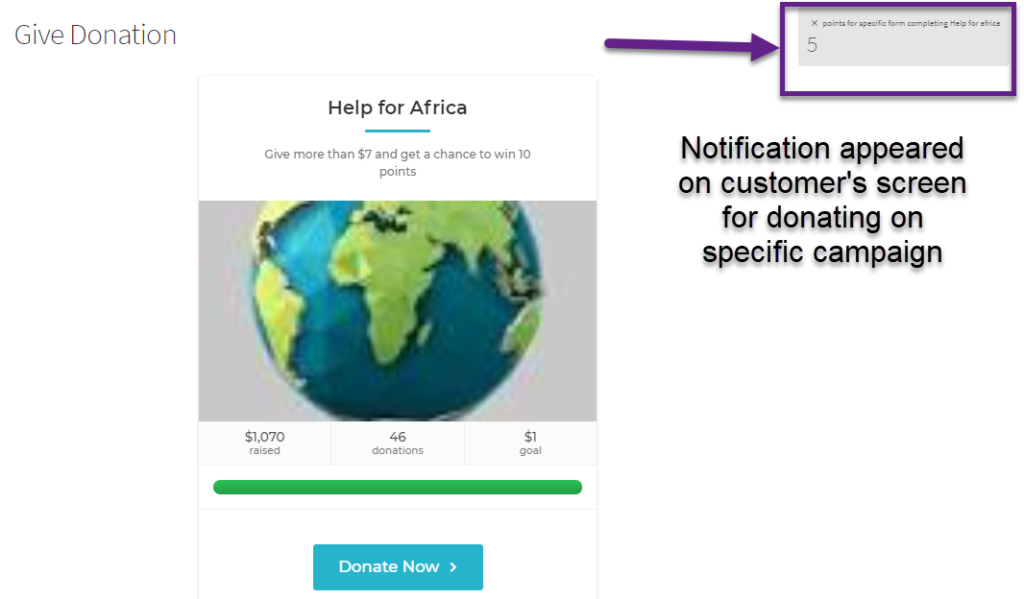
In this scenario ‘5’ points will be deducted from customers account if they donate to ‘Help for Africa’ campaign

Customer has donated for the stated campaign and has been deducted with ‘5’ Points

FUNCTIONALITY ON BADGES
In this section, we can create badges that will be rewarded on ‘Normal Donation’, ‘Donation with Minimum Amount’ and ‘Donation through Specific Form’. Moreover, we can create multiple levels of a badge and can set specific points for each level accordingly. Therefore, as soon customers will fulfill stated points so relevant badge will be allocated to them.
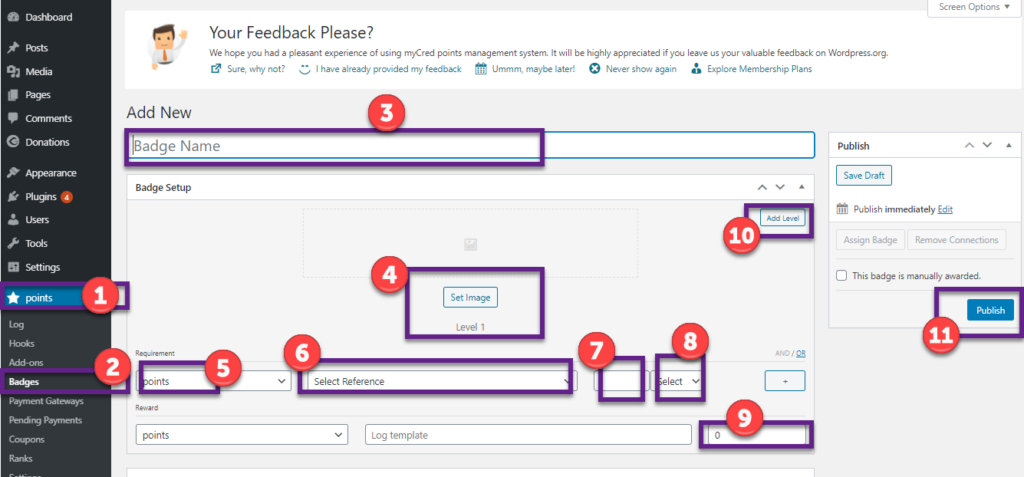
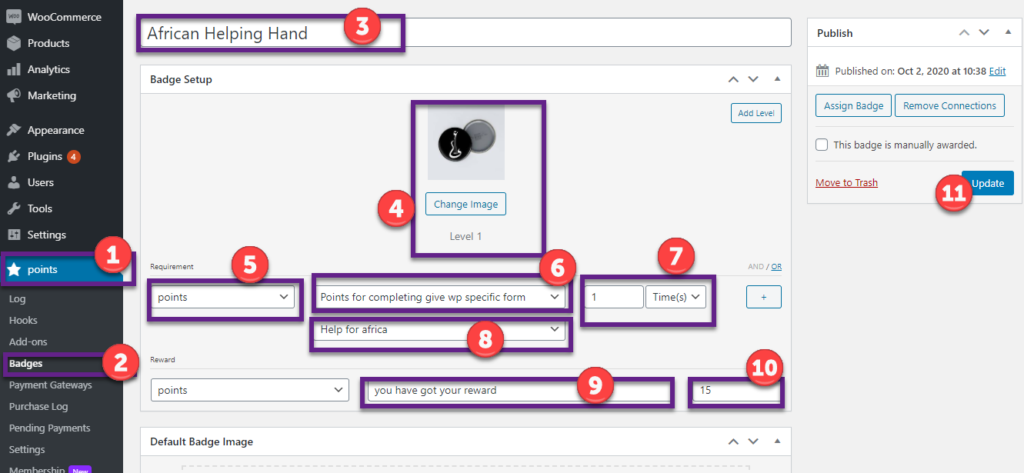
First, we need to configure following particulars:
- Go to ‘Points’
- Go to ‘Badges’
- Give name to your ‘Badge’
- Select ‘Image’ for level ‘1’
- Select ‘Points’ in dropdown
- Set ‘Points for completing give up specific form’
- Set ‘No of time’
- Set ‘In time or total no’ from dropdown
- Set ‘no of points’ which will be rewarded on achieving badge
- We can add ‘multiple level’ and set the same no settings
- Click on ‘Publish’
Award badge on making ‘donation’
- In this case when a customer will donate so against that donation ‘Badge’ will be rewarded
- We have made a badge which will be assigned to customer if he/she will donate on any donation form
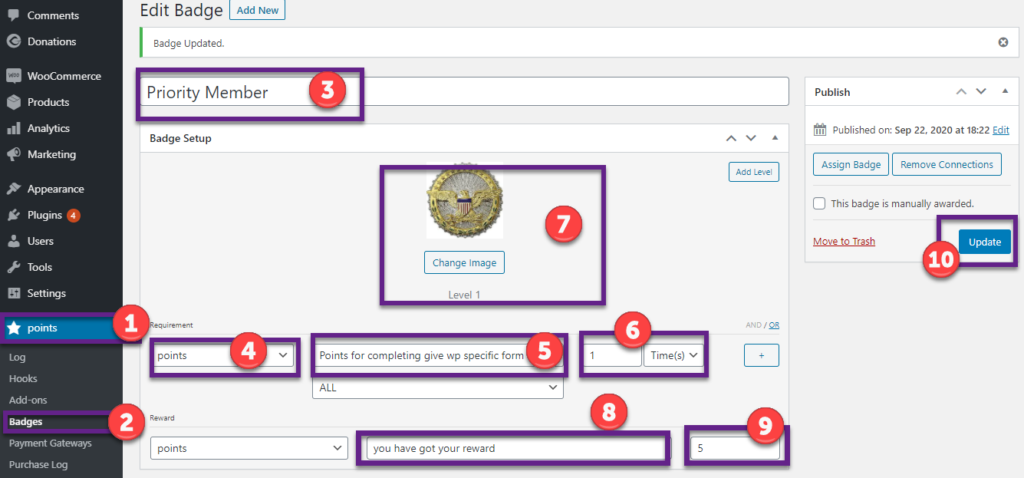
- Hooks value has been set as ‘10’

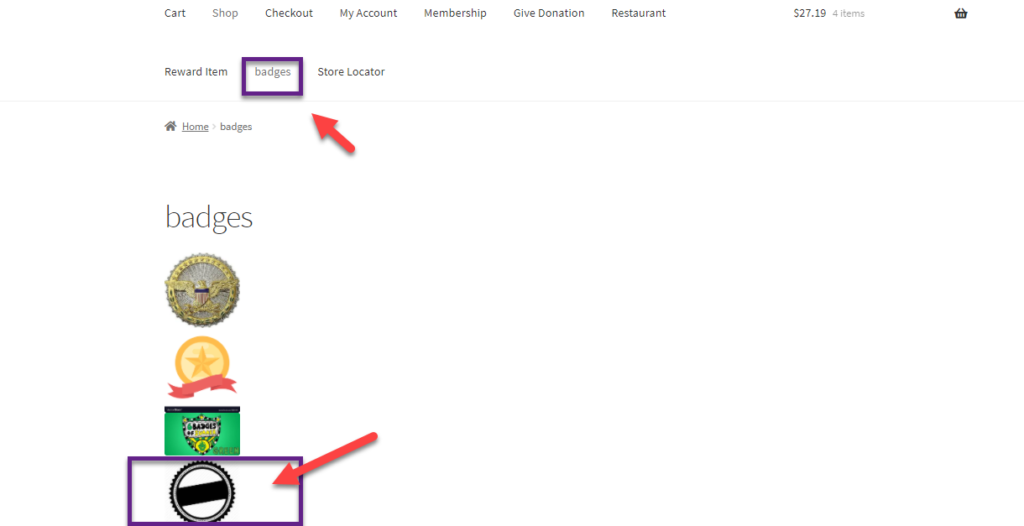
- Customer has donated for a donation campaign and has been rewarded with that ‘Badge’. He/She will go on landing page of website and click on ‘badges menu’
- Earned badges will get displayed

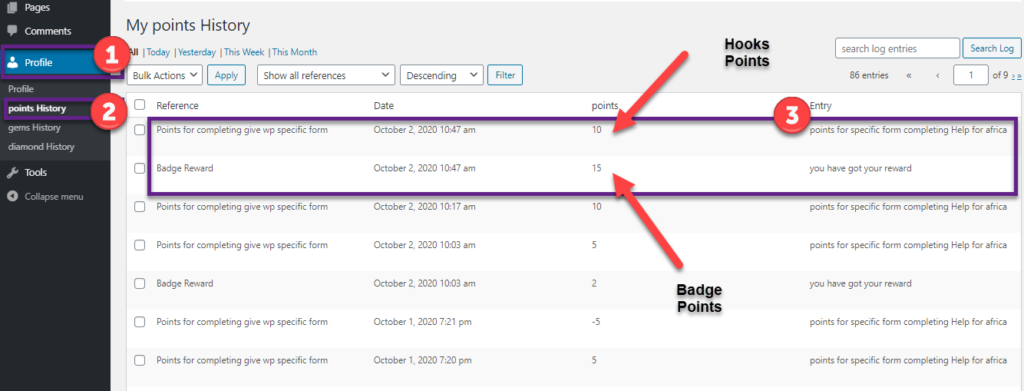
- While earned ‘Hook Points’ and ‘Badge Points’ can be seen in logs

Award badge on donation of ‘minimum amount’ (Threshold of specific amount)
In this case badge will be assigned to customer if ‘Minimum Amount’ of donation will be made
We have set the minimum amount as ‘5’. On donation of ‘5’ or more, customer will get 10 hook points along with badge
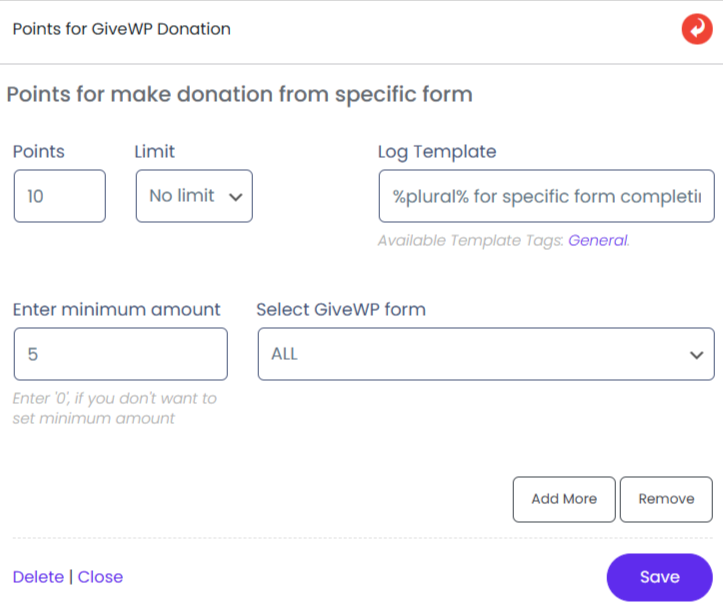
We have created below badge

Customer has donated for a donation campaign and has been rewarded with that ‘Badge’
Award badge on ‘donation from specific form’
In this case when customer will donate on a specific form so he/she will be rewarded with 10 Hook Points and 15 points of badge along with badge
‘Donation Product’ in hook and badge should be same
We have made following badge
And had following ‘Specific Form’ from ‘Hooks Settings’

Customer has donated for specific campaign

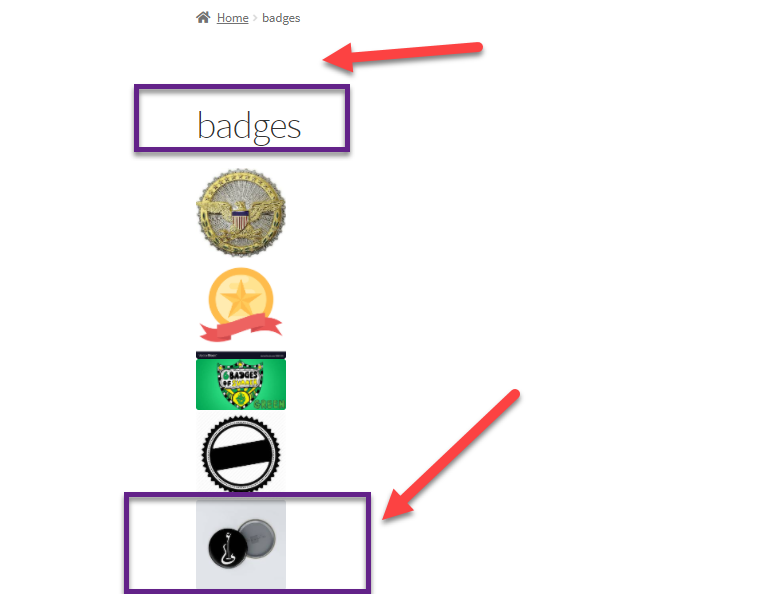
And has been rewarded with that ‘Badge’. Badge can be seen in ‘badge menu’ at landing page of website
While earned ‘Hook Points’ and ‘Badge Points’ can be seen in logs