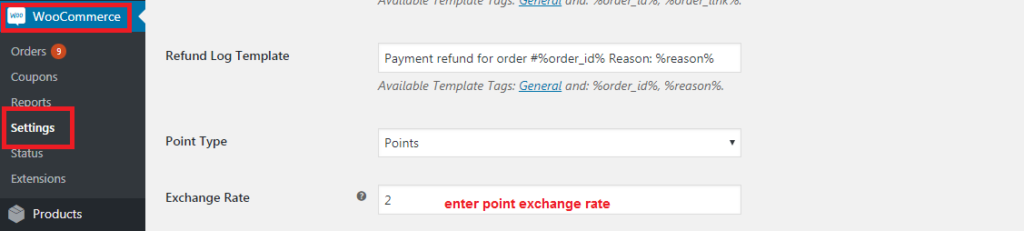
WCVendors Settings
Define product commission
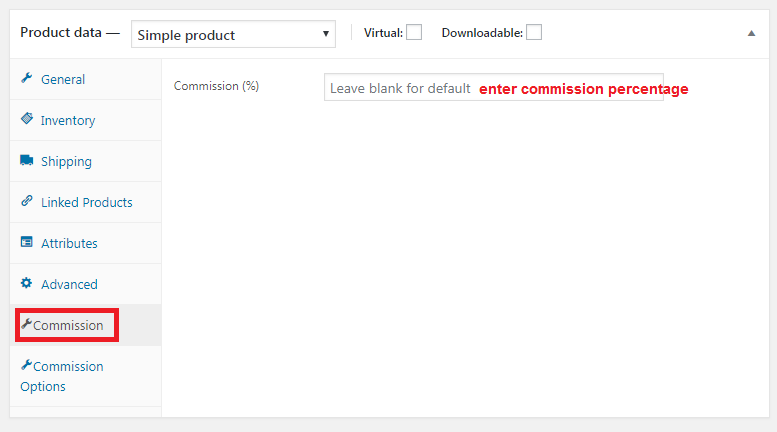
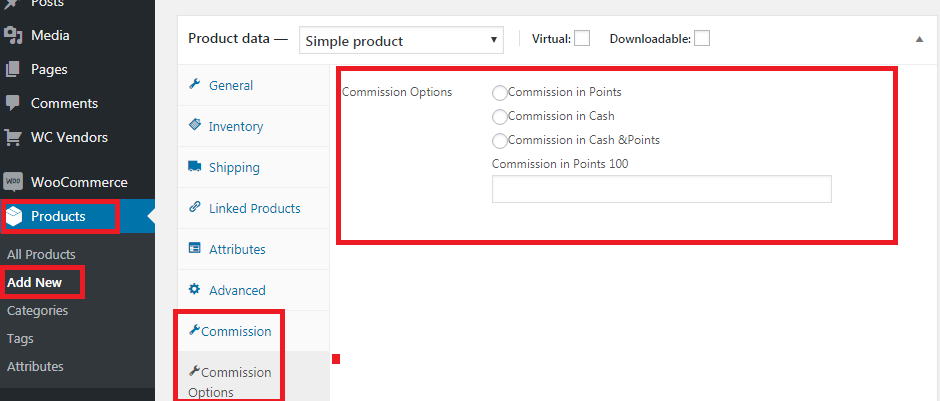
- Go to add a new product from woocommerce
- Select “Commission tab” to add a percentage of commission
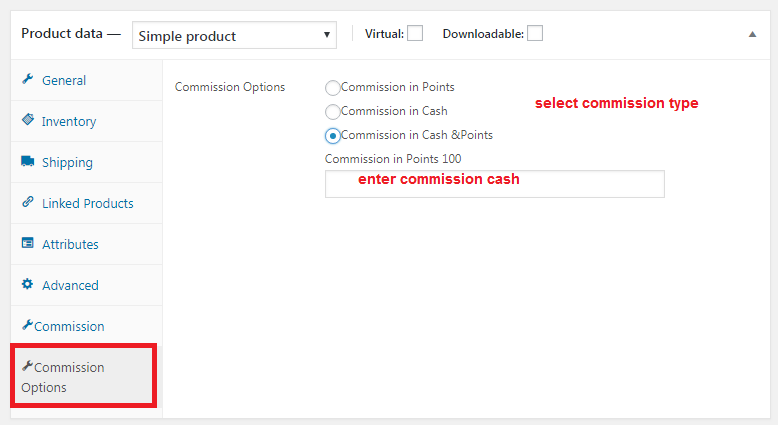
- Select Commission options to define commission type [in points Or in cash Or cash and Points]. Enter the percentage of commission according to the type you selected.
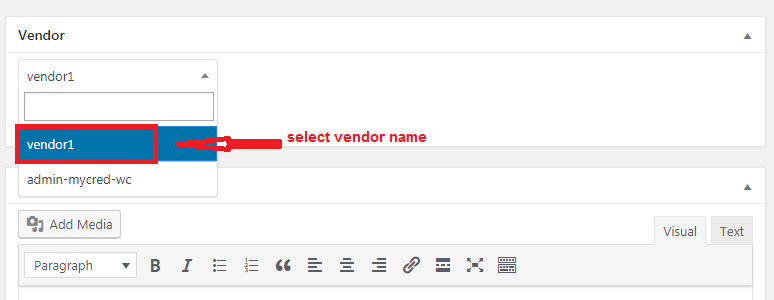
Define this product by vendor
- From add new product select vendor name.
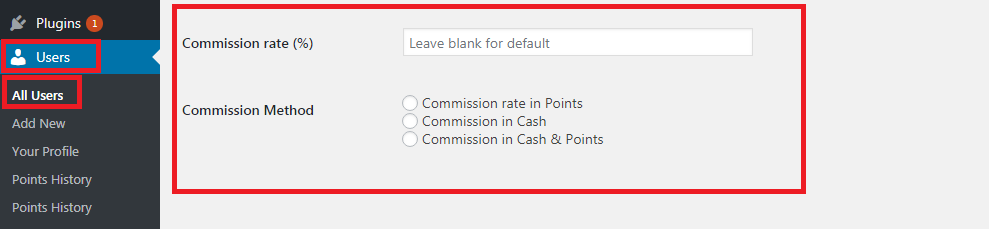
Get commission according to roles
- The commission will calculate according to settings added form products if not added will be added from users if not added will be calculated from default.
View Commission log
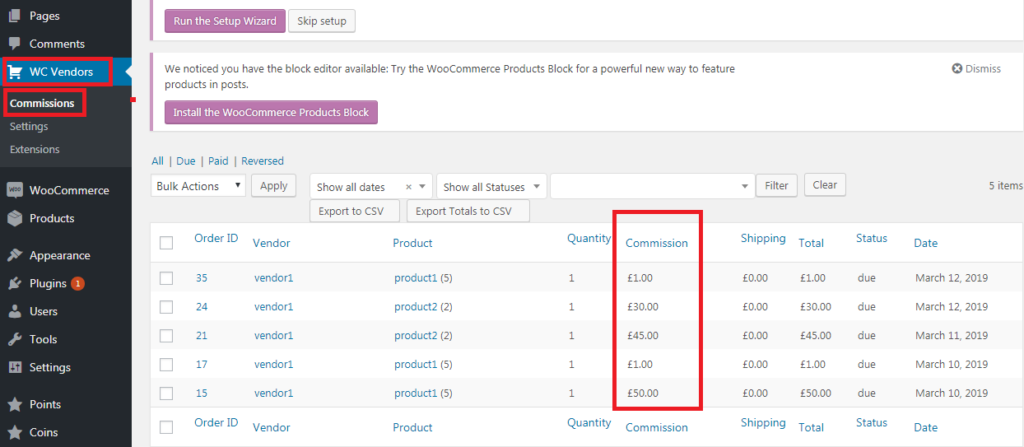
- Go to WCVendors → Commissions
- You can view all vendors commissions
Points according to product rating
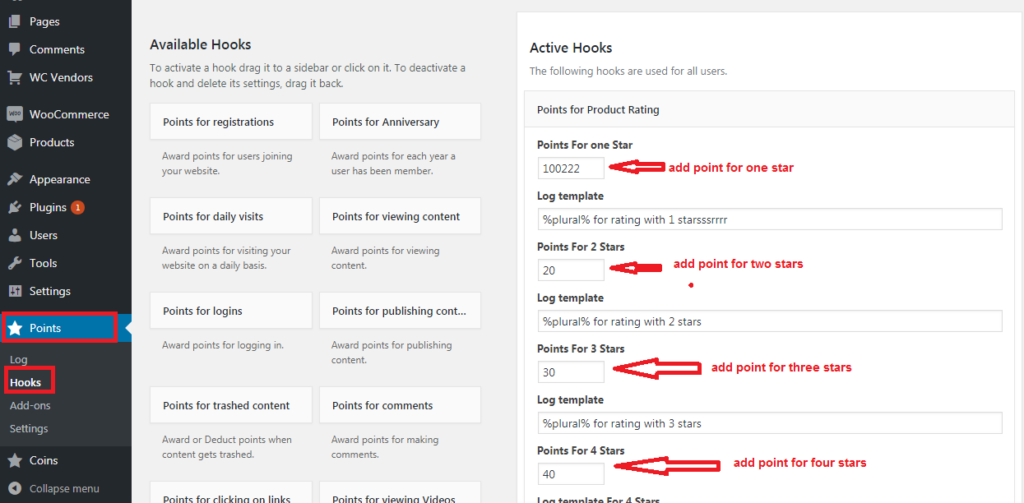
- Go to Points → hooks
- Admin can define the number of points according to each rate star number
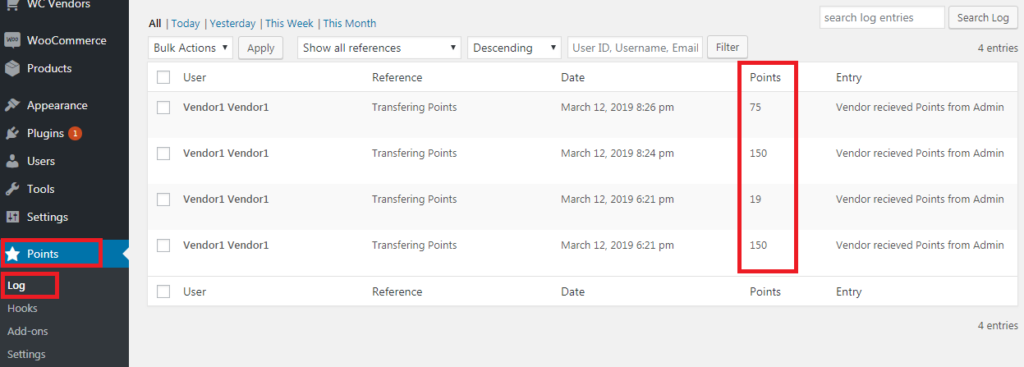
View points log
- Go to Points → Log
- You can view all vendors points
Points exchange rate
- Go to WooCommerce → settings → payments — enable pay with mycred
- Control the one point exchange rate
- In case of no exchange rate value, the user won’t be able to give commission as points.