
Memberpress Integration
Memberpress Integration

Introduction
myCred Memberpress Integration awards myCred points when a membership has been subscribed that was created via Memberpress , the integration has been equipped with multiple hooks that can be set to award points for multiple membership types in Memberpress when the subscription event is triggered.
Setup
- Ensure that memberpress plugin is installed and activated
- Navigate to WordPress admin Dashboard > myCred > Toolkit
- Search for Memberpress Integration
- Enable the add-on

Hook Configuration
- Go to Points > Hooks
- Find the Memberpress hook, then Drag and Drop
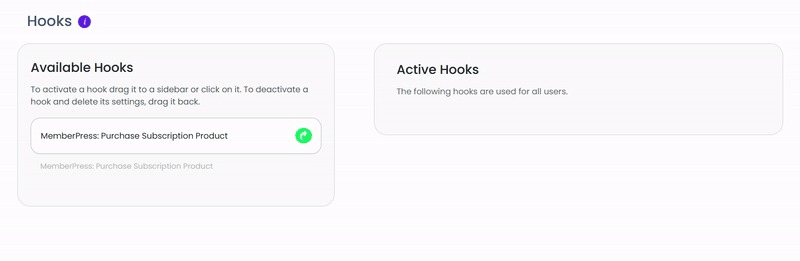
- Click on the hook to configure the settings

- Admin can set the number of points to be awarded to user on purchases
- The specification on when to award points on purchases can be customized according to what is required